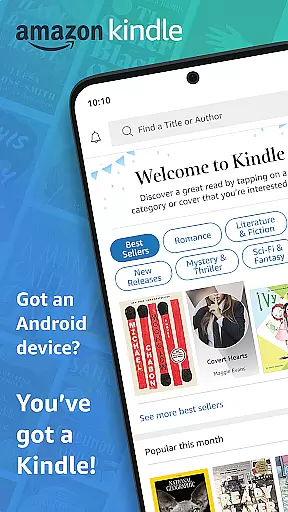
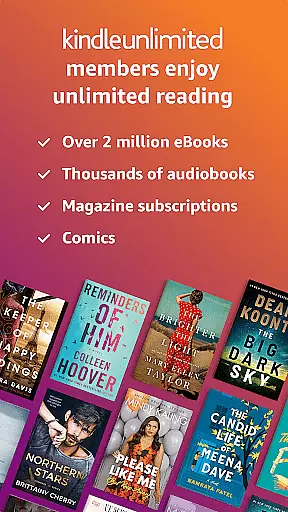
Amazon Kindle is the quintessential reading companion for book lovers, offering access to millions of books, magazines, audiobooks, and more. This app transforms your mobile device into a personal library, allowing you to carry thousands of titles in your pocket. Whether you're interested in bestsellers, academic texts, or niche genres, Kindle provides an extensive selection tailored to every reader's preference.
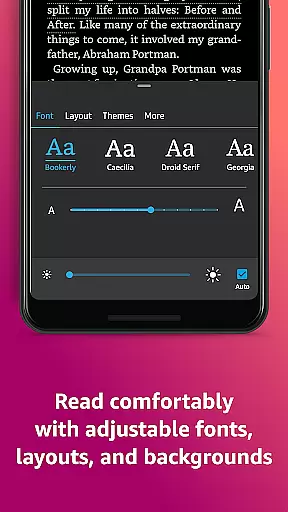
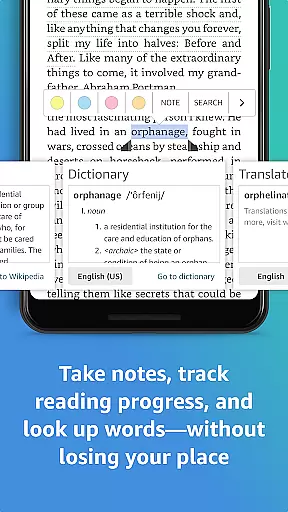
The app goes beyond simple reading by incorporating advanced features that enhance the user experience. You can customize text appearance, look up definitions, track reading progress, and sync across multiple devices. These functionalities ensure that users can read comfortably and efficiently, making it ideal for both casual readers and serious bibliophiles.
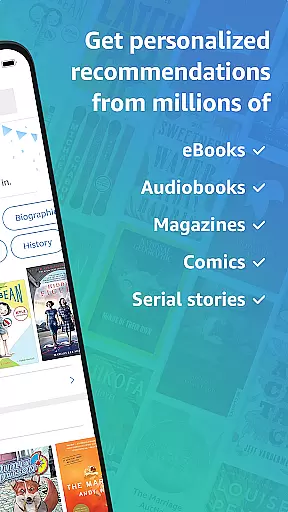
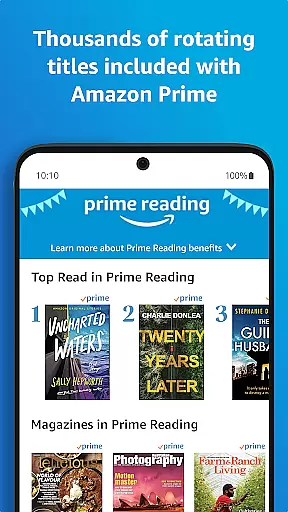
Kindle's integration with Amazon services creates a seamless ecosystem for discovering and consuming content. With features like Kindle Unlimited and Prime Reading, users have access to an extensive digital library. The ability to sample books before purchasing and receive personalized recommendations makes this app particularly valuable for those seeking their next great read.
Amazon Kindle stands out through its comprehensive feature set designed to optimize the reading experience. One of its key strengths is the customizable reading environment, allowing users to adjust font size, typeface, margins, and even page orientation. This level of personalization ensures comfortable reading sessions regardless of environmental conditions or personal preferences.
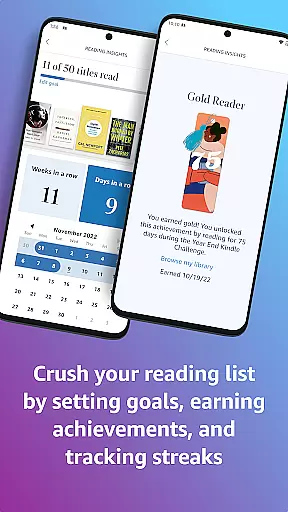
The app's built-in reference tools revolutionize how readers interact with content. Through instant dictionary lookups, Wikipedia integration, and X-Ray functionality, users can quickly understand complex terms and gain deeper insights into characters and themes. The Page Flip feature enables easy navigation while maintaining your current position, and the reading progress tracker helps manage reading goals effectively.
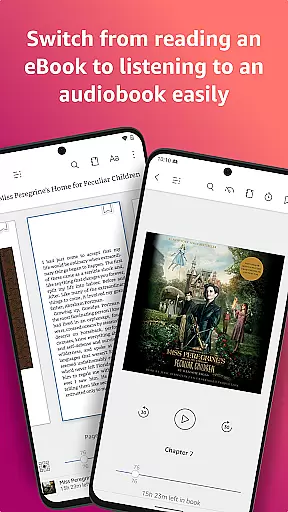
Seamless synchronization across devices represents another significant advantage. Whether switching from phone to tablet or from Android to iOS, your reading position, bookmarks, and notes remain perfectly aligned. The addition of Audible narration creates a hybrid reading-listening experience, while features like high-definition image zooming and automatic updates ensure content remains engaging and up-to-date.
When it comes to digital reading, the size and authenticity of an e-book library are crucial factors for avid readers. The Amazon Kindle app boasts an extensive collection of millions of books, including bestsellers, magazines, newspapers, comics, and manga. This vast library ensures that users have access to a diverse range of reading materials across various genres, from romance and science fiction to non-fiction and self-help.
Copyright authenticity is another cornerstone of the Kindle experience. Every book, magazine, or comic available in the Kindle store is verified for copyright legitimacy. This means readers can trust that they are accessing genuine content that respects intellectual property rights. With partnerships with major publishers and independent authors alike, Kindle guarantees that its library not only offers quantity but also quality and legal assurance.
The benefits for users are immense. Whether you're looking for the latest releases, Amazon Charts bestsellers, or specific genres, Kindle's comprehensive library has something for everyone. Additionally, features like sampling books before purchasing provide an extra layer of confidence in your choices. Overall, the combination of a vast selection and stringent copyright checks makes Kindle a reliable platform for all your reading needs.
For any e-reader app, format compatibility plays a significant role in user satisfaction. The Amazon Kindle app excels in this area by supporting a wide array of formats, ensuring that no matter what type of document or publication you wish to read, Kindle can accommodate it. From standard formats such as PDF, MOBI, and TXT to more specialized ones like AZW and PRC, Kindle provides flexibility that few other platforms can match.
This broad format support allows users to import their personal documents and read them alongside purchased titles seamlessly. Whether it's academic papers, work-related documents, or personal notes, Kindle's ability to handle different file types enhances its utility beyond just being an e-book reader. Moreover, the app's conversion tools enable users to convert certain files into a Kindle-friendly format effortlessly.
Users benefit greatly from this versatility. They can consolidate all their reading materials within one app, simplifying their digital library management. Furthermore, the assurance that almost any document format will be compatible eliminates concerns about losing access to important texts. In essence, Kindle's robust format compatibility empowers users to enjoy a seamless and uninterrupted reading experience across all types of content.
User-friendly interface
Extensive content library
Cross-device syncing
Customizable reading options
Integrated reference tools
Separate Audible subscription required
Limited free content
Occasional formatting issues
Prime Reading restrictions
Storage space requirements

"Five Dr. Seuss titles in one omBook!"
 4.60
4.60
Powerful Bible study tools linked to every verse in an easy-to-use Bible reader!
4.60
Read the KJV Bible with Strong’s offline: reading plans, audio Bibles, and more.
4.70
Shop over 13 million new and used books at up to 80% off list price
4.20
8 Dr. Seuss short stories in 1 app!
4.70
Holy Bible with verses and audio for studying and prayer
4.30
Read unlimited novels, audiobooks, stories & Unlock ebooks, fanfiction and more!
4.70
Fast loot guide for ARC Raiders. Simple tips, stats, maps, and item details.
4.3
Premium reader for ePub, PDF, and more. TTS and translation. Great on any screen
3.50
Contains the 365 daily readings and everything other thing needed for catholics
4.70
Discover Stars and Planets: Live Map Shows Current Constellations in Full Detail
4.70
Watch real short episodes in just minutes— addictive, you won't be able to stop!
4.70
Crowd-sourced listing of businesses with anti-gun signs, and pro-2a alternatives
4.60
Find, discuss, and organize your world of books and shows.
4.60
Discover, track, and share your reading with friends & our community of readers
4.60
Research your family history to explore ancestors and search for your heritage
4.50
The ultimate military vehicle identification (Equipment ID) guide.
4.40
KJV Bible works offline with Audio, Hebrew & Greek lexicon (concordance) & more!
4.20
ISAIAH EXPLAINED with Avraham Gileadi Ph.D.
4.00


User Reviews