
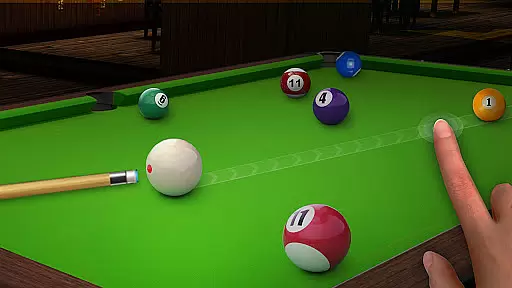
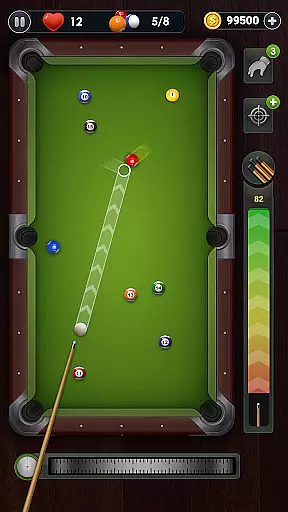
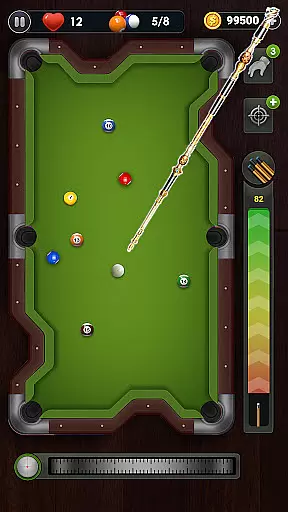
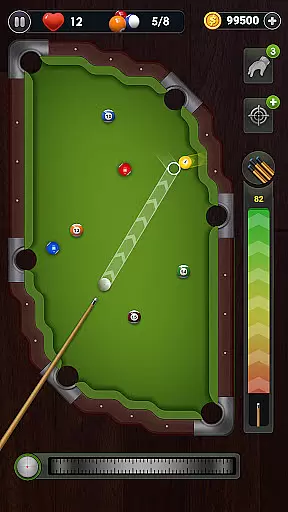
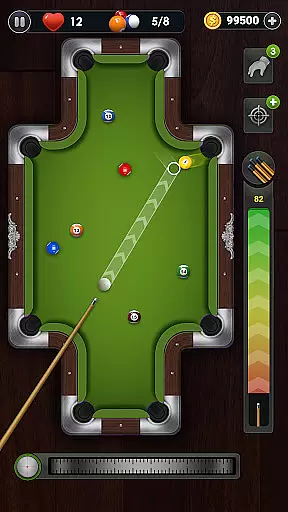
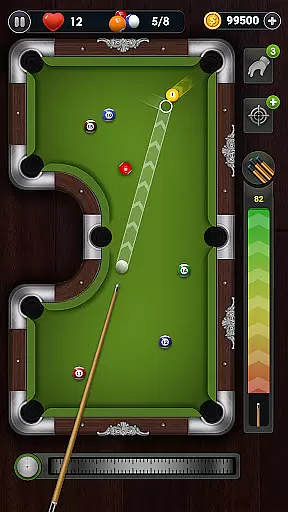
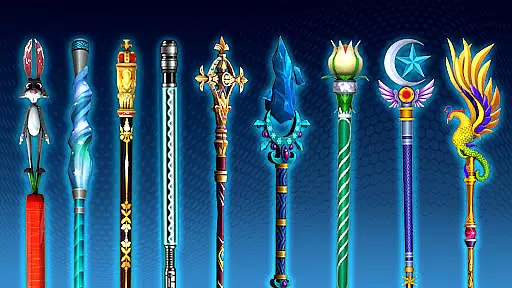
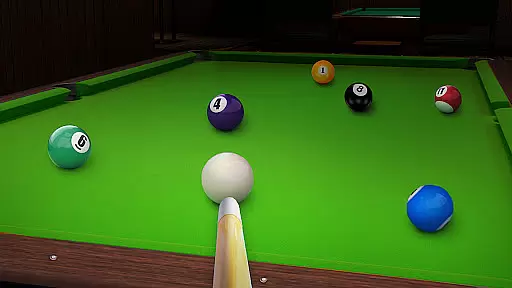
Billiards City - 8 Ball Pool offers an immersive billiards experience with realistic physics and engaging gameplay. The app features multiple tables with varying designs and challenges, providing players with diverse gaming scenarios. Unlockable clubs enhance shot precision, while the responsive controls ensure an authentic feel.
The game includes over 1000 levels, ranging from regular matches to special challenge modes that test your skills. Whether you're a casual player or a billiards enthusiast, this app delivers hours of entertainment. Its offline play capability allows you to enjoy the game anytime, anywhere, making it perfect for both short breaks and longer sessions.
Billiards City stands out with its variety of tables, each offering unique shapes, colors, and hole configurations. This diversity keeps the gameplay fresh and exciting. Players can also unlock advanced clubs that improve their performance, adding a layer of strategy to the game.
The app provides an impressive audio-visual experience with realistic sound effects and responsive mechanics. Challenge levels are interspersed throughout the game, offering additional hurdles and keeping players engaged. With the ability to play offline, users can enjoy uninterrupted gaming sessions regardless of internet connectivity.
These features collectively create a comprehensive and enjoyable billiards simulation. The combination of varied gameplay elements, stunning graphics, and practical offline functionality makes Billiards City a top choice for sports gaming enthusiasts.
Gameplay realism in a sports app like Billiards City - 8 Ball Pool is crucial for delivering an authentic experience. This app achieves that through its meticulously designed physics engine.
The game incorporates realistic ball movements, collision effects, and table interactions. Every shot you take reflects real-world physics, from the angle of impact to the subsequent ball trajectories.
Players benefit from this accuracy as it enhances their strategic planning. They can predict ball paths and plan shots with precision, much like in a real billiards game.
This level of realism not only entertains but also helps improve players' skills, making it valuable for both casual gamers and serious billiards enthusiasts.
An intuitive control scheme is vital for any sports game, ensuring players can easily learn and enjoy the game without frustration. Billiards City - 8 Ball Pool excels in providing a user-friendly interface.
The app features simple touch controls that allow players to aim and shoot with ease. By dragging their fingers across the screen, users can adjust the cue stick's direction and power, making the gameplay accessible to all skill levels.
This straightforward control system enables players to focus more on strategy and less on figuring out how to execute shots. It significantly enhances the overall gaming experience by reducing complexity.
Ultimately, the intuitive controls contribute to longer engagement times and higher satisfaction, as players can quickly get into the game and enjoy the thrill of billiards without a steep learning curve.
Realistic physics engine
Variety of tables and clubs
Engaging challenge levels
Offline play capability
Responsive controls
Limited social features
Occasional bugs
In-app purchases needed
Repetitive gameplay
Ads between levels

Score stunning goals and outsmart defenders on your path to football glory!
 4.40
4.40
Join over 10,000,000 people in the only official PBA bowling game!
4.40
Run the ball into the endzone in AR.
4.0
Try your hand at managing an auto racing team!
4.30
Exploring Football from a Unique Perspective
4.10
Play one of most famous lawn games in America called foot bag toss family games!
4.30
Create your own gym, train boxers, and aim for the championship!
4.50
Play football like it's 1987! Classic retro arcade action and franchise mode.
4.60
For Fans to Buy Tickets
4.80
Soccer mini games! Play career mode: Score & be the next soccer superstar!
4.70
The ultimate Golf game! Compete in 6 player real-time multiplayer golf battles!
4.70
Modern arcade style pool game with single player, Relaxed game of 8 ball.
4.60
Trampoline backflips, frontflips & trick stunts! Ultimate adrenaline rush!
4.60
Play with friends and join millions of players in the king of bowling games!
4.60
Extreme bike tricks at your fingertips!
4.50
Backflip Madness! Fast-paced, parkour-flavored extreme sports backflip game.
4.50
FIFPRO licensed soccer game
4.50
Sports app that presents matches' details from the most important championships.
4.50
Build your football city, train your team— no ads, no in-app purchases!
4.3


User Reviews