
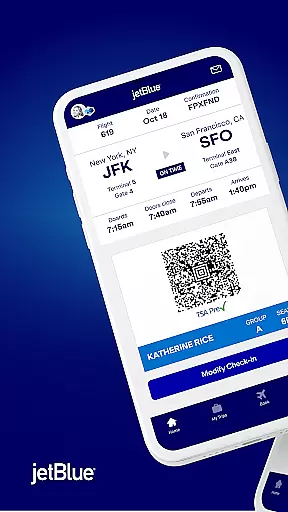
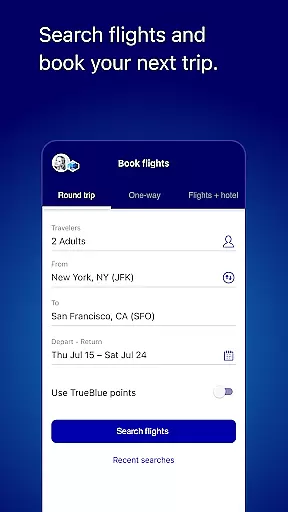
JetBlue's mobile app is a comprehensive travel companion designed to streamline your journey. With its award-winning features, the app allows users to book flights, manage reservations, and check in seamlessly. The intuitive interface places essential information like boarding passes front and center on the home screen, making day-of-travel stress-free.
Beyond basic booking, JetBlue offers tools for an enhanced travel experience. Users can update seat selections, add extras, or modify itineraries with minimal effort. Integration with TrueBlue, JetBlue's loyalty program, enables passengers to track points and enjoy personalized benefits. Additional features include live chat support, inflight previews, and partnerships for accommodations and car rentals.
Whether you're planning your next trip or managing an existing one, JetBlue's app ensures convenience and efficiency. By consolidating all necessary travel details into one platform, it eliminates unnecessary hassles, allowing travelers to focus on enjoying their journeys.
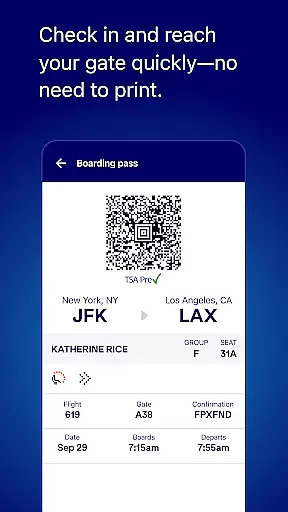
JetBlue's app stands out with its robust feature set tailored for modern travelers. One of its key highlights is the streamlined booking process, which simplifies searching and securing flights. The app also excels in trip management, offering functionalities such as seat updates, itinerary changes, and easy access to boarding passes without needing physical printouts.
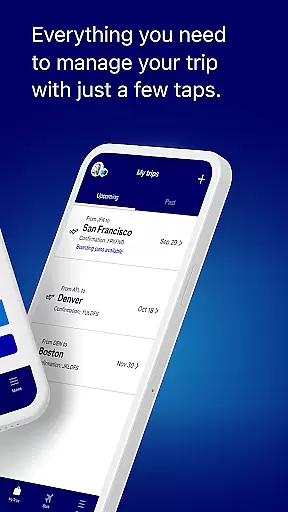
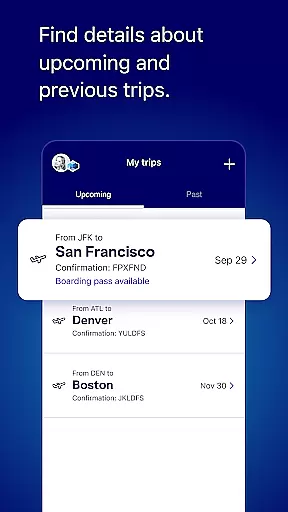
Another standout feature is the My Trips section, where users can store both upcoming and past itineraries for quick reference. Integration with TrueBlue enhances personalization by tracking loyalty points and Travel Bank balances. Additionally, the app provides practical tools like live chat support, airport maps, and vacation extras through Paisly, ensuring a well-rounded travel experience.
The app further enriches user engagement with previews of inflight amenities, including snacks, drinks, and entertainment options. These thoughtful touches not only improve usability but also foster customer satisfaction by addressing various touchpoints throughout the travel lifecycle.
Booking authenticity is a crucial aspect of any travel application, ensuring that all reservations made through the platform are legitimate and confirmed. The JetBlue app excels in this area by providing users with a seamless booking experience.
When you book a flight using the JetBlue app, you can be confident that your reservation is authentic. The app connects directly to JetBlue's reservation system, ensuring real-time availability and confirmation of your booking. This direct connection minimizes the risk of errors or fraudulent bookings.
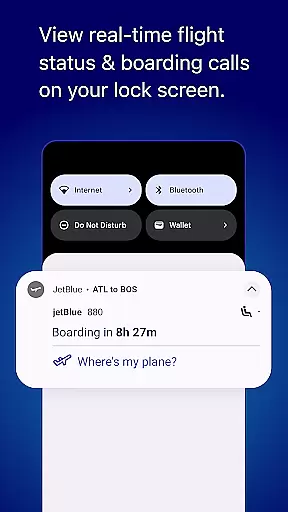
The app also provides users with immediate confirmation emails and push notifications, serving as proof of purchase and a reference for their upcoming trip. These confirmations include essential details such as flight times, departure gates, and boarding information, which are critical for a smooth travel experience.
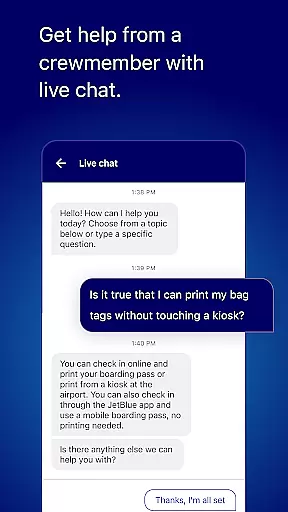
Furthermore, the JetBlue app offers customer support through live chat, allowing users to quickly resolve any issues related to their bookings. This level of transparency and support enhances user trust and confidence in the booking process, making it a reliable choice for travelers.
Price transparency in a travel app refers to the clear display of all costs associated with a booking, ensuring that users are fully aware of what they are paying for. The JetBlue app maintains a high standard of price transparency, benefiting its users significantly.
Upon searching for flights, the app presents a detailed breakdown of the ticket prices, including base fare, taxes, and any additional fees. This breakdown allows users to understand exactly what they are paying for and helps them make informed decisions when selecting flights.
JetBlue also offers various pricing options, such as different fare types and bundles, each clearly outlined with what is included. Users can choose the option that best fits their needs without worrying about hidden charges appearing later in the booking process.
In addition to displaying prices clearly, the app provides tools for comparing prices across different dates and destinations. This feature empowers users to find the best deals and budget their travel expenses effectively. Overall, the JetBlue app's commitment to price transparency ensures a trustworthy and satisfactory booking experience.
User-friendly interface
Comprehensive travel tools
Efficient booking system
Live chat support
TrueBlue integration
Limited offline functionality
Occasional bugs reported
Ads within the app
Geographic restrictions
Inconsistent notifications

The #1 Parent App in Brevard County
 4.4
4.4
Every Diners, Drive-in & Dives location in one place! Your guide to Flavortown!
3.00
Mix of explore game, travel mapping & tracking to memorize everywhere you go
3.60
The travel app that makes booking cheap flights, hotels, and car rentals easy.
4.80
GPS Live Satellite Earth to find route navigation and current location map
4.00
Replace your car trips with the world’s largest shared electric vehicle company.
4.90
One app, 300,000+ travel experiences, tours, and tickets you’ll remember.
4.90
Stay at Motel 6 for less - book fast, save more with MY6 app!
4.70
The United app puts valuable travel information in the palm of your hand.
4.70
Find the perfect vacation rental. Search from over 2 million properties.
4.80
Find your perfect somewhere with last minute hotel & travel deals!
4.80
Meet Allyz®, your ultimate travel companion
4.70
The best way to book travel
4.60
Stack Upside with your current credit & debit rewards for even more cash back!
4.50
Listen live to pilots and air traffic controllers around the world
3.80
Real-time flight tracking with live maps and flight status updates.
3.70
A Camino de Santiago Guidebook from St. Jean Pied de Port to Santiago
3.60
Everything you need for your trip in one place with the Volaris app.
3.60
Amplify Your Experience
3.00


User Reviews