
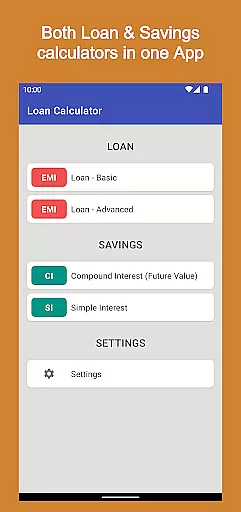
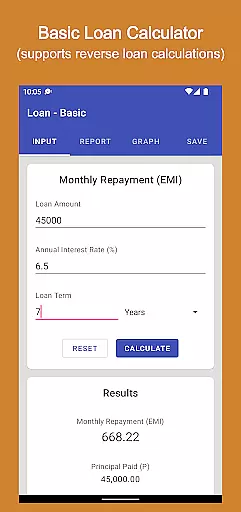
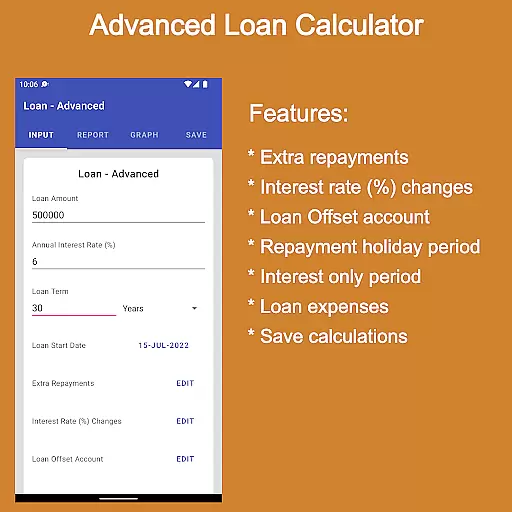
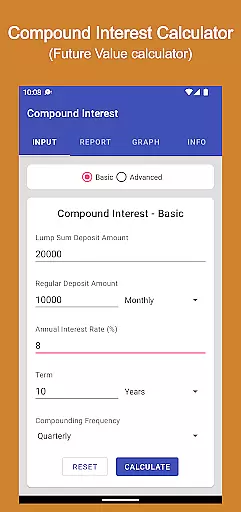
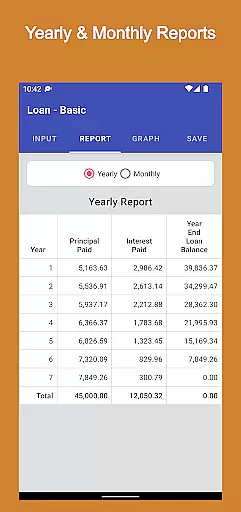
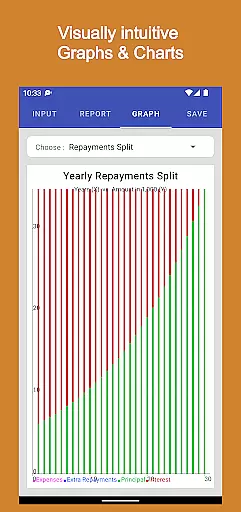
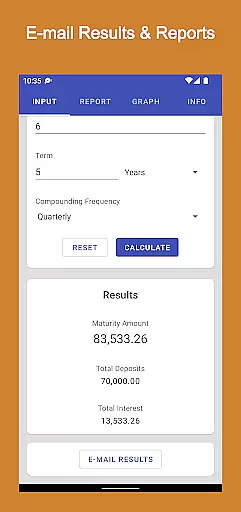
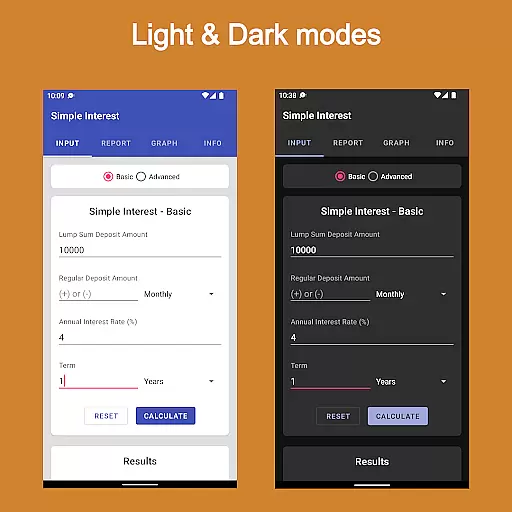
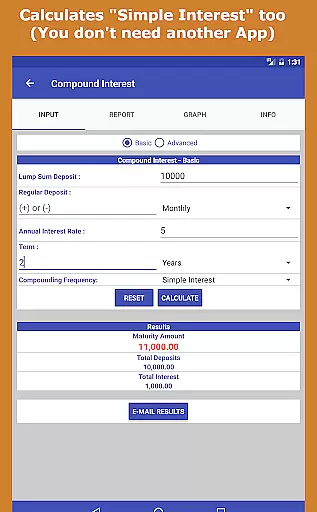
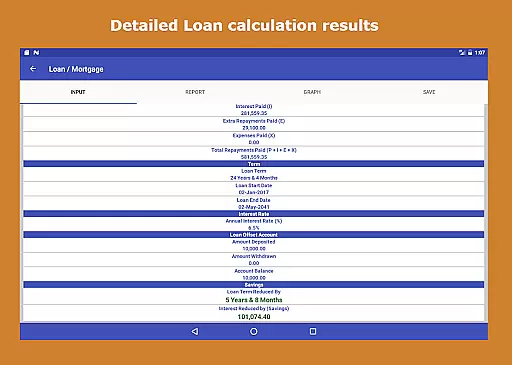
Loan Calculator Pro is a comprehensive financial application designed for both Android phones and tablets. This paid version offers users an ad-free experience while providing essential tools for managing loans and investments. The app includes multiple calculators such as Loan Calculator, Advanced Loan Calculator, Compound Interest Calculator, and Simple Interest Calculator.
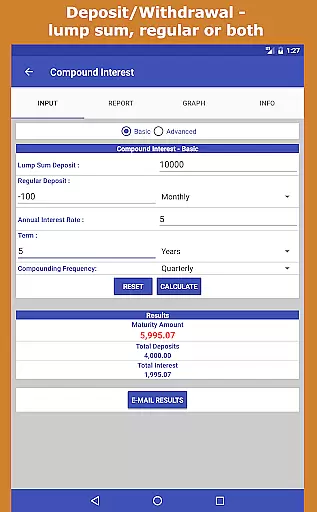
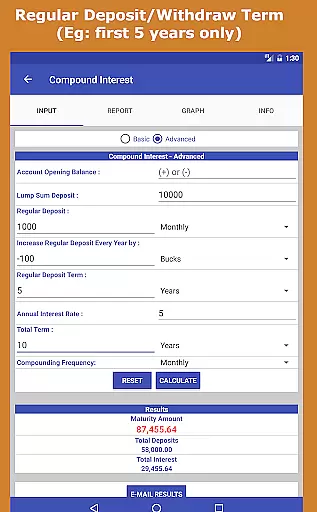
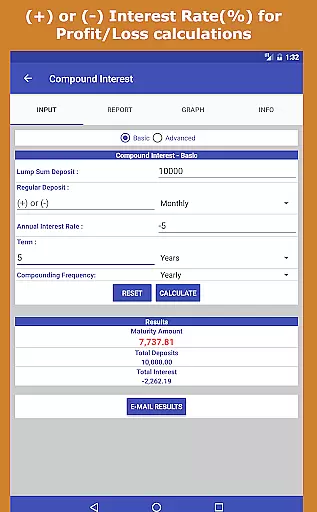
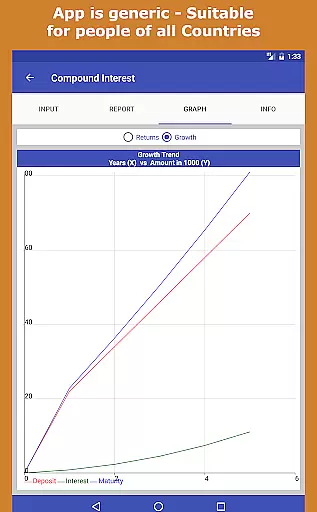
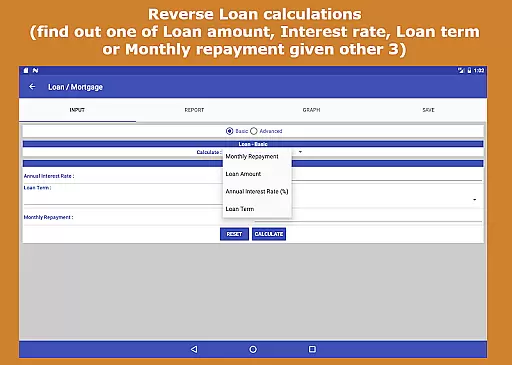
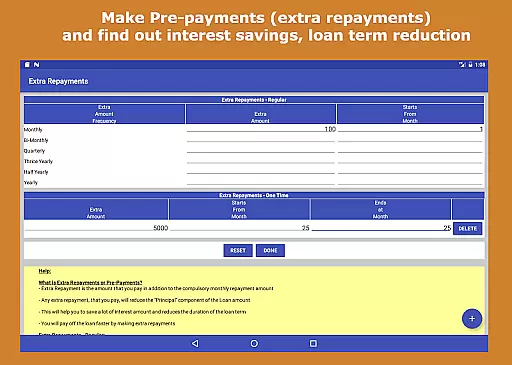
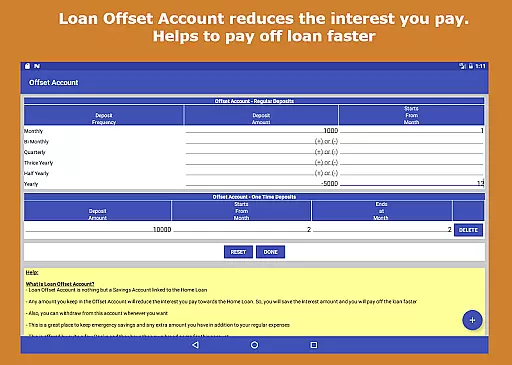
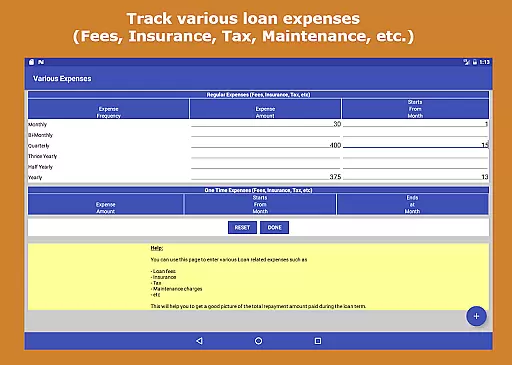
One of the standout features of Loan Calculator Pro is its ability to perform reverse loan calculations, allowing users to determine any one of the loan amount, interest rate, loan term, or monthly repayment by providing the other three values. Additionally, it supports pre-payments and tracks various loan expenses, helping users save on interest and pay off loans faster. The Compound Interest Calculator provides detailed reports and visualizations, making it easier for users to understand their investment growth over time.
This app is particularly useful for individuals who need to make informed financial decisions regarding loans and investments. Whether you are a financial planner, student, or simply someone looking to manage personal finances better, Loan Calculator Pro equips you with the necessary tools to plan effectively and efficiently.
Loan Calculator Pro stands out due to its extensive range of features tailored for comprehensive financial planning. One of the key highlights is the reverse loan calculation feature, which allows users to find out one of the four primary loan variables—loan amount, interest rate, loan term, or monthly repayment—by inputting the other three. This flexibility is invaluable for anyone needing detailed insights into their financial obligations.
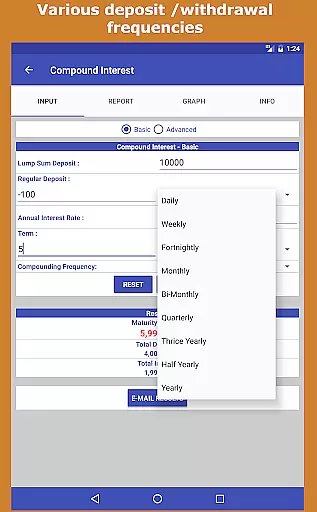
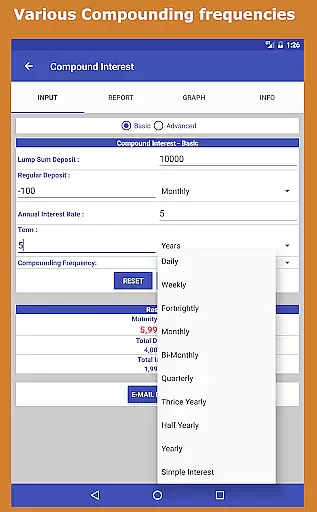
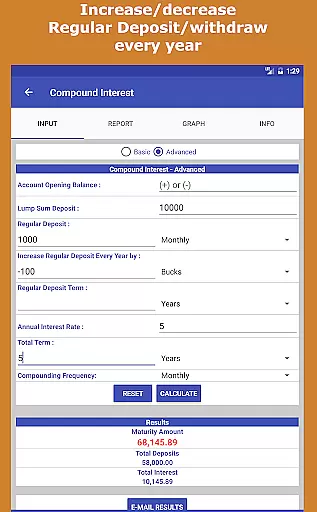
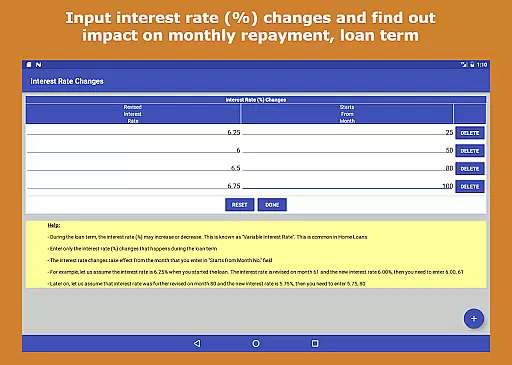
The app also supports advanced functionalities like pre-payments (extra repayments) that illustrate potential interest savings and reductions in loan terms. Users can simulate changes in interest rates and observe the impact on monthly repayments and overall loan duration. Furthermore, the Compound Interest Calculator offers various deposit and withdrawal frequencies, compounding options, and the ability to adjust regular contributions annually by a fixed amount or percentage. These features ensure that users can model complex financial scenarios accurately.
From a user interface perspective, Loan Calculator Pro boasts an elegant Material Design theme with an easy-to-navigate tabbed interface. It operates seamlessly on both phones and tablets, providing quick and efficient calculations. With no prior finance knowledge required, this app empowers users to take control of their financial future, whether for personal use, professional financial planning, or academic research.
When it comes to financial applications like Loan Calculator Pro, account and fund security is of paramount importance. This app ensures that your financial data remains protected through various means.
The application does not require sensitive personal information, which inherently reduces risks associated with data breaches. By focusing on calculations and planning tools, it avoids storing any personal banking or credit details, thus enhancing user privacy.
Additionally, the absence of ads in this paid version eliminates potential security threats often associated with ad networks. Users can be confident that their interactions within the app are free from intrusive tracking or unauthorized data collection.
Loan Calculator Pro's design emphasizes simplicity and functionality without compromising security. Its lightweight nature and quick loading times ensure a smooth yet secure user experience, making it a reliable tool for managing your financial plans effectively.
A seamless transaction experience is crucial for financial applications, and Loan Calculator Pro excels in providing users with an intuitive interface for all their calculation needs.
This app offers multiple calculators including Loan, Advanced Loan, Compound Interest, and Simple Interest calculators. Each calculator is designed to provide accurate results swiftly, ensuring that users can make informed decisions about their finances without delay.
With features such as reverse loan calculations, pre-payment options, and detailed reports, the app provides a comprehensive transaction-like experience. These functionalities allow users to simulate various financial scenarios, helping them understand potential outcomes before committing to any financial decision.
Furthermore, the elegant Material Design theme and easy-to-use interface enhance the overall user experience. Whether on mobile phones or tablets, users benefit from a responsive design that facilitates efficient financial planning and management.
User-friendly interface
Comprehensive loan tools
Ad-free experience
Detailed investment reports
Versatile usage scenarios
Paid version only
No iOS support
Complex for beginners
Limited customer support
Occasional bugs

Manage your Discover account conveniently from anywhere.
 4.80
4.80
Pay rent on your schedule.
4.70
Get, Earn, and Save Money
4.30
Car Insurance Made For You.
4.50
Change the way you money with Credit Genie
4.30
NFC mobile payment app Use your phone as a contactless bank card
4.00
Registration of your debts and Mdionatk and assembled, as well as a significant reports
4.30
StockTiles lets you view prices & charts of your favorite stock assets
2.30
Manage budget, save money, or file tax. Build, track & improve your credit score
4.40
No credit checked needed.
4.80
Companies owe you money.
4.80
Early payday cash advance up to $150 a day with a max of $1,000 per pay period
4.70
Get 250$ Cash Advance to solve emergencies instantly in loan app called LendMe
4.70
Your Big Financial Friend
4.70
No credit check, no interest, no worries.
4.70
Currency Converter (200+ currencies) with live exchange rates and offline mode.
4.70
The all-in-one app to save, earn, travel, and put more money in your pocket
4.50
The PayPal app is the secure way to send and receive money, shop and pay in 4.
4.20
SuperQi, Your all-in-one Super App.
1.30


User Reviews