
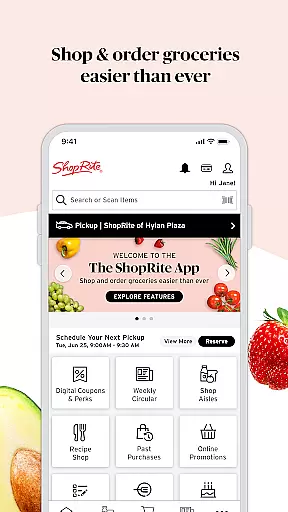
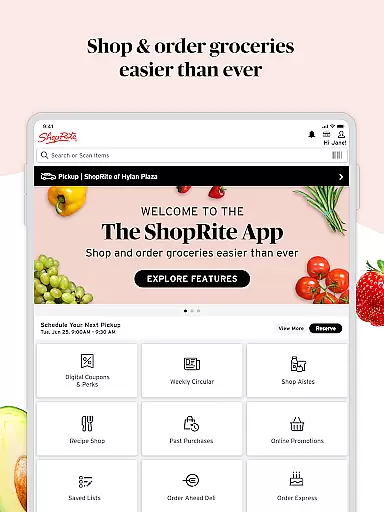
ShopRite: Groceries & Savings is a comprehensive shopping application designed to streamline grocery shopping while maximizing savings. The app serves as a one-stop solution for discovering deals, personalized recipes, and coupons for both in-store and online purchases. Users can conveniently order groceries for pickup or delivery, or create detailed shopping lists for their next store visit.
The app's key features include digital coupons, weekly circulars with promotions, and multiple shopping options such as in-store navigation, curbside pickup, and home delivery. Additionally, ShopRite offers saved lists for future use, shoppable recipes, and personalized offers based on past purchases. With its intuitive search functionality, extensive product assortment, and loyalty card integration, the app ensures a seamless and rewarding shopping experience.
Whether you're planning your weekly grocery run or ordering essentials from home, ShopRite provides tools that save time and money. Its barcode scanning feature allows users to quickly view product details and add items to their cart, while the deli and catering pre-order option caters to special occasions. This makes ShopRite an invaluable tool for modern shoppers seeking convenience and value.
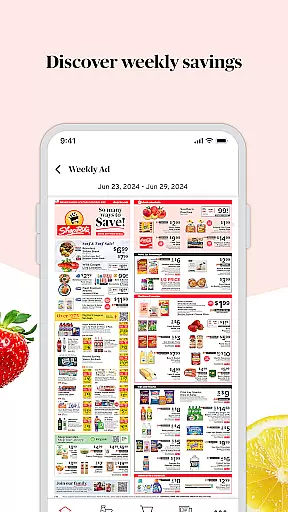
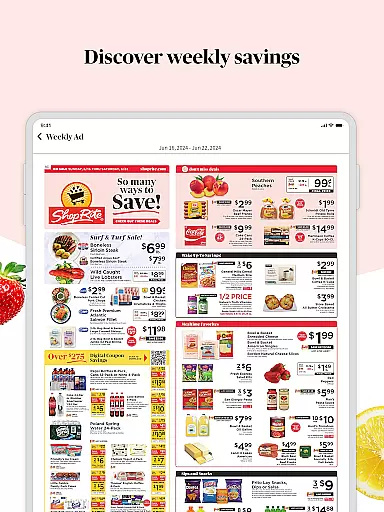
ShopRite stands out with its diverse range of innovative features tailored to enhance the grocery shopping experience. One of its core functionalities is the Weekly Circular & Promotions section, where users can browse and shop items directly from the Weekly Ad, unlocking significant discounts on popular products. The Digital Coupons feature allows users to load additional savings onto their Price Plus Club loyalty card, redeemable at checkout for instant savings.
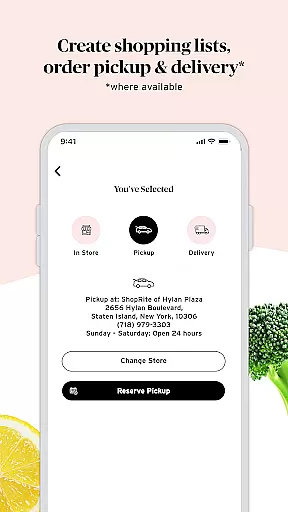
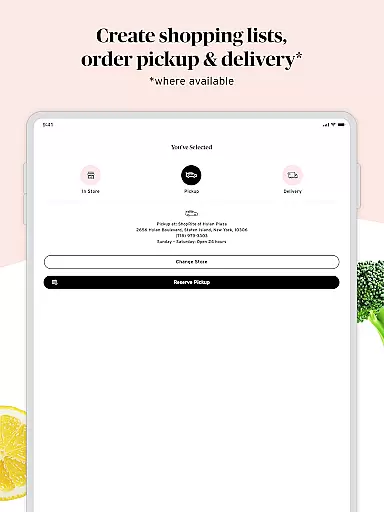
For added convenience, the app offers three shopping methods: In-Store, Pickup, and Delivery. The In-Store mode helps users navigate aisles efficiently by sorting items and providing store locator services. The Pickup option enables contactless, curbside service, while Delivery ensures groceries are brought directly to the user's doorstep. Furthermore, the Saved Lists feature lets users organize and personalize their shopping lists, ensuring preferences are always remembered.
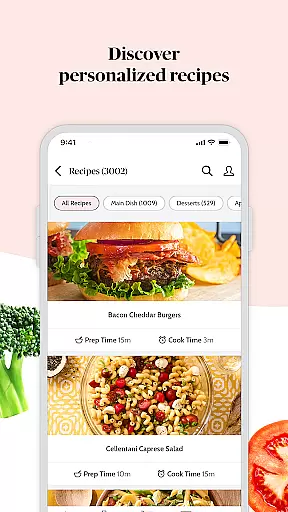
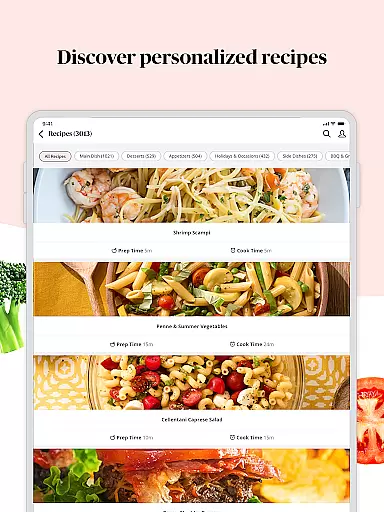
Other notable features include the ability to scan product barcodes for quick details, shoppable recipes that integrate with shopping lists, and personalized offers based on past purchases. With its robust search functionality, extensive product range, and loyalty card access, ShopRite delivers a highly customizable and efficient shopping experience.
ShopRite offers an extensive range of products, ensuring that customers can find everything they need in one place. From fresh produce to pantry staples, international foods, and specialty items, the app provides a comprehensive selection that caters to diverse tastes and dietary requirements.
The app's product assortment is thoughtfully categorized, making it easy for users to navigate through different sections. Whether you are looking for breakfast items, cleaning supplies, or club-sized options, ShopRite's intuitive interface allows you to quickly locate what you need. This organization not only saves time but also enhances the overall shopping experience by providing a seamless search functionality.
Moreover, ShopRite highlights its own brands, which are carefully curated for taste, quality, and affordability. By stocking up on these essentials, customers can enjoy significant savings while maintaining high standards of quality. The ability to buy in larger quantities further amplifies these savings, offering a practical solution for budget-conscious shoppers.
One of the standout features of the ShopRite app is its commitment to pricing transparency and competitiveness. Users can browse and shop items on sale directly from the Weekly Ad, ensuring they always have access to the best deals available. This feature empowers customers to make informed purchasing decisions based on current promotions and discounts.
In addition to weekly sales, the app provides digital coupons and personalized offers that enhance savings opportunities. Customers can load additional savings directly onto their Price Plus Club loyalty card, redeemable at checkout. These digital coupons cover a wide array of popular items, making everyday shopping more economical without compromising on quality or variety.
Furthermore, ShopRite ensures competitive pricing across its entire product range. With powerful search functionality, users can compare prices and find exactly what they need within seconds. This level of transparency builds trust with customers, assuring them that they are getting the best value for their money every time they shop using the app.
User-friendly interface
Wide range of products
Convenient shopping options
Personalized offers
Time-saving features
Limited to ShopRite stores
Delivery fees apply
Occasional bugs
Subscription required
Geographic restrictions

Healthy living for less just got easier with our updated Sprouts App.
 4.50
4.50
Find the hottest deals before they disappear!
4.60
Shop fashion, shoes, home, designer handbags, beauty & more on the Belk app.
4.00
Shop latest fashion trends with fast shipping & thousands of new styles weekly.
4.80
Shop daily deals, browse best sellers, and have a laugh along the way.
4.50
New styles & exclusive offers
4.80
Shop designer clothing, shoes & accessories from the World of Ralph Lauren
4.70
Earn rewards when you shop, play games, and order online. Live rewarded.
4.70
The Live Shopping Marketplace
4.60
Stop overpaying. Grab coupons & deals for Walmart, Target, Amazon & more.
4.80
Shop, plan, order, and save
4.70
Headwear & Apparel
4.70
Life’s easier in the eBay app—buy and sell millions of items on the go.
4.60
World’s simplest mobile payment solution for machines.
4.50
E-commerce Wholesale Marketplace: Shop and save on all your business supplies
4.40
Shop. Earn. Redeem. Repeat!
4.30
Shop clothes, shoes, bedding, home & more. Save with exclusive deals & rewards!
4.20
We constantly evaluate our app so you can have the best experience possible.
3.60
The Only App For Life Out Here.
3.10
Compare the top 3 BNPL services in 2025. We tested Klarna, Affirm, and Afterpay to help you choose the best payment option for flexible shopping installments.



User Reviews