
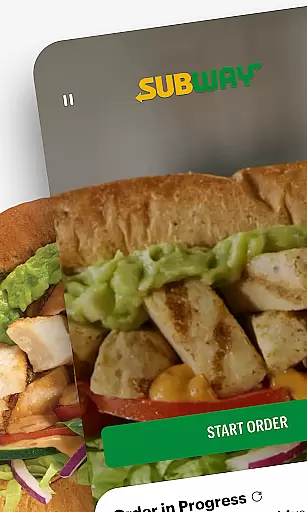
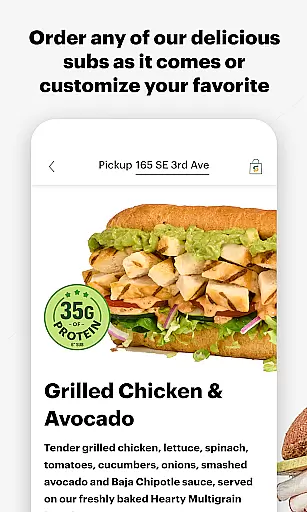
Subway is a premier mobile application in the Food & Drink category, designed to enhance your Subway dining experience. The app allows users to customize their orders with endless options, from extra cheese to specific toppings, just as they would in-store. Additionally, it offers a streamlined re-ordering system for quick access to your favorite meals.
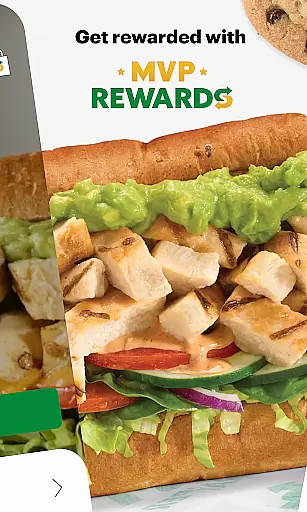
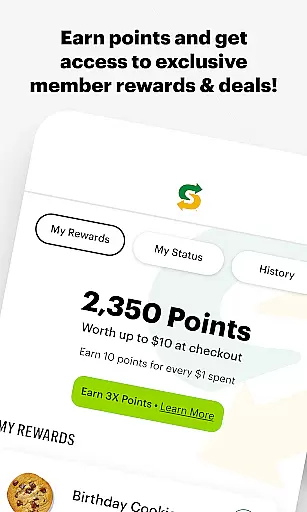
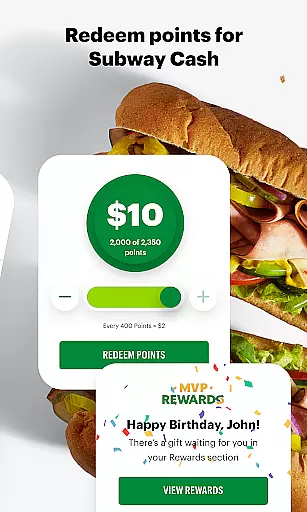
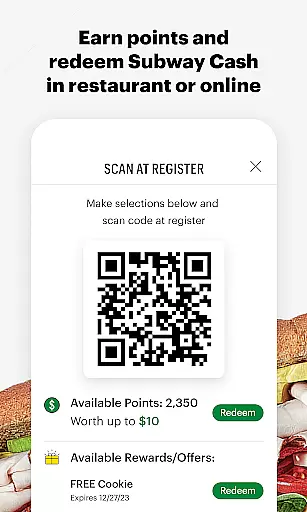
A standout feature of the Subway app is its rewards program, Subway MVP Rewards. Users can earn points that convert into Subway Cash, unlocking exclusive offers and member-only benefits. Whether you're ordering for pick-up, curbside, or delivery, this app ensures a seamless and personalized fast-food experience directly from your mobile device.
The Subway app boasts an array of features tailored to optimize user convenience and satisfaction. One key aspect is the high level of order customization available, enabling patrons to modify their Footlongs precisely to their liking, including swapping condiments and toasting bread.
Another significant feature is the Subway MVP Rewards program, which not only lets users redeem points for cash but also grants access to special promotions and accelerated point accumulation as they advance through membership tiers. Furthermore, the Rapid Re-Order functionality simplifies the process of reordering beloved items with just a single tap from the dashboard.
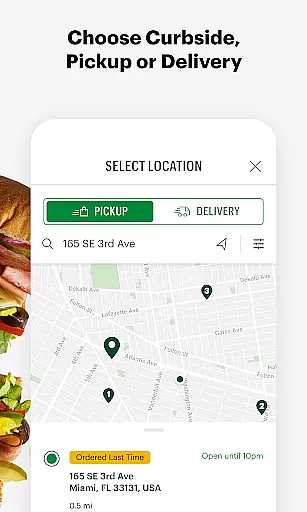
Locating your nearest Subway restaurant has never been easier. The app provides an intuitive store locator feature that uses your device's GPS to find the closest locations. This ensures you can always find a restaurant when you're craving a sub.
Beyond basic location services, the app also displays essential details about each outlet. Users can view business hours, contact information, and specific store amenities like Wi-Fi availability or drive-thru services. This level of detail helps customers plan their visits more effectively.
The store locator goes beyond just showing nearby restaurants. It allows users to filter results based on specific criteria such as open hours or particular facilities. Whether you need a late-night snack or want to use curbside pickup, these filtering options make finding the perfect location simple and efficient.
Subway's mobile application offers multiple convenient ways to enjoy your favorite sandwiches. Customers can choose between delivery, pickup, or curbside options directly through the app interface. This flexibility caters to different preferences and schedules.
The delivery service is particularly noteworthy for its reliability and speed. Orders placed through the app are processed quickly, ensuring fresh food arrives at your door promptly. Real-time tracking features keep users informed about their order status from preparation to delivery.
For those preferring to collect their meals, the pickup and curbside options provide excellent alternatives. These services allow customers to skip lines by ordering ahead and choosing convenient collection times. Plus, integration with the loyalty program means members earn rewards regardless of how they receive their orders.
User-friendly interface
Extensive customization options
Rewards program enhances value
Convenient rapid re-order system
Multiple fulfillment methods
Limited to Subway customers
Occasional app glitches reported
Geographical availability varies
Delivery fees may apply
Initial setup can be time-consuming

Enjoy all your Legendary favorites at Texas Roadhouse!
 4.80
4.80
Delicious cocktail recipes you can make with ingredients you already have.
4.40
Order ahead at your favorite restaurants.
4.70
Order and pay ahead with the Raising Cane's app. Get Clickin' for Chicken™!
4.80
Earn rewards when you order online for delivery or pickup from Sonic Drive-In.
4.60
Good Fortune Awaits with Panda Rewards and the Panda Express® App.
4.70
Order for Pickup and Delivery
4.70
The ultimate app to save recipes from Instagram, TikTok, Facebook & more.
4.60
Rescue tasty unsold food from local stores for ½ price or less.
4.90
Earn rewards, order ahead, and never miss a celebration! At select locations.
4.90
Sweeten the season!
4.90
Enjoy Exclusive Deals, Rewards, Gas Benefits, and 24/7 Food Delivery!
4.90
Save at the pump AND in store with deals on gas, snacks & drinks at Murphy USA.
4.80
Easily Order, Earn Crumbs & Unlock Rewards!
4.80
Tons of tasty options, ready in an instant! Order for pickup or delivery.
4.70
Get Rewards, Easy Ordering & Exclusive Offers
4.70
Get food, grocery, and retail essentials delivered fast with DoorDash.
4.70
Exclusive deals, mobile ordering & find your nearest BK® restaurant anytime
4.40
Easy and fast ordering, improved customization, and an enhanced guest experience
4.20


User Reviews