
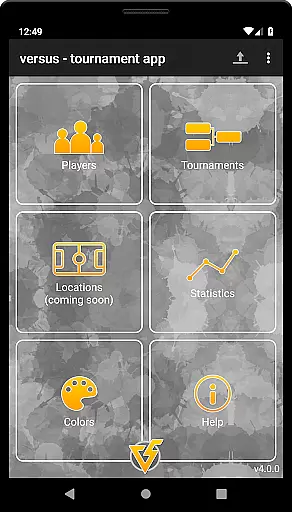
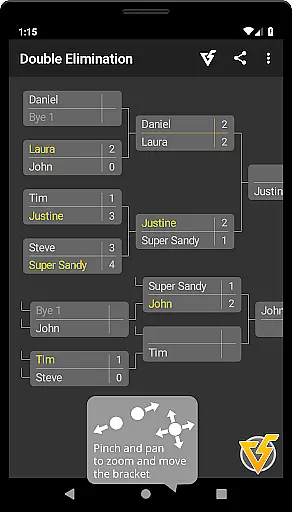
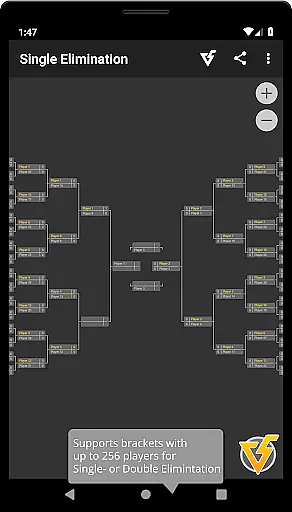
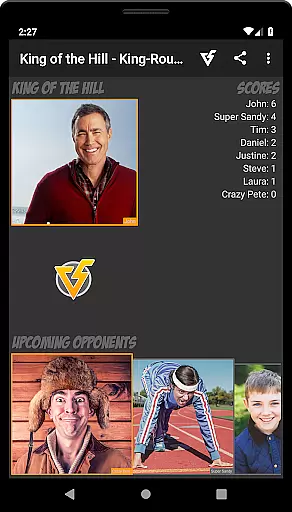
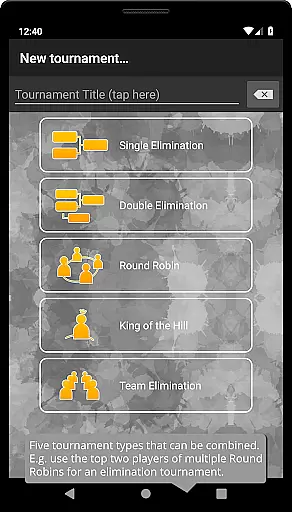
Versus Tournament is the ultimate solution for organizing casual sports competitions with up to 256 participants. This versatile app supports various tournament types including Single Elimination, Double Elimination, Round Robin, King of the Hill, and Team Elimination formats. Whether you're managing a small local league or a large-scale championship, Versus provides all the necessary tools to efficiently run your event.
The application stands out with its comprehensive feature set that includes flexible seeding mechanisms, intuitive bracket management through touch controls, and robust player management system. Users can create and maintain player databases, set match details like date and location, and even generate teams automatically based on player skills. Its offline functionality ensures uninterrupted tournament management regardless of internet connectivity.
What makes Versus Tournament particularly valuable is its ability to cater to different sports and competition formats while providing professional-grade management features. The inclusion of statistics tracking, theme customization, and easy sharing options through PNG exports makes it an indispensable tool for sports organizers and enthusiasts alike.
Versus Tournament distinguishes itself through several key features that enhance the tournament management experience. First and foremost is its support for multiple tournament formats, accommodating everything from simple knockouts to complex leagues and team-based competitions. The app's player management system allows for creating reusable player profiles complete with skill ratings that influence team generation and seeding.
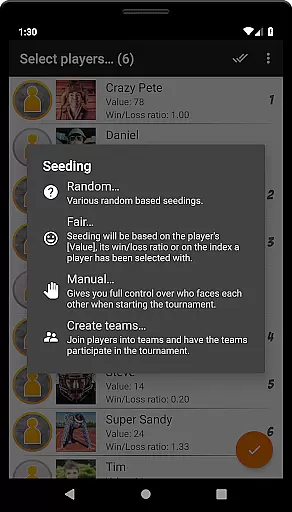
Another standout feature is the advanced tournament control capabilities. Organizers can utilize various seeding methods including random, fair distribution, and manual assignment. The interface enables smooth navigation through brackets using intuitive touch gestures, while match results can be entered either directly or through quick-decision options. Additionally, the app offers comprehensive theming options allowing customization of colors and icons across all screens.
The application also excels in practical utility features. These include the ability to store and switch between multiple tournaments, organize players into groups, and generate detailed statistics reports. The wireless tournament transfer function via QR codes adds modern convenience to data sharing, while the PNG export feature facilitates easy sharing of tournament brackets through various communication channels.
In the realm of sports applications, gameplay realism is paramount to delivering an authentic experience. Versus Tournament excels in this area by offering a highly adaptable and realistic tournament simulation environment. The app supports multiple tournament types including Single Elimination, Double Elimination, Round Robin, King of the Hill, and Team Elimination, each accommodating up to 256 participants.
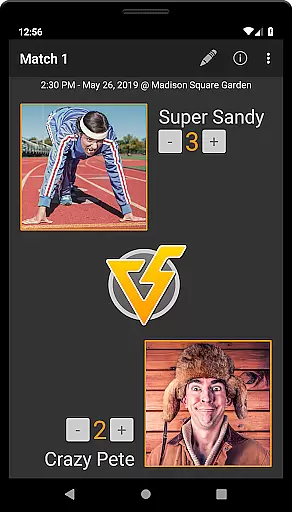
The level of detail provided ensures that every competition mirrors real-world scenarios. Users can create or import players, set match specifics like date, time, and location, and even assign a 'value' attribute to players indicating their skill level. This meticulous attention to detail enhances the overall realism of each tournament organized through the app.
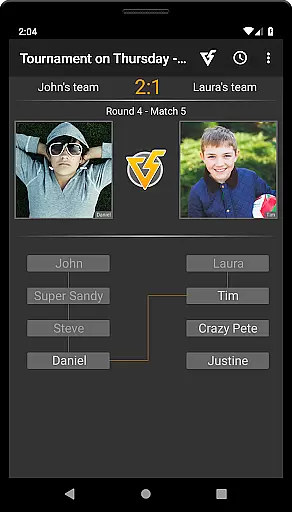
Moreover, the Teams Builder feature adds another layer of authenticity by allowing users to form teams based on player attributes, either manually or randomly. This function not only enriches the gaming experience but also provides a strategic depth akin to real sports events.
An intuitive control scheme is essential for any sports application, ensuring that users can navigate and utilize features with ease. Versus Tournament offers a simple yet powerful interface that caters to both novice and experienced users. With options to move or zoom the bracket using touch gestures, the app makes it easy to manage tournaments on the go.
Entering scores and deciding matches are streamlined processes within the app. Users have the option to input scores directly on the match screen or use the Quick-Decide feature from the tournament overview. These straightforward methods reduce complexity and enhance user engagement.
Additionally, the Theme Editor allows users to customize the visual aspects of the tournament, making navigation even more personalized and user-friendly. Such thoughtful design elements ensure that despite the app's comprehensive functionality, maintaining control over your tournaments remains an effortless task.
User-friendly interface
Comprehensive tournament types
Offline functionality
Advanced player management
Customizable themes
Free version limitations
Complex for beginners
No cloud backup
Premium price point
Requires manual updates

Score stunning goals and outsmart defenders on your path to football glory!
 4.40
4.40
Enjoy an easy to play multiplayer Baseball game!
4.40
Extreme Downhill Freeriding
3.20
8 Pool Master is an interesting billiard game
4.70
Old-School Football
4.40
Build and play your own team! Baseball at your fingertips! BASEBALL NINE!
4.60
Golfing in an Endless Desert
4.10
FIFPRO licensed soccer game
4.50
Master your shots and climb the ranks in the ultimate golf game!
4.30
Soccer mini games! Play career mode: Score & be the next soccer superstar!
4.70
NBA-licensed Streetball Game
4.70
Play the hit multiplayer Carrom Disc Pool board game and become the best!
4.60
Push your skills, express your style, or just enjoy the ride.
4.60
Play with friends and join millions of players in the king of bowling games!
4.60
Play the World's Soccer Game Anywhere with Premier League, UCL & LALIGA stars.
4.60
Out of the Park Baseball Go is a strategy & sports gaming fan’s dream come true.
4.40
The classic Backyard Football 1999 is now enhanced to run on modern systems!
4.40
Fun multiplayer golf game! Prove you’re a golf legend and play with friends!
4.40
The My Epic app unlocks the mountain and elevates your experience.
3.90


User Reviews