
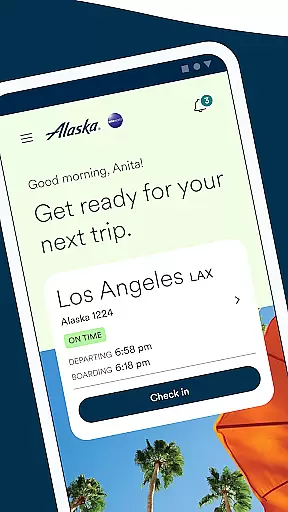

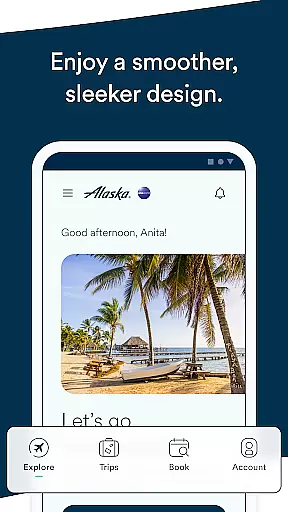
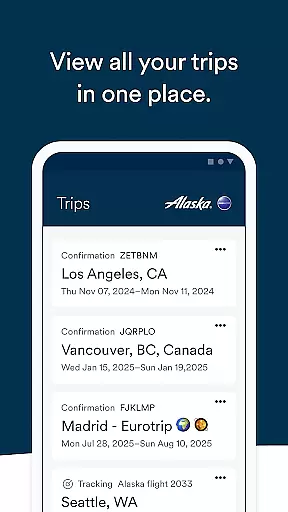
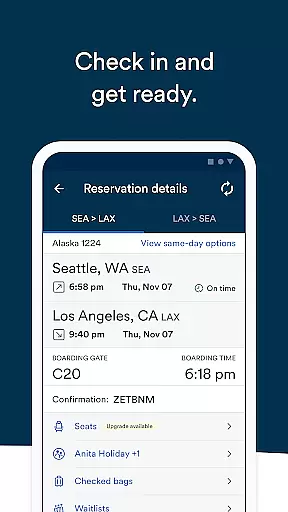
Alaska Airlines offers a comprehensive travel companion app that simplifies every stage of your journey. With this app, users can effortlessly book flights, check-in, and navigate airports with ease. The app provides real-time flight information, ensuring travelers are always informed.
Key features include the ability to use discount codes or miles for bookings, access to Rewards accounts, pre-ordering meals, and managing important travel documents like boarding passes and TSA precheck numbers. Additionally, users can make changes to their bookings, purchase seat upgrades, and track flights for friends and family, making it an indispensable tool for modern travelers.
The Alaska Airlines app is packed with features designed to enhance the travel experience. Users can book flights using discount codes or miles, and manage their Atmos Rewards account to track points and status. The app allows pre-ordering of in-flight meals and adding essential travel numbers to reservations.
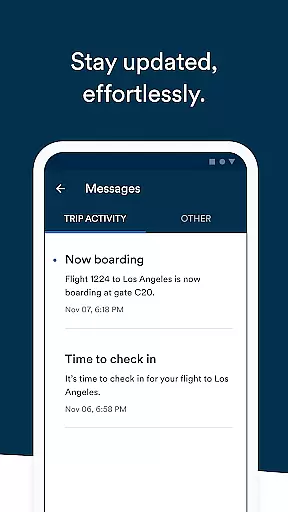
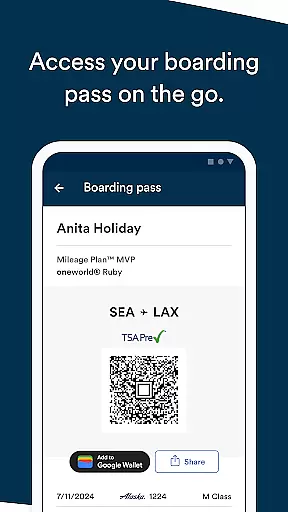
Travelers can stay updated with push notifications through the Message center, which alerts them about delays and gate changes. The app supports easy cancellations or changes to bookings, purchasing seat upgrades via Apple Pay, and checking in up to 24 hours before departure. Boarding passes can be added to Apple Wallet, shared with others, and flight details can be integrated into the iPhone's calendar, providing a seamless travel experience.
Ensuring booking authenticity is crucial for a seamless travel experience. Alaska Airlines' mobile app provides reliable booking features that travelers can trust. The app allows users to book flights using percentage-off codes or miles, offering flexibility and convenience.
The app's integration with the Atmos Rewards program ensures that members can easily access their upcoming trips, view balances, and track points towards rewards status. This feature not only enhances booking transparency but also incentivizes loyalty among frequent flyers.
Additionally, customers can pre-order meals like the Fruit & Cheese plate in various classes, adding an extra layer of personalization to their bookings. By allowing passengers to input essential details such as Atmos Reward numbers or TSA PreCheck information directly into their flight reservations, the app further solidifies the authenticity and reliability of each booking.
Price transparency is vital for travelers making informed decisions. The Alaska Airlines app excels in this area by providing clear pricing information throughout the booking process. Users can apply discount codes and utilize accumulated miles, ensuring they get the best possible rates on their flights.
Moreover, the app facilitates easy management of bookings, including straightforward options for cancellations and changes via the trip list interface. This functionality empowers users to adjust their plans without hidden fees or surprises, promoting trust and satisfaction.
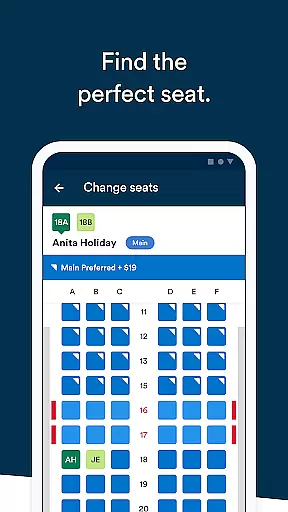
For added convenience, the app supports purchasing seat upgrades through secure payment methods like Apple Pay or stored payment details. With these transparent pricing mechanisms, Alaska Airlines ensures that travelers have all necessary financial information at their fingertips, enhancing overall confidence in their travel arrangements.
User-friendly interface
Comprehensive travel management
Real-time flight updates
Easy booking and check-in
Rewards program integration
Limited to Alaska Airlines
Occasional bugs reported
Apple Pay required for upgrades
No offline functionality
Push notifications can be missed

Meet Allyz®, your ultimate travel companion
 4.70
4.70
It drives. You ride.
4.90
Get faster fuel rewards, exclusive offers, and helpful tools!
4.70
NEW! Vacation with Ease.
4.60
Amplify Your Experience
3.00
Walt Disney World Resort maps, wait times, tickets, dining & more.
4.50
Earn hotel and travel rewards, find hotel offers, and access your Digital Key.
4.50
Get the app that knows where you’re going - view your flight, check in & more
4.50
Examine the planet
3.80
One app, 300,000+ travel experiences, tours, and tickets you’ll remember.
4.90
All-in-one delivery and taxi app. Ride, food, & grocery delivery app.
4.80
Find your perfect somewhere with last minute hotel & travel deals!
4.80
Find the perfect vacation rental. Search from over 2 million properties.
4.80
Stay at Motel 6 for less - book fast, save more with MY6 app!
4.70
Maximize your cruise vacation with the Royal Caribbean app
4.70
The United app puts valuable travel information in the palm of your hand.
4.70
CLEAR provides a safer, easier way through airports, stadiums, and beyond.
4.20
MyTSA gives you 24/7 access to info that passengers frequently request from TSA.
4.10
Maps Speedometer shows your current speed in any app
3.60


User Reviews