
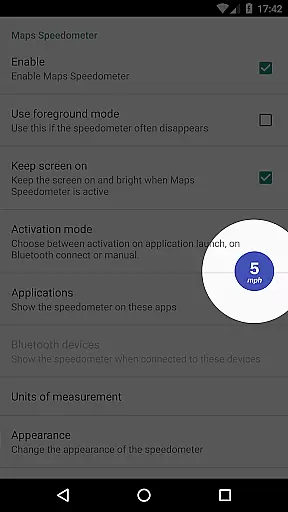
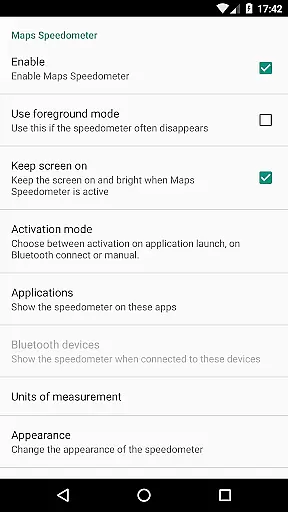
Maps Speedometer is a versatile travel companion that displays your current speed in real-time as an elegant overlay within any app of your choice. This innovative tool automatically activates when your selected app is in use and discreetly hides when it's not, ensuring minimal distraction. The app also supports Bluetooth connectivity, allowing the speedometer to appear whenever you connect to a different Bluetooth device.
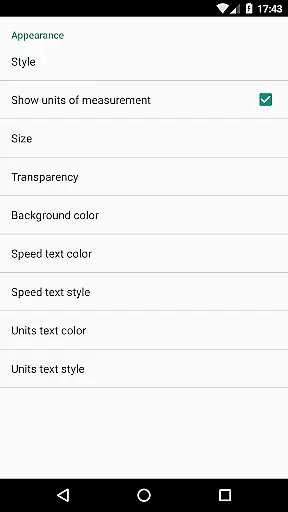
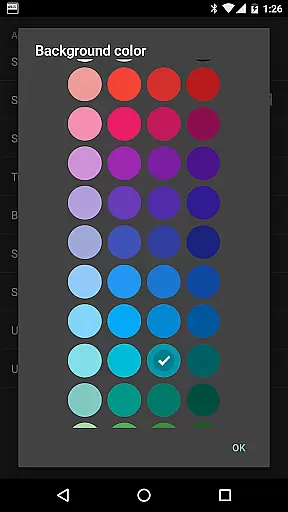
Beyond its core functionality, Maps Speedometer offers extensive customization options. You can choose your preferred unit of measurement from miles per hour, kilometers per hour, or knots, and adjust the transparency, size, position, and color of the overlay to suit your preferences. With no advertisements or internet access required, this app ensures a seamless and private user experience. Whether you're navigating with Google Maps or using a music app, Maps Speedometer provides crucial driving information without interrupting your primary activity.
Maps Speedometer stands out with its rich feature set designed for both functionality and user comfort. One of its key features is the automatic display and hiding mechanism, which intelligently detects when your chosen app is active or when a Bluetooth connection is established. This ensures the speedometer only appears when needed, maintaining an unobstructed view during other activities.
The app offers remarkable flexibility with adjustable settings for transparency, size, position, and color schemes, allowing users to personalize their experience. It supports multiple units of speed measurement including mph, km/h, and kn, catering to a global audience. Additionally, the overlay can be temporarily hidden for 10 seconds with a simple touch, providing quick access to underlying content. These thoughtful features combine to create a non-intrusive, highly customizable driving companion that enhances road safety without compromising convenience.
Booking authenticity is crucial for travel applications to ensure that all reservations and bookings made through the app are legitimate and trustworthy. Maps Speedometer, while not a booking app per se, enhances your travel experience by providing accurate speed information as you navigate.
This application automatically detects when a chosen navigation app is active and displays an elegant overlay with a speedometer. This feature ensures that users can trust the speed readings displayed over their navigation apps, making their journey safer and more reliable.
Users benefit from this real-time speed monitoring as it helps them adhere to speed limits and drive safely. The assurance of accurate speed data displayed on top of their preferred maps or navigation apps provides peace of mind during travel.
The value of Maps Speedometer lies in its ability to seamlessly integrate with other travel apps, enhancing the overall authenticity and reliability of the navigation experience without any advertisements or privacy concerns.
Price transparency in travel applications refers to clear visibility of costs associated with bookings and services. Although Maps Speedometer does not involve direct pricing, it offers unparalleled value by being a one-time purchase with no hidden fees or subscriptions.
This app requires no internet access, ensuring that there are no backdoors sharing private information or unexpected data charges. Users can enjoy features like adjustable transparency, size, position, colors, and styles without worrying about additional costs.
By choosing between different units such as miles per hour, kilometers per hour, or knots, users have control over how they view their speed data. This flexibility adds to the perceived value of the app without introducing complex pricing structures.
Overall, Maps Speedometer delivers price transparency by offering a straightforward, ad-free product that enhances travel safety and convenience at a single upfront cost.
User-friendly interface
Highly customizable
No ads or subscriptions
Automatic activation
Bluetooth support
Limited Android Auto
Requires Accessibility
Device compatibility
No iOS version
Feature limitations

INDOT Trafficwise is a traffic and traveler information mobile app.
 4.00
4.00
Every Diners, Drive-in & Dives location in one place! Your guide to Flavortown!
3.00
GPS Live Satellite Earth to find route navigation and current location map
4.00
Tickets, hotels, wait times, maps, mobile ordering, Disney PhotoPass & more
4.50
Take JetBlue everywhere you go! Book, manage and check in for your trips & more.
4.60
One app, 300,000+ travel experiences, tours, and tickets you’ll remember.
4.90
Amplify Your Experience
3.00
Now you can book homes, experiences, and services—all in our redesigned app.
4.40
Book flight, car or packages. Instant access to hotel discounts & travel deals
4.80
Find the perfect vacation rental. Search from over 2 million properties.
4.80
Stay at Motel 6 for less - book fast, save more with MY6 app!
4.70
Frontier’s Android app makes travelling easier than ever before!
4.70
Navigation on hikes is no longer a problem. Download the map, put notes and go!
4.60
Easily rent a car at over 9,500 locations with the Enterprise car rental app.
4.60
NEW! Vacation with Ease.
4.60
The Official Freedom Trail Foundation app.
4.30
A tool for outdoor activities.
4.30
MyTSA gives you 24/7 access to info that passengers frequently request from TSA.
4.10
Learn about one of the most famous Victorian cemeteries in the world
2.80


User Reviews