
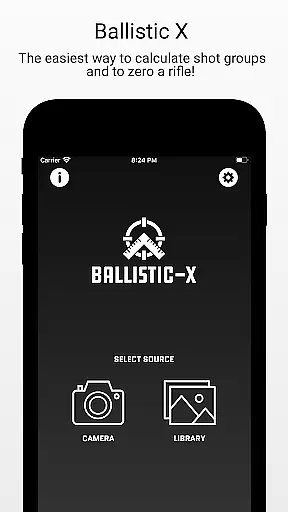
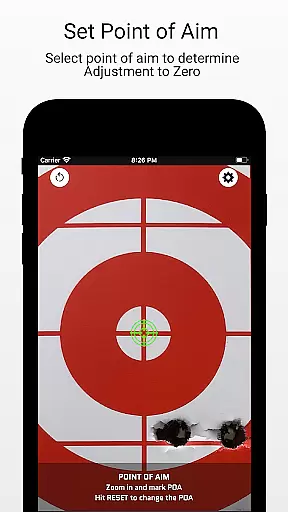
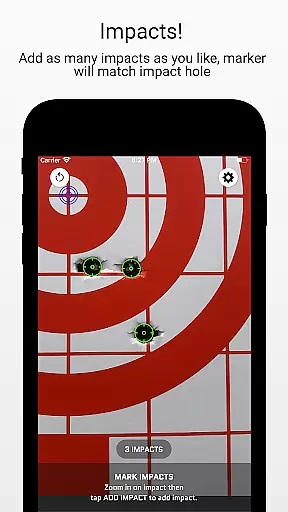
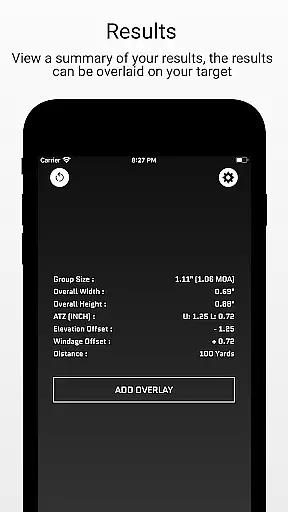
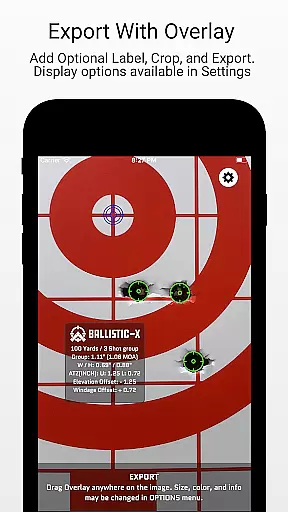
Ballistic X is a specialized mobile application designed for shooting enthusiasts who want to improve their precision and streamline the process of zeroing their rifles. The app offers an intuitive interface that allows users to calculate shot groups and adjust their rifle scopes with ease. Whether you are using MOA/MIL or INCH/CM measurements, Ballistic X works seamlessly with any target type, including steel targets.
One of the standout features of Ballistic X is its ATZ (Adjustment To Zero) functionality, which dynamically assists in adjusting turrets at any range, saving both time and ammunition. Additionally, the app supports syncing settings across multiple devices by signing in, although this is optional. With Ballistic X, shooters can mark points of aim and impacts on images of their targets, add overlays, labels, crop, and even export or share their results.
The app is particularly useful for those engaged in load development, as it provides valuable data and labeling options. Users can upgrade to the Advanced Toolkit via an in-app purchase to unlock professional-level features such as Mean Radius, Circular Error Probable (CEP), and more. These advanced features make Ballistic X a versatile tool for both amateur and professional shooters looking to enhance their shooting accuracy.
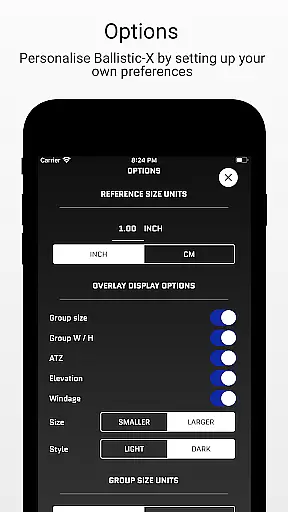
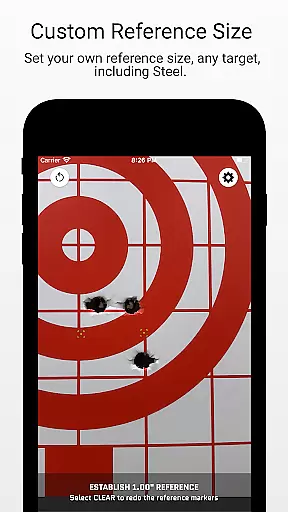
Ballistic X boasts a variety of features tailored to the needs of shooters. One of the key functionalities is the ability to take an image of your target directly within the app or import one from your library. Users can designate a reference size through the settings, with a default of 1", and then mark two points on the target corresponding to this reference. This feature works well with grid or steel targets, providing flexibility in how you use the app.
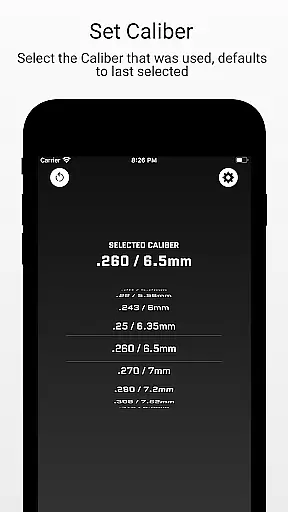
Another notable feature is the ATZ (Adjustment To Zero), which helps users precisely adjust their turrets to bring their rifle to zero. This feature operates dynamically at any range and supports all turret options, making it invaluable for saving rounds and time during practice sessions. Additionally, the app allows users to input the distance from the target, select the caliber used, and mark the point of aim and impacts, offering a comprehensive approach to improving shooting accuracy.
For users seeking more advanced capabilities, Ballistic X offers an Advanced Toolkit available through an in-app purchase. This toolkit includes features like Mean Radius, Circular Error Probable (CEP), Radial Standard Deviation (SD), Vertical SD, Horizontal SD, Mean Windage, Mean Elevation, and Impact Selector. Furthermore, users can export data to CSV for further analysis, making Ballistic X not just a tool for immediate adjustments but also for long-term performance tracking.
Ballistic X offers an exceptional level of gameplay realism and physics accuracy that is crucial for shooters who demand precision. The app's core functionality allows users to calculate shot groups and zero their rifles with remarkable exactness.
The ATZ feature dynamically adjusts at any range, supporting all turret options, which ensures that the physics behind each shot aligns with real-world conditions. This attention to detail in replicating realistic shooting scenarios sets Ballistic X apart from other apps in its category.
Users benefit from a seamless experience whether they prefer MOA/MIL or INCH/CM measurements. The app works flawlessly with any target type, including steel targets, providing reliable data for load development.
By marking points on actual target images and inputting distances, users receive accurate feedback on their shooting performance. This practical application of advanced physics models helps improve real-world shooting skills, making Ballistic X an invaluable tool for both novice and experienced shooters.
The control scheme of Ballistic X is designed to be intuitive, ensuring that users can easily navigate and utilize its features without a steep learning curve. The app's interface is crafted by shooters for shooters, offering customization through the Options Menu.
Key functionalities such as adjusting settings, marking points on targets, and designating reference sizes are straightforward and user-friendly. This simplicity enhances the overall user experience, allowing shooters to focus more on their practice rather than figuring out complex controls.
With optional sign-in for syncing settings across devices, the app maintains an easy-to-use approach while providing flexibility. Users can take images within the app or import them from their library, designate references, and mark impacts effortlessly.
This intuitive control scheme not only simplifies the workflow but also maximizes efficiency. By streamlining essential tasks like overlaying data, labeling, cropping, and exporting results, Ballistic X empowers users to enhance their shooting precision with minimal hassle.
Intuitive interface
ATZ functionality
Sync settings across devices
Advanced Toolkit available
Community-driven support
Premium features locked
Requires manual input
Limited free version
In-app purchases needed
Device compatibility issues

Feel combo thrills in Challenge! Aim, strategize, and master your billiard skill
 4.60
4.60
8 Pool Master is an interesting billiard game
4.70
Online multiplayer golf game. Play online golf games with your friends
4.60
Build and play your own team! Baseball at your fingertips! BASEBALL NINE!
4.60
Shoot, score, and outplay your rival in a fast-paced basketball battle duel!
4.60
Vertical billiards game with single player
4.60
Mental skills exercise/training - improve your power of focus and concentration
4.5
Play football like it's 1987! Classic retro arcade action and franchise mode.
4.60
Stream videos and matches in high quality and in real time.
4.4
Play online multiplayer or PvP Pool games and compete with your friends!
4.80
Ride, flip, and perform crazy stunts in an open BMX freestyle playground!
4.80
It’s time to play pool in the world’s No.1 arcade style Pool game on Android!
4.70
Grab the ball and play your Basketball career in this 3D Real-time Sport Game!
4.60
Extreme bike tricks at your fingertips!
4.50
Build your dream soccer team!
4.50
Try your hand at managing an auto racing team!
4.30
NEOGEO's masterpiece game is now available in the app!
4.20
Relive the second baseball game in the Backyard Sports franchise!
4.00
The Hudl app helps coaches and athletes win using video.
3.70


User Reviews