
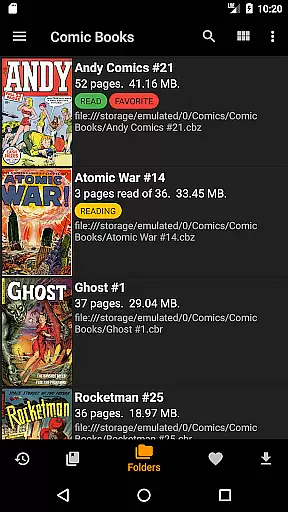
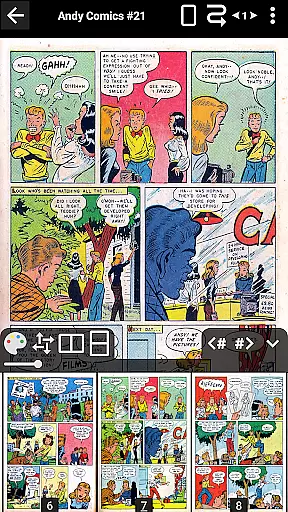
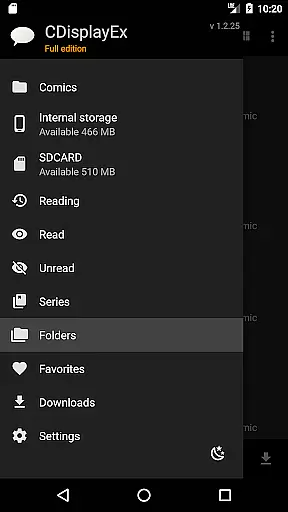
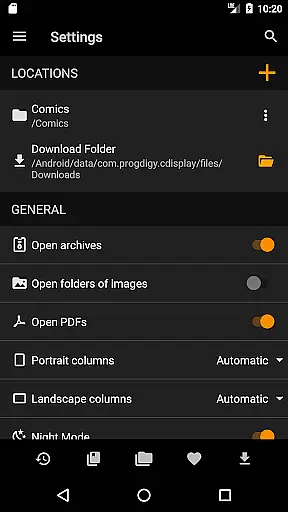
CDisplayEx Comic Reader is a premier comic book reader designed for enthusiasts who value speed and efficiency. This app supports all major comic formats including .cbr, .cbz, and .pdf, making it versatile for various reading preferences. Its standout feature is the ability to load comics instantly, ensuring a seamless and comfortable reading experience.
Beyond basic functionality, CDisplayEx offers advanced features in its Pro version such as access to cloud services like Onedrive and Dropbox, continuous page scrolling, and advanced scaling options. These features cater to users seeking enhanced customization and convenience. Whether you're at home or on the go, this app provides an optimal platform for managing and enjoying your digital comic collection.
CDisplayEx Comic Reader boasts an array of features that enhance the digital comic reading experience. The app's core functionality lies in its support for multiple comic formats, allowing users to enjoy their favorite titles without compatibility issues. Additionally, the Pro version unlocks powerful capabilities such as network file opening via Samba, enabling users to access comics directly from shared drives without full downloads.
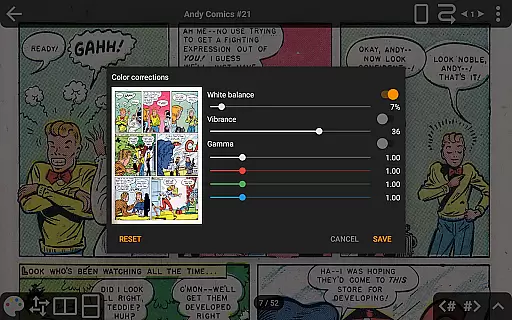
For those who appreciate fine-tuned control over their reading environment, CDisplayEx offers advanced page scaling and continuous scrolling options. Users can customize their interface language, utilize night mode for comfortable nighttime reading, and even export images for personal use. With integrated library management, readers can organize their collections by series and quickly search for specific volumes, creating a personalized and efficient browsing experience.
CDisplayEx Comic Reader offers an extensive and versatile comic library that caters to a wide array of preferences. The application supports all popular comic book formats including .cbr, .cbz, and .pdf files, ensuring that users have access to a vast selection of reading material.
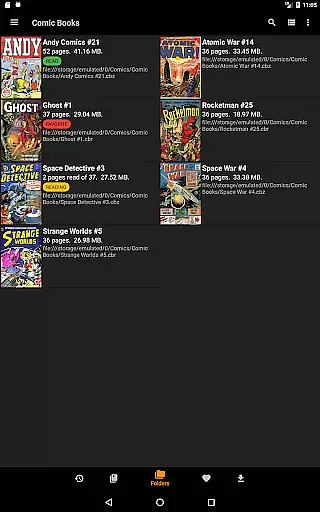
The app's integrated library management system allows users to organize their comics by series, making it easy to navigate through large collections. This feature not only enhances the user experience by grouping related content but also offers suggestions for the next album to read, thereby enriching the reader's engagement with their collection.
With the ability to browse through local folders as well as network shares, CDisplayEx ensures that users can access their entire comic library from a single platform. This seamless integration of various sources into one reader amplifies the convenience and accessibility of a diverse comic book assortment.
Authenticity and proper licensing are crucial in the digital comic industry, and CDisplayEx Comic Reader takes these aspects seriously. By supporting legitimate file formats and providing features like bookmarking and series organization, the app encourages users to maintain and enjoy legally acquired content.
Although the app previously offered Google Drive access, it has responsibly phased out this feature due to certification costs, ensuring compliance with service standards. Instead, users can connect to other authorized services such as Onedrive, Dropbox, Komga, Kavita, and Mega in the Pro version.
The application's dedication to licensed content is further demonstrated by its advanced features that enhance the reading experience without compromising legal integrity. These include continuous page viewing options, advanced scaling, and multi-language support, all of which contribute to a respectful and authentic consumption of digital comics.
User-friendly interface
Fast loading times
Wide format support
Advanced Pro features
Integrated library management
Pro version is paid
No Google Drive support
Limited free features
Occasional bugs reported
Interface may feel dated

Draw the comics with glow brushes! Easy and relax!
 4.40
4.40
TMOLector is an app to read all kinds of manga and stories!
4.50
Comic reader app: open ZIP, RAR, CBZ, CBR, and PDF files
3.00
Hot-blooded / Romance / Science Fiction All themes, Smart Recommendation + HD Reading
3.10
100k comics, manga & webcomics, including Batman, Invincible, Hellboy & more
4.60
A gathering place for a massive collection of genuine comics.
4.50
Read official webcomics, webtoons, Korean manga & webnovels
3.70
+Not your everyday comic. Everyday.
3.50
Official from Japan
4.80
Read and track manga across the web with ease
4.90
Find free mangas in Spanish
4.70
Comic Book Identifier Value - Scan comics & prices. Your comic book price guide!
4.50
Read Manga, Comics & Manhwa of Romance, Action, Fantasy, Drama, BL and more!
4.40
Webtoons, comics, web novels, and e-books are all here! RIDI, my own space to enjoy stories
4.30
Read webcomics & webnovels
4.20
Toomics is a premium comic service with every genre for all readers to enjoy!
4.00
from HipComic: Value Your Comic Book Collection with Just the Snap of a Photo.
3.80
You can create comics, manga and manwha using AI with Arcstory comic book maker
2.70
A free paradise specially built for comic lovers. When you step into this comic universe full of surprises, it is like opening a door to endless joy. You are immediately immersed in the wonderful world brought by reading and enjoy the infinite charm of reading.
4.2


User Reviews