
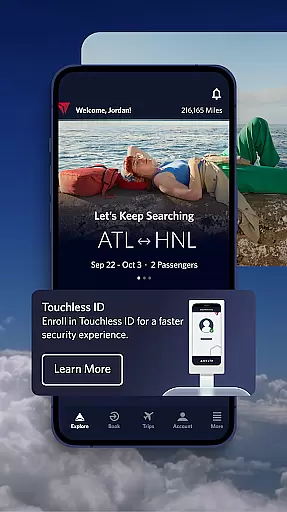

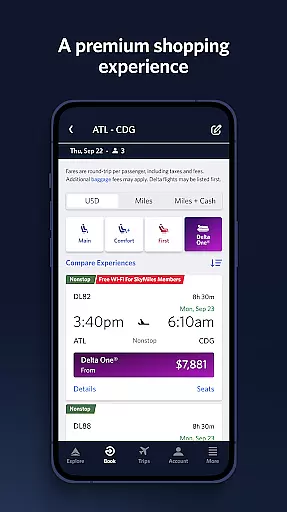
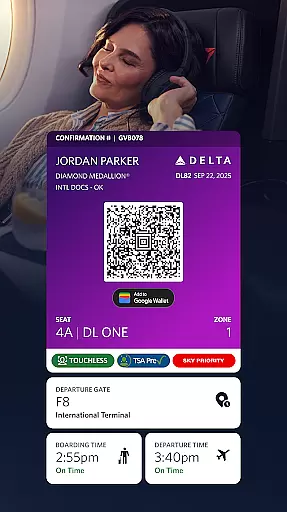
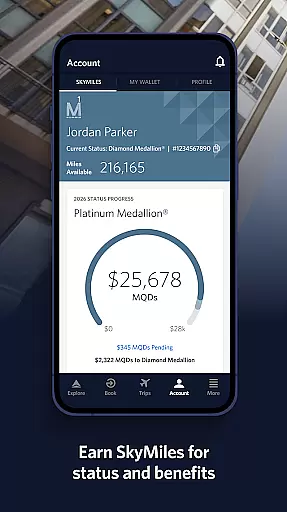
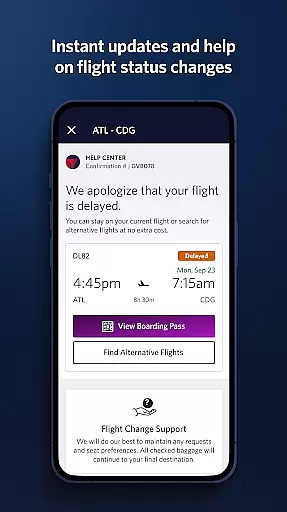
Fly Delta is an award-winning travel application designed to make your journey seamless and stress-free. The app provides comprehensive tools for managing every aspect of your trip, from planning and booking flights to real-time updates during travel.
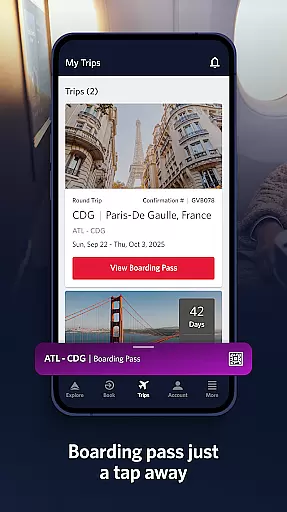
Key features include the ability to book both domestic and international flights, track upgrades using SkyMiles®, and access digital boarding passes. Additionally, users can navigate airports with ease using Airport Maps and receive important notifications about gate changes and flight statuses.
Whether you're at home planning your trip or at the airport ready to board, Fly Delta ensures that all necessary information and tools are readily accessible, enhancing your overall travel experience.
Fly Delta offers a robust set of features tailored to meet the needs of modern travelers. One standout feature is the "Today" section, which consolidates all essential travel information for the day, ensuring you're always informed and prepared.
The app also includes Live Chat support, allowing users to communicate directly with Delta agents for immediate assistance. Travelers can manage their preferences, pay for upgrades, and even scan their passports during check-in, streamlining the entire travel process.
Furthermore, Fly Delta provides real-time baggage tracking, mobile drink vouchers, and access to Delta Sky Club® information, making it an indispensable tool for both frequent flyers and occasional travelers alike.
Booking authenticity is a crucial aspect of any travel application, ensuring that all reservations made through the platform are legitimate and secure. The Fly Delta app excels in this area by providing users with reliable booking processes for both domestic and international flights.
The app allows travelers to shop and book flights with confidence, thanks to its integration with Delta's trusted systems. Users can track and pay for upgrades using their SkyMilesu00ae, adding an extra layer of assurance that their transactions are recognized and rewarded within the airline's ecosystem.
Moreover, Fly Delta offers features such as saving a companion to your profile and managing travel preferences, which contribute to a seamless booking experience. These functionalities not only streamline the planning process but also reinforce the authenticity of each reservation by allowing detailed personalization and easy access to travel information.
Price transparency in travel applications refers to the clarity and openness with which costs are presented to users. The Fly Delta app ensures that customers have a clear understanding of flight prices, including any additional fees or upgrade costs, from the moment they begin their search.
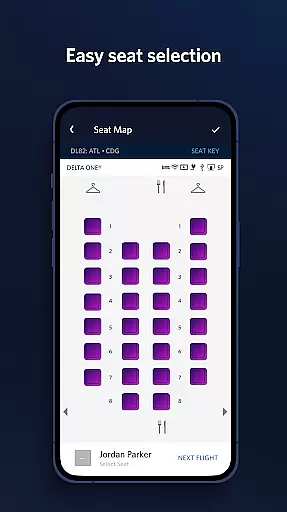
With the ability to view, change, or upgrade seats and reserve preferred seating options like bulkhead or aisle, users can make informed decisions about their travel expenses. This level of detail empowers travelers to manage their budgets effectively without unexpected surprises at checkout.
In addition to seat selection, Fly Delta provides cost visibility for other trip extras such as Wi-Fi passes or Mileage Booster packages. By offering transparent pricing across various services, the app builds trust with its users, ensuring they feel in control of their spending throughout the entire travel journey.
User-friendly interface
Comprehensive travel tools
Real-time updates
Passport scanning
Live chat support
Limited offline features
Occasional bugs
Ads in free version
High upgrade costs
Complex navigation

A Camino de Santiago Guidebook from St. Jean Pied de Port to Santiago
 3.60
3.60
The #1 Parent App in Brevard County
4.0
Book neighborhood dog boarding, dog walking, pet sitting, and doggy day care.
4.60
Real-time flight tracking with live maps and flight status updates.
3.70
Get faster fuel rewards, exclusive offers, and helpful tools!
4.70
Download now and start earning rewards on hotels, tours, and everything travel.
4.50
One app, 300,000+ travel experiences, tours, and tickets you’ll remember.
4.90
Get exclusive travel deals and enjoy the award-winning customer service!
4.60
Book flight, car or packages. Instant access to hotel discounts & travel deals
4.80
Travel and Book 8,000+ Hotels Worldwide with the Marriott Bonvoy™ app.
4.90
All-in-one delivery and taxi app. Ride, food, & grocery delivery app.
4.80
Find the perfect vacation rental. Search from over 2 million properties.
4.80
Save on gas and convenience with the earnify™ App
4.70
Meet Allyz®, your ultimate travel companion
4.70
With the Spirit Airlines app, easily manage all your trips in one place.
4.70
Take JetBlue everywhere you go! Book, manage and check in for your trips & more.
4.60
Offline WiFi Hotspot Finder, eSIM, Caller ID, Dialer, Home Screen Launcher & VPN
4.20
Iowa 511 is the Iowa Department of Transportation's traveler information app.
3.80
Mix of explore game, travel mapping & tracking to memorize everywhere you go
3.60


User Reviews