
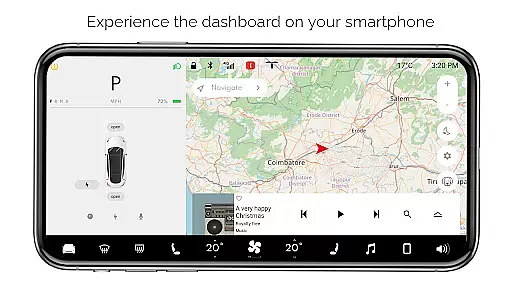
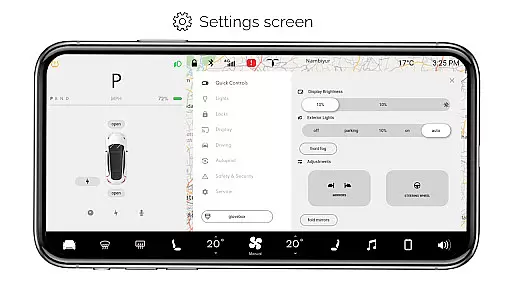
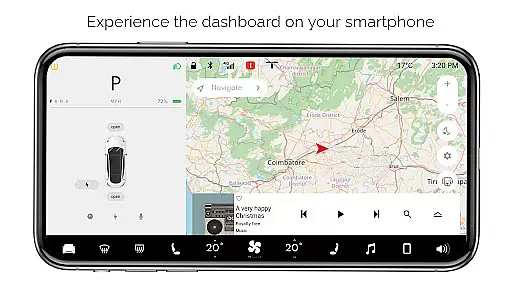
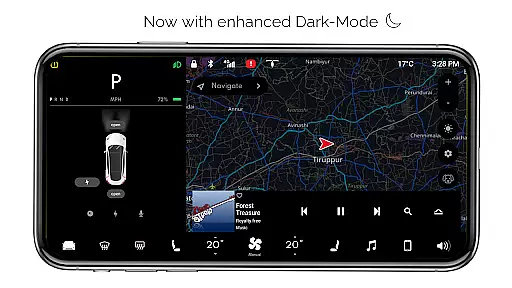
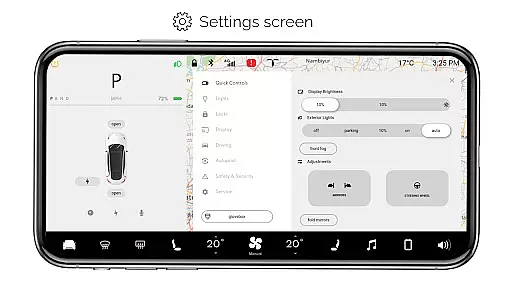
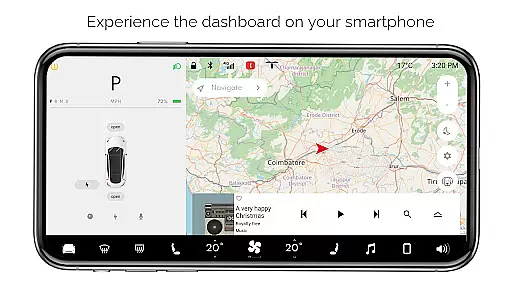
For Tesla is an innovative entertainment app that allows Tesla enthusiasts to simulate the native dashboard experience of a Tesla vehicle on their smartphones. This premium application provides users with an interactive touchscreen interface, replicating almost all features of the actual Tesla dashboard.
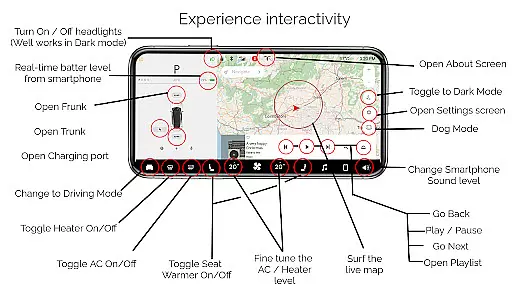
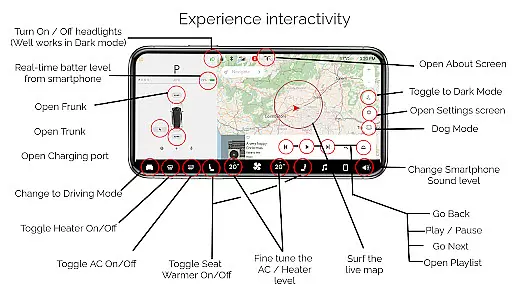
The app offers a comprehensive range of simulated functionalities including interactive maps, headlight controls, temperature adjustments, real-time battery monitoring, trunk/frunk/charging port operations, driving mode simulation, and more. It's designed exclusively for Tesla fans who wish to explore the unique user experience without needing access to an actual Tesla vehicle.
Whether you're a Tesla owner wanting to familiarize yourself with the system or simply a tech enthusiast curious about Tesla's cutting-edge technology, this app delivers significant value by providing an immersive and educational experience.
For Tesla stands out with its rich feature set that brings the Tesla dashboard experience to life on mobile devices. The app includes an interactive map feature that tracks live location, giving users a realistic navigation experience.
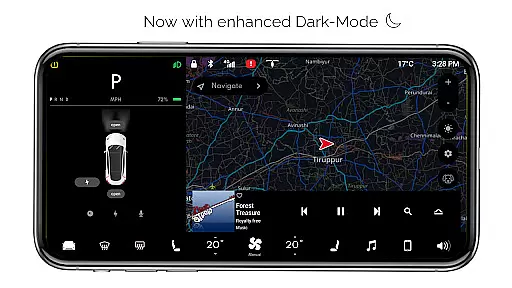
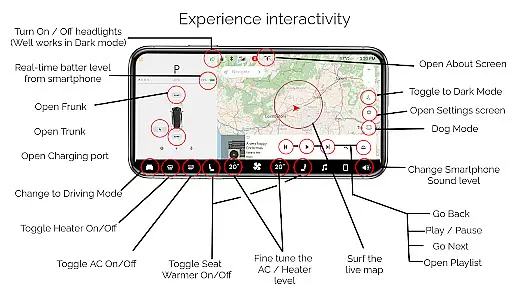
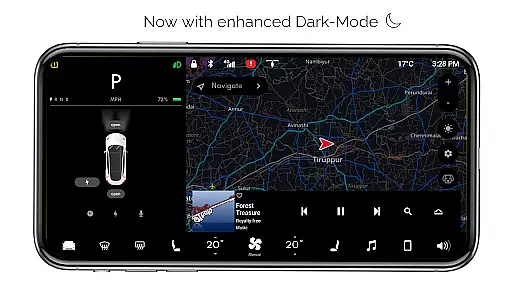
One of the most impressive aspects is the ability to control various vehicle functions through the app's intuitive interface. Users can toggle headlights (with optimized dark mode functionality), adjust cabin temperature, monitor smartphone battery levels, and operate trunk/frunk/charging ports virtually. The app also features different modes like Driving Mode, Dog Mode, and Dark Mode, each offering unique experiences.
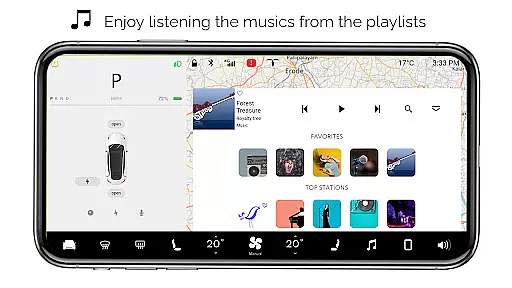
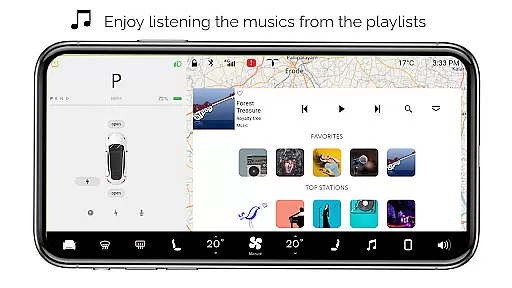
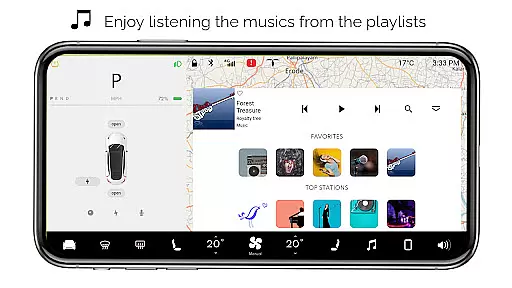
The inclusion of an interactive music player with playlists adds to the entertainment value. While all features are simulated and not connected to real Tesla vehicles, the level of detail and functionality demonstrates remarkable attention to creating an authentic Tesla-like experience.
In the realm of digital entertainment, content variety and freshness are paramount to maintaining user engagement. For Tesla app offers an extensive range of simulated features inspired by the Tesla vehicle's dashboard, ensuring users have a plethora of interactive options at their fingertips. From controlling headlights to fine-tuning temperatures, each feature is crafted to provide a realistic and engaging experience.
Despite being a simulator, the app constantly innovates with unique offerings such as Dog Mode and Driving Mode, which aren't commonly found in other simulation apps. This commitment to innovation ensures that the content remains fresh and exciting for users who wish to explore what it might feel like to operate a Tesla vehicle from their smartphone.
The application also includes an interactive music player complete with playlists, adding another layer of entertainment value. By regularly updating its features and maintaining active development, For Tesla keeps its user base intrigued and consistently entertained, encouraging longer and more frequent usage sessions.
User engagement duration and retention are critical metrics for any entertainment app, indicating how well the app can hold users' interest over time. The For Tesla app achieves this through its rich set of simulated functionalities that mimic the native user experience of a Tesla vehicleu2019s dashboard. Users can interact with various controls like opening or closing the trunk, frunk, and charging port, which makes the experience immersive and captivating.
Moreover, the app provides real-time battery level monitoring and turn ON/OFF capabilities for headlights, even working effectively in dark mode. These practical yet entertaining features contribute significantly to prolonging user interaction, as they offer both utility and amusement. Such elements help retain users by providing instant feedback and gratification, making every session enjoyable.
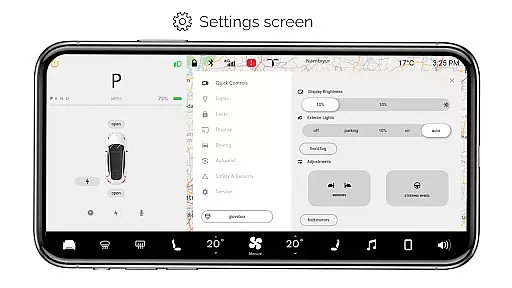
Additionally, the inclusion of settings screens, driving modes, and about screens adds depth to the user journey within the app. While not all features are operational, the sheer breadth of available options encourages exploration and repeated use. As a result, For Tesla successfully fosters long-term user retention by continuously delivering a dynamic and intriguing virtual environment.
User-friendly interface
Comprehensive feature set
Realistic simulation
Interactive elements
Tesla-specific content
Limited real-world functionality
Some features inactive
No vehicle integration
Premium version required
Android-only support

Unofficial Game Companion App” “Guides • Builds • Tips • Progression
 4.2
4.2
A wonderful collection of the most beautiful sounds of animals and birds
4.0
Real ghost box scanner with echo, reverb, EMF, & multi-stream channels.
3.80
Scan sets, track your builds, and enjoy intuitive digital instructions.
4.70
Wodfix Air aggregates popular online content for you.
4.80
Build and Share AI
4.20
Browse popular images and videos from Reddit on Android TV!
3.90
The classic game of rock, paper, scissors
4.5
Stream, Watch, Chat. Live.
4.00
Colorful flows will relax and calm you down, or get you trippy and creative!
4.90
Companion app for Elden Ring to track quests, bosses, progress and more.
4.70
Live TV, sports & holiday movies — stream on phone, tablet & TV
4.60
Find out if you're on Santa's Naughty or Nice List with this magical scanner!
4.60
* Multiple Matches * Intuitive UI * Scoring Made Easy!
4.40
Heroclix search units with multi filter , team builder, collection manager.
4.40
Realistic Baby Simulator App
4.00
Your choice of 350+ networks plus movies and full TV series on-demand.
3.70
Disney Stickers: Zootopia 2
4.3
See the frequencies! Watch the magic!
4.4


User Reviews