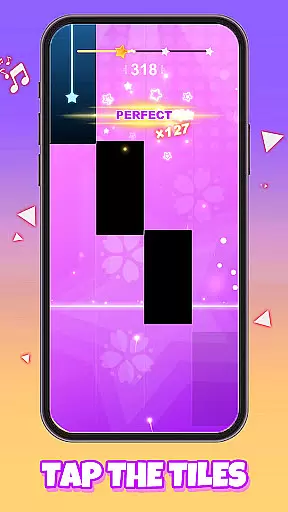
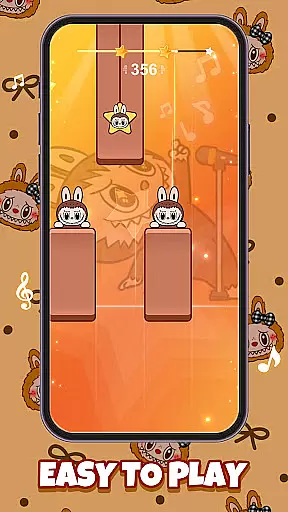
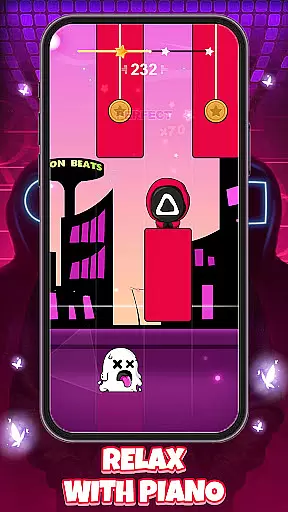
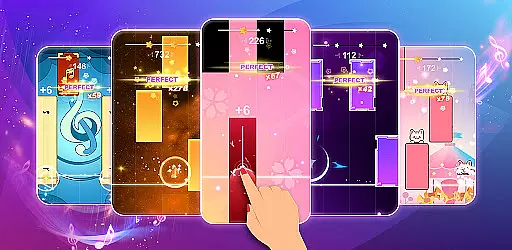
Galaxy Piano: Scrolling Rush is a rhythm-based music game that combines the thrill of tapping falling tiles with the beauty of an interstellar backdrop. Designed for music and space enthusiasts alike, this app offers a unique experience where players can create mesmerizing melodies while journeying through cosmic visuals. The simple yet engaging gameplay makes it accessible to beginners while providing a challenge for advanced users.
The app features multiple modes including Endless Mode, where the pace quickens as you progress, testing your reflexes and rhythm. With customizable backgrounds and stunning piano skins, Galaxy Piano allows users to personalize their musical journey. Whether you want to relax under a starry sky or push your limits in a fast-paced cosmic challenge, this app delivers both entertainment and artistic expression.
Galaxy Piano stands out with its signature scrolling starry galaxy background, creating an immersive experience that transports players to the vastness of space. The stunning visual design is complemented by a variety of piano skins, allowing users to choose traditional or stylized themes that suit their preferences. This combination of aesthetics and functionality ensures a personalized and visually captivating experience.
In addition to its beautiful design, Galaxy Piano offers innovative features such as Endless Mode, which progressively increases difficulty, challenging even the most skilled players. Users can also create their own universe by setting custom backgrounds using personal photos or favorite colors. These customization options enhance user engagement and provide a unique touch to every session, making each performance feel truly individual.
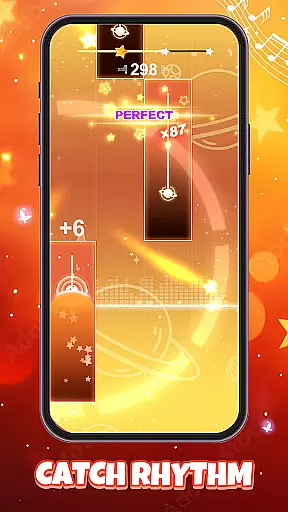
Rhythm judgment precision is crucial for any music-based game as it determines how accurately players' inputs are registered against the falling tiles. In Galaxy Piano, this feature ensures that every tap and keystroke is captured with exact timing, allowing users to create seamless melodies without missing a beat.
The app employs advanced algorithms to monitor the speed and accuracy of each tap, ensuring that even the fastest sequences are recorded correctly. This level of precision not only enhances the gameplay experience but also helps players improve their rhythm skills over time.
Players benefit from this meticulous attention to detail as they can fully immerse themselves in the cosmic visuals while maintaining confidence that their performance is judged fairly. The responsive feedback system further reinforces the connection between visual cues and audio output.
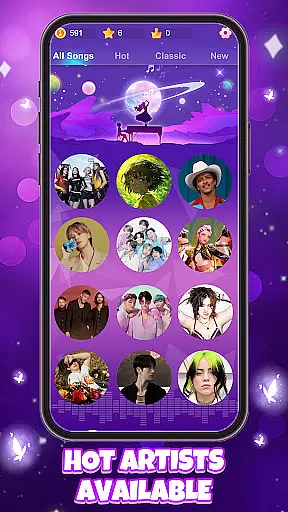
A diverse and high-quality music library is essential for sustaining player interest and providing a rich gaming experience. Galaxy Piano boasts an extensive collection of songs across various genres, ensuring there's something for everyone. From classical masterpieces to modern hits, the selection caters to different musical tastes and skill levels.
Each track in the library has been carefully curated for its playability and sound quality. Players can expect clear, vibrant audio that complements the stunning interstellar backdrops, enhancing the overall sensory experience. Regular updates introduce new tracks, keeping the content fresh and engaging.
This commitment to quality and variety not only attracts a wide audience but also encourages replayability. Users can continually challenge themselves with new songs, striving to perfect their scores and unlock additional content within the game.
Engaging gameplay
Customizable backgrounds
Variety of skins
Progressive difficulty
Immersive visuals
Ads between sessions
Limited free skins
High difficulty for beginners
No multiplayer mode
Occasional bugs
DIY funny monster, watch it dance, and mix amazing beats.
 4.70
4.70
Piano game with popular songs. Enjoy the fun of music games and K-pop games!
4.50
Ride a sonic skateboard, slash beats, and master the rhythm!
4.40
Cat music games! Dancing on cute piano tiles and meow in rhythm games!
4.60
Game of song, dual vocal, swipe, tap piano magic tiles pad & harmonize pop songs
3.70
Hop the kitty ball on color tiles with latest hits! Collect cute singing animals
4.50
Fun song games! A fun challenge of piano tiles & magic tiles. Hop to the beat!
4.30
All Hit Songs In Your Piano Game? Feel The Magic, Don't Miss The Tiles
4.70
Satisfying beats and rhythm with your monster band. Relaxing music, cute friends
4.70
Immersive piano tiles rhythm game! Tap to the beats of Hip-Hop and EDM songs.
4.70
Feel The Rhythm? Tap Tiles To Win! Enjoy The Ultimate Hit Playlist Only For You
4.70
Play kpop music with favorite idols. Tap to the beat and unlock more kpop songs.
4.60
Guide two orbiting planets along a winding path by tapping perfectly in rhythm
4.60
Unlock your amazing rhythm beat & theme. Perfect for music lovers of all ages!
4.60
Classic cat music game! Experience pop piano songs and cute cat tiles.
4.60
The original Piano Tiles game is back. Play fun music rhythm games at a party.
4.50
Tap to start and control the ball jump with beats in the hop-ball music game.
4.50
Conduct an orchestra of musical Monsters from the hit game My Singing Monsters!
4.20
The answer to all the questions, shall be Reborn through the sound of the piano.
3.90


User Reviews