
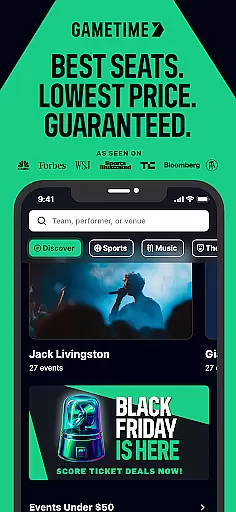
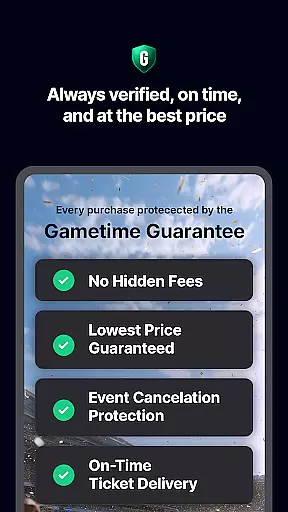
Gametime is a leading mobile application designed to help users secure tickets for live events at optimal prices. The app specializes in offering deals for sports games, concerts, festivals, comedy shows, and theatrical performances. With its unique feature of decreasing ticket prices as the event time approaches, Gametime ensures users can access tickets even up to 90 minutes after an event begins. Additionally, it provides comprehensive service through Gametime Ticket Coverage, which includes benefits like the Lowest Price Guarantee and Job Loss Protection.
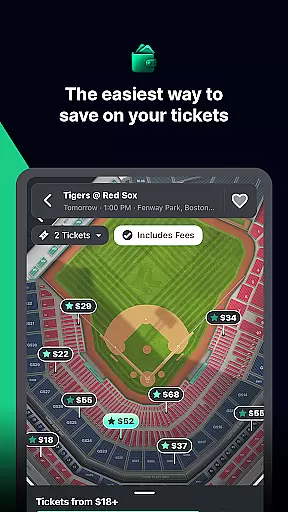
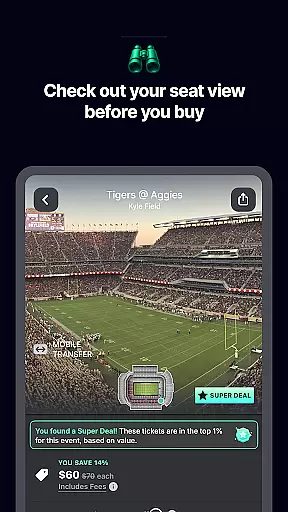
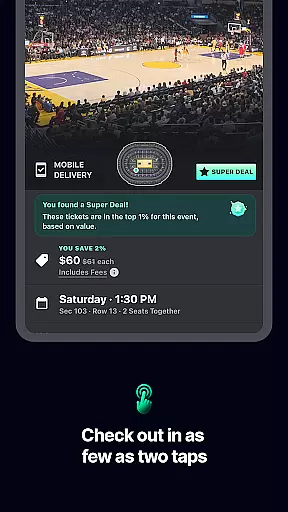
The app's intuitive interface allows users to browse venue maps, compare seat locations with panoramic photos, and complete purchases through a simple two-click checkout process. Its mobile ticket delivery system eliminates the need for paper tickets, making transactions environmentally friendly. Gametime also facilitates easy ticket sharing with friends via mobile devices. Whether you're looking for major sporting events or popular concerts from artists like Taylor Swift or Billie Eilish, Gametime offers a seamless experience for purchasing tickets.
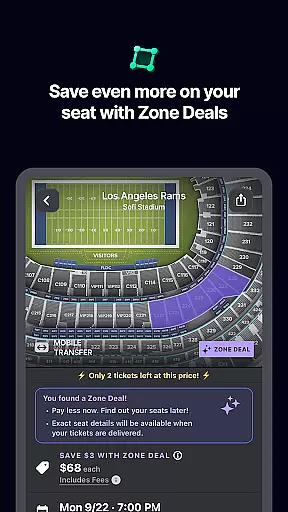
Gametime stands out with its innovative features tailored for live event enthusiasts. One of its key functionalities is the dynamic pricing model, where ticket prices drop closer to the event time, allowing users to take advantage of last-minute deals. The app also offers Special Zone Deals that provide additional discounts. Gametime Ticket Coverage is another highlight, providing users with benefits such as Lightning Refunds and Job Loss Protection, ensuring peace of mind when purchasing tickets.
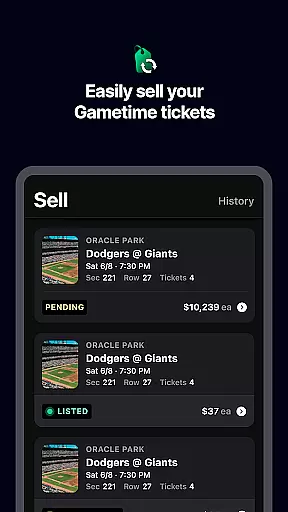
For convenience, Gametime includes detailed venue maps and panoramic views of sections, enabling users to make informed decisions about their seating choices. The app's streamlined checkout process requires only two clicks, and mobile ticket delivery ensures users can enter events without the hassle of printing tickets. Moreover, Gametime supports environmentally-friendly practices by eliminating paper tickets and allowing users to send tickets directly to friends' mobile phones. Users can also easily list and sell their own tickets through the app, receiving payments via PayPal.
Task creation and detail customization are essential features for any event management app like Gametime. This functionality allows users to not only find but also tailor their event-going experience with precision.
Gametime offers a seamless process where users can browse through a wide array of events, including sports, concerts, and theater shows. The app provides detailed information about each event, such as date, time, venue, seating options, and pricing. Users can take advantage of special deals and discounts that become available closer to the event time, ensuring they get the best possible price.
The level of detail in task customization within Gametime is impressive. For instance, users can view panoramic photos from different sections of the venue to make informed decisions about their seating preferences. Additionally, the app's easy-to-use interface enables customers to compare prices and seats effortlessly, which enhances the overall ticket-buying experience.
Ultimately, the ability to create tasks and customize details on Gametime translates into significant user benefits. Customers can secure tickets up to 90 minutes after the event starts, enjoy mobile ticket delivery, and share tickets easily with friends. These features ensure a hassle-free, enjoyable event experience, making it simple for users to focus on what truly mattersu2014enjoying the event itself.
Reminder settings play a crucial role in ensuring that users never miss an important event. In the context of an app like Gametime, these settings help users stay organized and punctual, enhancing their overall experience.
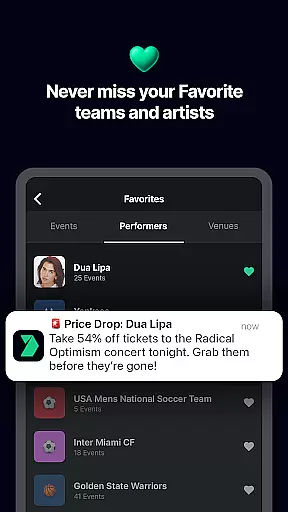
Gametime incorporates reminder functionalities that allow users to set alerts for upcoming events. Whether it's a last-minute deal on tickets or a notification about an event start time, the app keeps users informed at every step. This feature is particularly useful for those who purchase tickets close to the event time or decide to attend an event spontaneously.
Beyond basic reminders, Gametime offers flexible scheduling options. Users can choose how and when they receive notifications, tailoring them to fit their personal schedules and preferences. This flexibility ensures that reminders are timely and relevant, reducing the risk of missing out on exciting opportunities or important updates.
Incorporating advanced reminder settings adds substantial value for Gametime users. By keeping them engaged and informed, the app fosters a sense of reliability and trust. Ultimately, this feature helps users maximize their enjoyment of live events, whether it's catching a game, attending a concert, or experiencing a theater show, all while ensuring they remain well-prepared and on time.
User-friendly interface
Comprehensive service policy
Mobile ticket delivery
Easy ticket sharing
Dynamic pricing model
Limited original ticket listings
Resale market focus
Potential high prices
No offline functionality
Event availability varies

The Official App
 4.2
4.2
Clubs, Festivals, Discounted Tickets, Guest Lists & VIP Tables
4.90
For weddings, parties & events
4.60
No invest, Easy way to earn USDT through crypto cloud mining
3.80
Beautiful invitation cards + easy RSVP tracking for any event. Design Invites.
4.80
RAISE-365 makes fundraising easy and fun!
3.20
Microsoft Ignite is an event that showcases latest advancements in technology
4.00
Freebie Games for Epic Games, Steam, Amazon, Rockstar etc.
4.40
TodayTix is the easiest way to get tickets to the best shows in your city.
4.90
The KRUU app - plan, celebrate, remember
4.80
Listen Full Quran MP3 Offline - Qibla Compass, Salah Timing & 99 Names of Allah
4.60
Invitation Card Maker, Design & share wedding, birthday & party invites fast
4.40
Get live football here
4.30
Purchase line-skip passes, drinks, cover, and more at bars and clubs
3.50
ETH Mining provides secure way to mine Ethereum & earn ETH in Cloud mining app
3.50
An App for Bhutanese
4.4
Mobile Event Guide for Greater NY Dental Meeting
4.0
Buy event tickets easily with our user-friendly App. Stay updated on hot events
4.3
Soft Proxy for Your Online World
4.2


User Reviews