

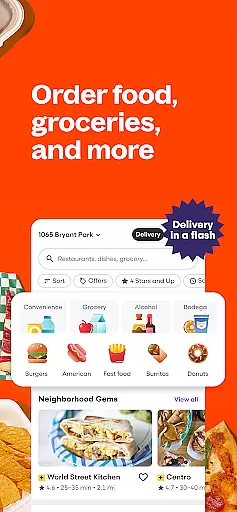
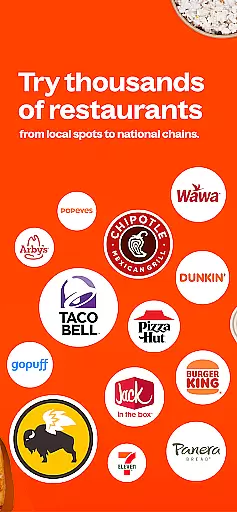
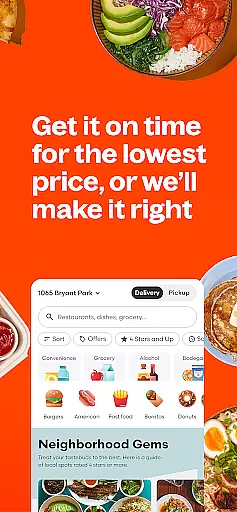
Grubhub is a leading food delivery and takeout platform that connects users with thousands of local restaurants and national chains. The app offers an extensive selection of dining options, from fast food to gourmet meals, while also providing grocery delivery for added convenience. With transparent pricing, real-time order tracking, and personalized features like reorder options, Grubhub ensures a seamless user experience. Whether you're craving pizza, sushi, or even household essentials, Grubhub delivers directly to your door.
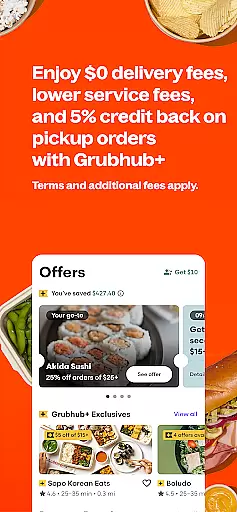
One standout feature is Grubhub+, a subscription service offering unlimited $0 delivery fees on eligible orders, exclusive rewards, and member-only deals. This service caters to frequent users who want to save on delivery costs while enjoying perks. Additionally, the app's integration with popular payment methods such as credit cards, Venmo, and Grubhub gift cards makes transactions hassle-free. From local eateries to major chains like McDonald’s, Taco Bell, and Panda Express, Grubhub guarantees variety and quality in every order.
Grubhub stands out with its robust set of features designed to enhance convenience and personalization. Users can browse menus from thousands of restaurants, read ratings and reviews, and filter results by cuisine type or dietary preferences. The app provides upfront pricing transparency, showing all fees before checkout, which eliminates unpleasant surprises. For those seeking savings, Grubhub+ offers significant value by waiving delivery fees on qualifying orders and providing exclusive discounts.
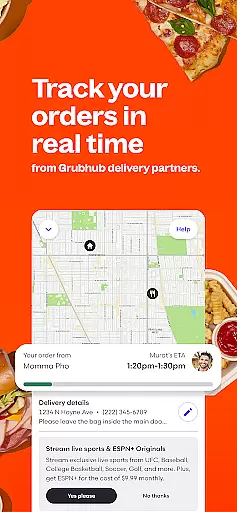
Another key feature is real-time order tracking, allowing users to monitor their deliveries from preparation to arrival at their doorstep. Personalized recommendations based on past orders make reordering favorite meals effortless. Moreover, Grubhub extends beyond restaurant food by delivering groceries and household essentials from local stores. With 24/7 customer support, secure payment options, and guaranteed satisfaction through the Grubhub Guarantee policy, the app ensures reliability and peace of mind for every user.
Grubhub's store locator functionality is an essential tool for food and grocery delivery. This feature allows users to easily find restaurants and local convenience stores within their vicinity, ensuring that they can order from the best available options. The app provides detailed information about each location, including operating hours, menu variety, and user ratings.
The accuracy of Grubhub's store locator is powered by precise geolocation services. When users search for a specific cuisine or store, the app quickly processes their request and displays relevant results sorted by proximity and popularity. This ensures that customers can make informed decisions when choosing where to place their orders, whether it's for a quick meal or essential groceries.
Users benefit significantly from this feature as it saves time and enhances convenience. Instead of manually searching for dining options, Grubhub's store locator presents a curated list of nearby eateries and stores. Additionally, the integration of real-time updates means that any changes in store status or menu offerings are promptly reflected, providing a seamless experience for users looking to satisfy their cravings efficiently.
Grubhub offers robust delivery and pickup options, catering to diverse customer preferences. For delivery, users can track their orders in real time, receiving updates from the moment the restaurant starts preparing their meal until it arrives at their doorstep. This transparency builds trust and keeps customers informed throughout the entire process.
In addition to delivery, Grubhub provides flexible pickup alternatives. Customers who prefer to collect their orders themselves can take advantage of scheduled pickups, allowing them to plan ahead and save on delivery fees. The app clearly outlines all associated costs upfront, so there are no hidden surprises during checkout.
This dual approach not only enhances user satisfaction but also optimizes resource allocation for Grubhub's delivery partners. By offering both delivery and pickup services, Grubhub ensures that every customer finds a solution that fits their lifestyle while maintaining high standards of efficiency and reliability across its platform.
User-friendly interface
Wide restaurant selection
Transparent pricing model
Real-time order tracking
Subscription savings with Grubhub+
Delivery fees for non-subscribers
Limited rural availability
Occasional service delays
Subscription auto-renews
Not all restaurants offer delivery

Get 20% Back at thousands of 4+ star restaurants when you pay using inKind
 4.90
4.90
Real ones order on the app, earn points, score deals, and skip the line.
4.40
Earn rewards when you order online for delivery or pickup from Sonic Drive-In.
4.60
Find the perfect restaurant for any occasion on OpenTable.
4.60
Discover restaurants, reservations, food delivery, reviews & services near me
4.60
EASIEST WAY TO PIZZA®
4.70
Mexican Food Pickup & Delivery
4.70
Food Delivered to your door! Order from 1800+ Grocery & Retail Store Brands.
4.10
Not just food delivery. Shop for groceries from local supermarkets to your door.
4.60
Restaurant Reservations
4.90
Rescue tasty unsold food from local stores for ½ price or less.
4.90
Save at the pump AND in store with deals on gas, snacks & drinks at Murphy USA.
4.80
Simple recipes and kitchen tips for easy meal planning. Your digital cookbook.
4.60
Order ahead & earn rewards
4.60
Order your Domino's favorites then follow the progress with Domino's Tracker®!
4.60
Order from Gopuff and get your essentials delivered in as fast as 15 minutes
4.50
Discover. Create. Plate.
4.40
Order from local pizzerias
4.20
Eating fresh just got a whole lot better with the new Subway app.
4.20


User Reviews