
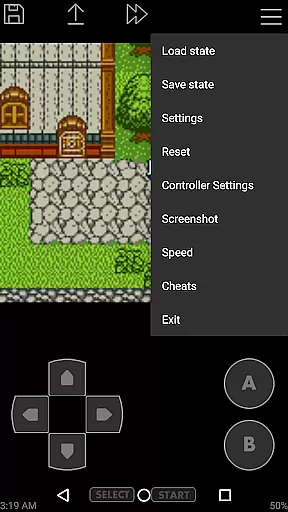
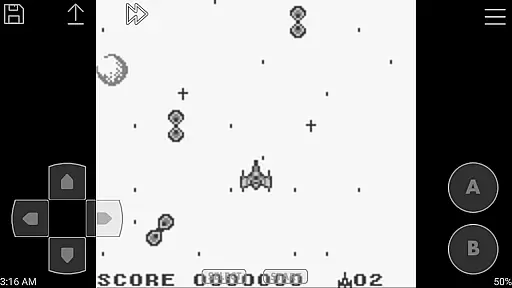
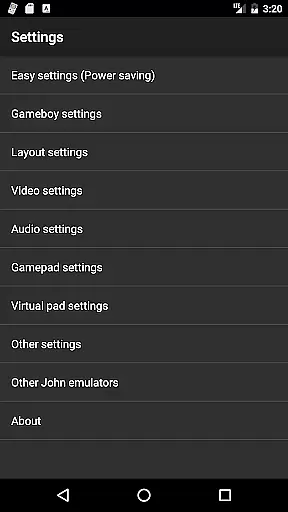
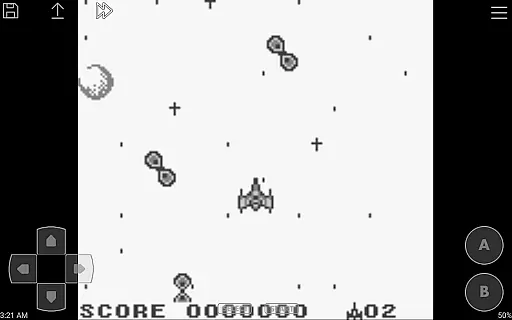
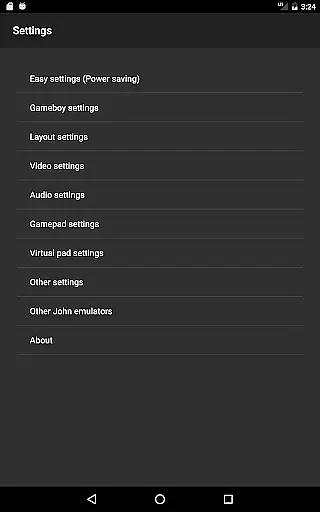
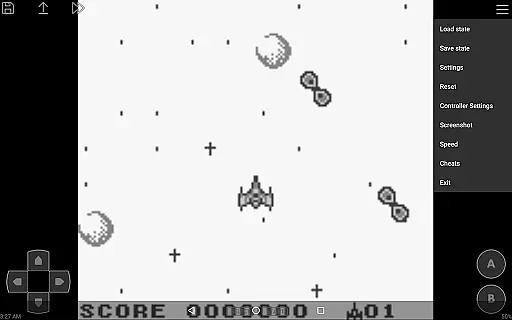
John GBC is a feature-rich arcade emulator designed for Android 6.0 and above, offering an authentic Game Boy Color experience. This app allows users to play their favorite classic games with high-quality rendering and customizable controls.
The emulator supports various essential features such as save states, turbo buttons, and virtual on-screen keypads. It also includes advanced functionalities like fast forward, slow down options, and cheat code support, making it a versatile tool for both casual and hardcore gamers.
Ideal for nostalgic gamers, John GBC provides a seamless way to relive the classics without compromising on quality or performance. The app's ability to sync data with cloud services ensures that your gaming progress is always safe and accessible.
One of the standout features of John GBC is its original GBC engine, which delivers an accurate emulation experience. The high-quality rendering ensures that graphics are displayed crisply, while the very fast processing speed guarantees smooth gameplay.
Users can search for game files across SD Card and Internal Storage effortlessly. The app supports zipped files, save states with previews, and customizable keys, enhancing user convenience. Additionally, features like screenshots, fast forward/slow down options (x0.25 - x16), and cheat support (Game Genie/Game Shark/PAR) provide a comprehensive gaming experience.
For those who prefer physical controls, John GBC offers Bluetooth/MOGA controller support. The inclusion of Super Gameboy borders and Dropbox support (requires John DataSync) further enriches the user experience, ensuring broad compatibility and ease of use.
Arcade authenticity and nostalgia are crucial elements for any arcade-style game or emulator. John GBC, as a GB/GBC emulator, brings these aspects to life by emulating the original Game Boy and Game Boy Color systems with precision.
The app uses an original GBC engine that ensures the games run just as they did on the classic handheld devices. This attention to detail extends to supporting Super Gameboy borders, adding to the nostalgic experience of playing games as they were originally intended.
For users, this means reliving the joy and excitement of playing their favorite childhood games without any compromises in quality or performance. The high-quality rendering further enhances the visual experience, making it possible to enjoy classic games on modern Android devices.
Control responsiveness is a key factor in delivering an immersive gaming experience. For John GBC, this aspect is addressed through several innovative features designed to enhance gameplay fluidity and precision.
The emulator supports customizable keys and virtual on-screen keypads, allowing users to tailor the controls to their preferences. Additionally, turbo buttons provide rapid-fire capabilities, which are essential for many classic arcade games.
With fast forward and slow down options ranging from x0.25 to x16 speeds, players can adjust the pace of the game to suit their play style. This flexibility, combined with support for Bluetooth and MOGA controllers, ensures that control latency is minimized, offering a seamless and responsive gaming experience.
High-quality rendering
Fast emulation speed
Customizable controls
Save states with previews
No ads or internet required
Requires personal game files
Limited to Android 6.0+
Paid version only
No native iOS support
Complex setup for beginners

Bomb the communists back to 1916!
 4.70
4.70
Enter Double Dragon Trilogy, a compilation of the beloved arcade series
4.10
*Try for free.* Survive alone in a Roguelike Reverse Bullet Hell.
4.80
Fast reflexes, glowing obstacles, endless action.
4.5
Cool car builder & racing simulator: make a car to win the obstacle course race!
4.60
Jump and fly your way through danger in this rythm-based action platformer!
4.50
Meet Snake Run Race! Slither through an obstacle course in our fun running game!
4.70
Genesis/Mega Drive/CD & Master System/Mark III Emulator
4.30
Thoughtful strategy and tactical thinking are required to win each battle!
4.30
Amid the vastness of the universe, you are a Black Hole about to be swallowed!
5.00
Try this unique restaurant sim and enjoy the fun of cooking in busy kitchens!
4.70
Master the hills in this extreme downhill racing game!
4.60
Shoot the web, jump and teleport! Be a stickman hero and destroy your enemies!
4.50
Mine & Craft Block Mini World! Survival Crafting and Building & Creative Online.
4.30
NEOGEO's masterpiece game is now available in the app!
4.10
Restore peace and order in the city
3.20
Monster Run its a game for relax.
4.1
Play retro games with ease – NES, SNES, PSX, PSP & more supported
4.0
Infinite Arcade
4.0


User Reviews