
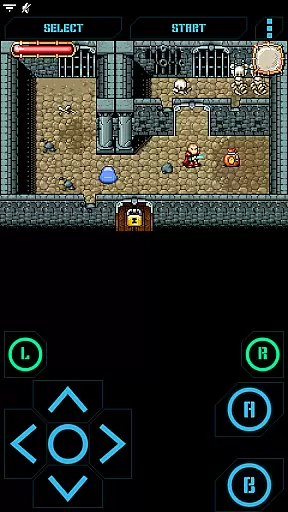
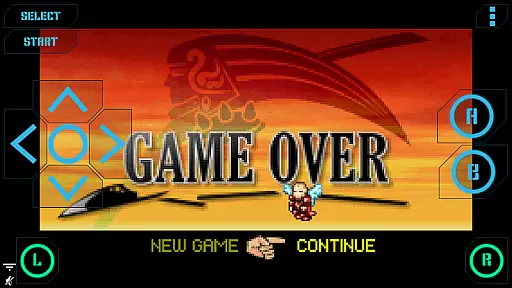
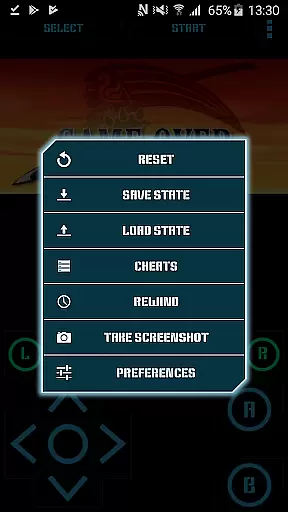
Nostalgia.GBA Pro is a premium Game Boy Advance emulator that brings your favorite retro games to life on modern devices. Built on the robust mGBA emulation core, this app delivers exceptional performance with hardware-accelerated graphics and 44100 Hz stereo sound.
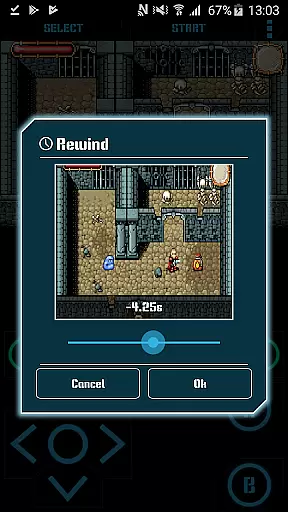
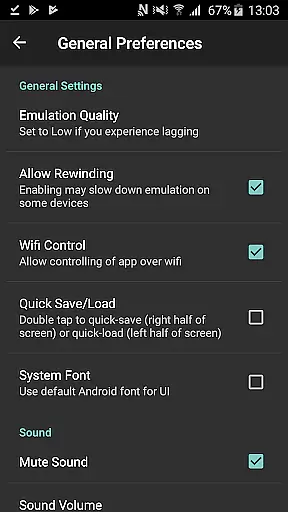
The emulator features an intuitive interface with fully customizable virtual controls, allowing precise adjustments to button size and position. With advanced functions like game rewinding, turbo buttons, and Wi-Fi controller support, it elevates classic gaming to new heights while maintaining perfect compatibility with original GBA ROMs.
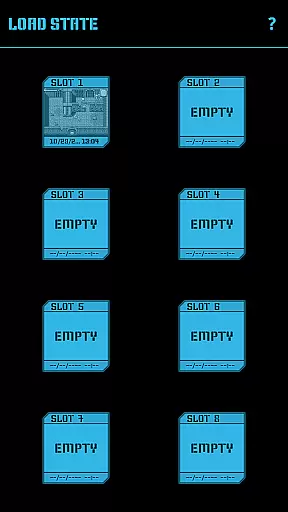
This emulator distinguishes itself through innovative features designed for both casual players and emulation enthusiasts. The save state system offers 8 manual slots with screenshots plus an autosave function, enabling easy sharing between devices via Bluetooth or other methods.
Unique capabilities include real-time game rewinding for instant retries, comprehensive HID Bluetooth gamepad support, and seamless integration with hardware keyboards. The app also supports special cheat codes and provides convenient screenshot functionality, making it an essential tool for experiencing authentic GBA gameplay on contemporary devices.
Arcade authenticity and nostalgia are essential elements for any gaming emulator, and Nostalgia.GBA Pro delivers on both fronts. As a high-quality GBA emulator based on mGBA, it captures the essence of classic Game Boy Advance gaming with modern enhancements.
The app offers a user-friendly interface that combines cool aesthetics with functionality, ensuring players experience the same thrill as they did with original arcade games. The highly customizable virtual controller allows users to adjust button sizes and positions, providing a personalized touch that caters to individual preferences.
With features like save state sharing among devices and rewinding options, Nostalgia.GBA Pro not only preserves the nostalgic value but also adds convenience and flexibility. These functionalities enable gamers to pick up where they left off or rectify mistakes without losing progress, enhancing the overall enjoyment while maintaining the spirit of arcade gaming.
Control responsiveness is crucial for an immersive gaming experience, and Nostalgia.GBA Pro excels in delivering precise and immediate feedback. The emulator supports hardware-accelerated graphics using OpenGL ES, ensuring smooth gameplay with minimal latency.
In addition to responsive touchscreen controls, Nostalgia.GBA Pro supports HID Bluetooth gamepads such as MOGA and 8bitdo. This compatibility provides players with tactile feedback and familiar button layouts, making gameplay feel natural and intuitive.
Turbo buttons and A+B combinations further enhance control schemes by allowing rapid inputs during intense gaming sessions. Hardware keyboard support adds another layer of versatility, catering to different play styles and preferences. Such comprehensive control options ensure that every action translates seamlessly into in-game movements, offering an authentic arcade-like experience.
User-friendly interface
Advanced save states
Game rewinding feature
Bluetooth controller support
Hardware acceleration
No games included
Premium price point
Complex customization
Requires technical knowledge
Large file storage needs

Join the art challenge: Guess the word and draw fast before the timer runs out!
 4.20
4.20
Granny keeps you locked in her house.
4.30
PC Engine/TurboGrafx-16 Emulator
4.50
Stack the blocks as high as you can!
4.30
Jump and fly your way through danger in this rythm-based action platformer!
4.50
The only Sega Saturn emulator for Android
4.40
Join the breathtaking chase!
4.80
Play all your favorite Playstation games in your android device!!
4.50
Addictive basketball game with challenging one-touch controls
4.50
Jump and fly your way through danger in this rythm-based action platformer!
4.70
Venture into the galaxy to fight against the invasion of space invaders.
4.60
Challenge your friends across the world to see who can jump the farthest!
4.50
Collect layers in running game & build the biggest slinky toy to beat the giant!
4.30
Sega Saturn Emulator
4.20
Frenetic party game, pass the bomb to the other players!
3.80
You are a Black Hole, escaping the darkness trying to swallow you!
3.60
Snake Legacy, sans pub, repensé pour une expérience fluide et élégante.
4.0
M64Pro FZX Classic Emulator for Android
4.0
Divine powers at your fingertips! An innovative and frantic shoot-'em-up!
4.0


User Reviews