
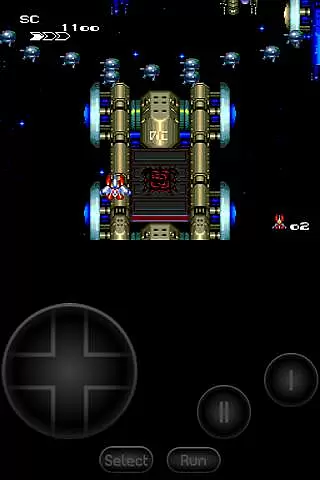
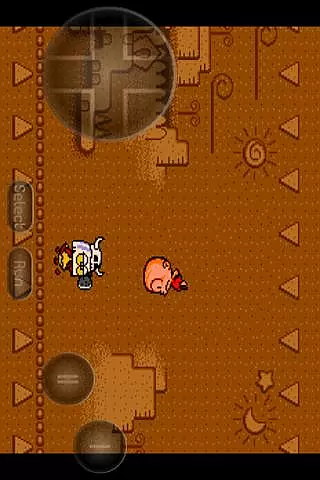
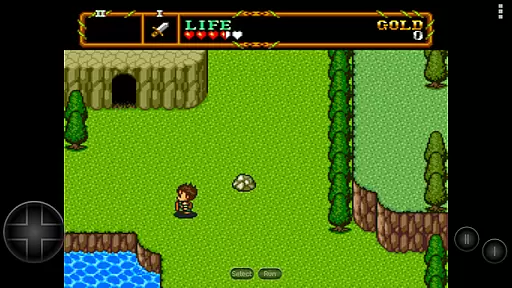
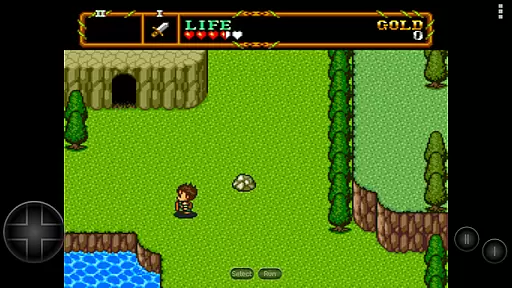
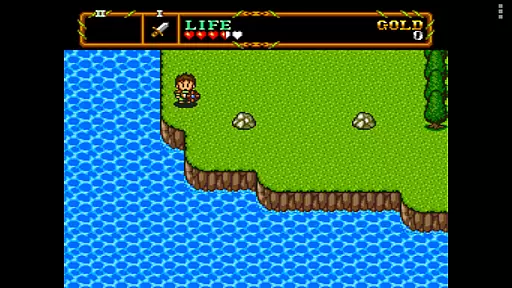
PCE.emu is an advanced open-source emulator for PC Engine and TurboGrafx-16 systems, designed with a minimalist UI to ensure low audio and video latency. It caters to retro gaming enthusiasts by supporting a wide range of devices from older models like the Xperia Play to modern ones such as Nvidia Shield and Pixel phones.
The app supports multiple file formats including .pce, .sgx, and compressed files through ZIP, RAR, or 7Z. With CD emulation via .cue files and support for various audio track formats like FLAC, Ogg Vorbis, and Wav, users can enjoy an authentic gaming experience. Configurable on-screen controls and compatibility with Bluetooth/USB gamepads enhance user interaction.
PCE.emu stands out with its robust feature set tailored for both casual and hardcore gamers. The emulator supports .pce and .sgx file formats, along with optional compression methods such as ZIP, RAR, and 7Z, allowing flexible game file management.
One of its key features is CD emulation through .cue files, which requires a Super CD-ROM System card. This functionality, combined with support for high-quality audio formats like FLAC, Ogg Vorbis, and Wav, ensures an immersive sound experience. Additionally, the app offers configurable on-screen controls and extensive peripheral support, including Bluetooth and USB gamepads compatible with HID devices like Xbox and PS4 controllers.
Arcade authenticity and nostalgia are crucial elements for any emulator aiming to recreate the classic gaming experience. PCE.emu, as an advanced PC Engine/TurboGrafx-16 emulator, excels in delivering this aspect by accurately emulating a wide range of devices from the original Xperia Play to modern devices like the Nvidia Shield and Pixel phones.
The app supports .pce and .sgx file formats, optionally compressed with ZIP, RAR, or 7Z, ensuring that users can enjoy a vast library of games just as they remember them. Additionally, CD emulation via loading .cue files (requires Super CD-ROM System card) adds another layer of authenticity, allowing gamers to relive the full experience of playing original TurboGrafx-CD titles.
With configurable on-screen controls and support for Bluetooth/USB gamepads and keyboards, including compatibility with HID devices like Xbox and PS4 controllers, PCE.emu offers an immersive arcade-like experience. This attention to detail ensures that players can enjoy their favorite classics with the same control schemes they cherished, enhancing the nostalgic journey.
Control responsiveness is a key factor in delivering an authentic and enjoyable gaming experience. PCE.emu focuses on low audio/video latency, making it an ideal choice for gamers who demand quick and precise responses during gameplay.
The emulator's support for a wide variety of devices, from older models to the latest technology, guarantees that users will experience optimal performance regardless of their hardware. This versatility ensures that control inputs are registered and executed swiftly, maintaining the fast-paced nature of arcade games.
Furthermore, the inclusion of configurable on-screen controls and compatibility with external controllers such as Bluetooth/USB gamepads and keyboards means that users can customize their setup for the most responsive experience possible. Whether playing on a touchscreen or using a physical controller, PCE.emu delivers tight and accurate controls that capture the essence of arcade gaming.
Low latency performance
Wide device compatibility
Comprehensive file support
Authentic audio experience
Customizable controls
No included ROMs
Complex setup required
Limited user interface
Advanced technical knowledge needed
Occasional crashes reported

Monster Run its a game for relax.
 4.5
4.5
Machine Gun Fire Rumbles in the Jungle
4.0
Flip the bottle! Do tricks and don't let the bottle fall!
4.50
Save the Galaxy from galaxiga alien - Classic arcade shooter game
4.60
NES Emulator
4.40
Play all your favorite Playstation games in your android device!!
4.50
Draw your legs to win the race!
4.20
Save the galaxy from alien shooter in classic galaxy shooter-classic arcade game
4.80
Challenge your friends in this game! Two players on one device!
4.70
Ready… Set… DASH! Play now!
4.70
Flip and flail a rag doll through endless levels and plunge into outlandish fun!
4.60
Motorcycle racing games! Prove your paperboy can win in the bike race 3D!
4.50
Collect layers in running game & build the biggest slinky toy to beat the giant!
4.30
Sega Saturn Emulator
4.20
Epic offline war strategy game - build your city, train your army, conquer
4.20
Get into your tractor to cut grass and harvest the crops in our mowing simulator
4.10
Dad doesn’t let you go out, can you outwit your parents and escape?
4.00
A retro-flavoured infinite scroller Glyph toy for the Nothing Phone (3)
4.3
Fast reflexes, glowing obstacles, endless action.
4.5


User Reviews