
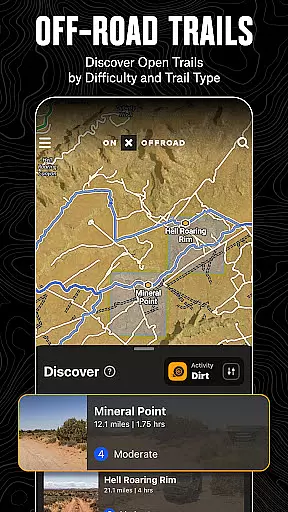
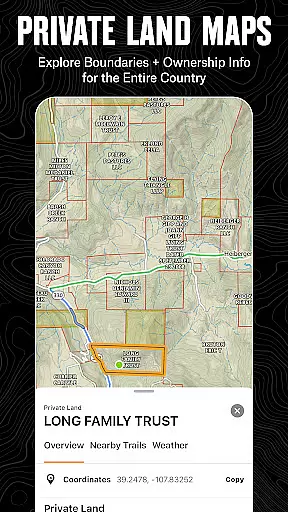
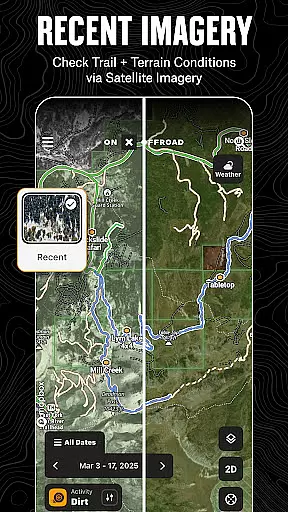
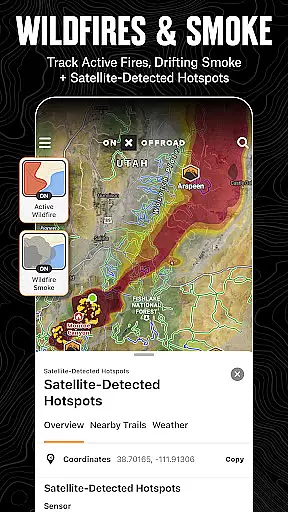
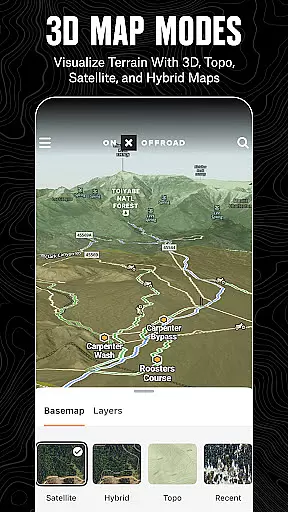
onX Offroad is a premier off-road navigation app designed for outdoor enthusiasts and adventurers. It offers advanced GPS mapping, 3D trail maps, and compass navigation to help users discover trails suited for various off-road activities like 4x4, SxS, dirt bikes, and snowmobiles. The app provides crucial information such as property lines, private landowner details, and wildfire activity, ensuring safety and compliance while exploring remote areas.
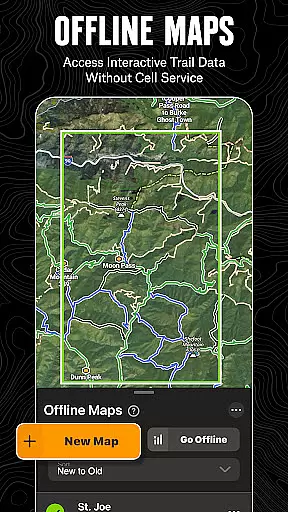
One of the standout features is its offline functionality, allowing users to save maps and access interactive data without cell service. With turn-by-turn navigation that syncs with Android Auto, onX Offroad ensures seamless guidance from paved roads to rugged trails. Whether planning a trip or navigating in real-time, this app equips users with tools to explore confidently and return safely.
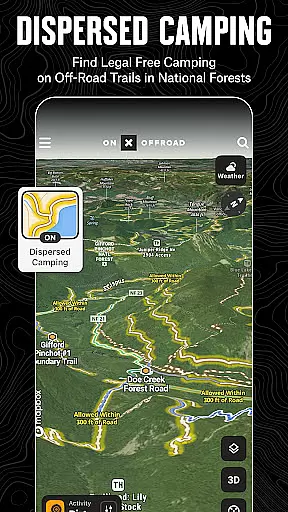
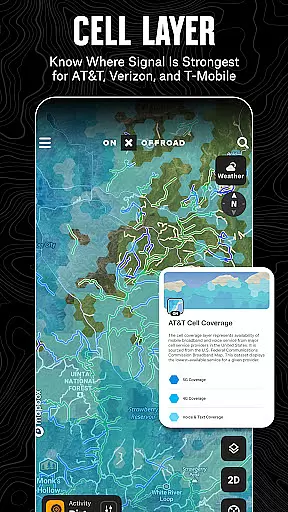
The app's value extends beyond navigation by offering layers for cell coverage, wildfire tracking, and dispersed camping locations. These features make it an essential tool for off-roaders who need reliable information about trail conditions, public land boundaries, and recreational points of interest. With onX Offroad, adventurers can focus on what matters most—exploring the great outdoors.
onX Offroad stands out with its comprehensive set of features tailored for off-road exploration. The app includes detailed OHV Trails & Map Layers, enabling users to filter trails based on vehicle type and toggle map layers for weather, land boundaries, and cell service. This ensures users have all necessary information at their fingertips, whether they're driving through unfamiliar terrain or monitoring wildfire activity via integrated NOAA data.
Offline Navigation & Route Builder capabilities allow users to save maps with full interactivity, even without internet access. The route builder automatically snaps to roads and trails, providing precise directions. Additionally, voice-guided turn-by-turn navigation enhances convenience, especially when synced with Android Auto. These features ensure uninterrupted guidance regardless of location.
Trip Tracker & Recreation Points further enhance user experience by letting adventurers log trips, track metrics like speed and elevation, and mark important waypoints. Users can customize maps with recreation points, making future visits more efficient. For those needing nationwide property line information, the app delivers GPS navigation with versatile imagery options, including topo and satellite views. These robust features collectively empower users to plan smarter and adventure farther.
Map accuracy is crucial for any navigation app, and onX Offroad excels in this area. The application provides detailed 3D trail maps, topographic maps, and satellite imagery to ensure users have the most precise understanding of terrains.
The app uses verified data from sources like the USDA Forest Service and Bureau of Land Management to display property lines, public and private land ownership information, and acreage details. This ensures that adventurers can trust the map data when navigating through unfamiliar territories.
With nationwide coverage, onX Offroad offers access to over 852 million acres of public land across the U.S., including National Forests, BLM, and National Parks. Users can confidently explore new areas knowing they have accurate boundary information at their fingertips.
By integrating real-time layers such as wildfire activity, cell coverage for major providers, and atmospheric smoke forecasts, onX Offroad not only guides users accurately but also keeps them informed about environmental conditions that could affect their journey.
Effective route planning is essential for off-road adventures, and onX Offroad provides tools that make this process seamless. The app allows users to build routes that automatically snap to existing roads and trails, ensuring efficient and safe travel plans.
Users can filter trails by accessibility for various vehicle types, including 4x4s, ATVs, dirt bikes, and snowmobiles. This feature helps tailor the route according to the user's specific needs and equipment, enhancing both safety and enjoyment.
For those venturing into remote areas, the ability to save offline maps without losing interactive land and trail data is invaluable. This ensures that even without cell service, adventurers can rely on pre-planned routes and continue their journey uninterrupted.
Additionally, onX Offroad offers turn-by-turn navigation with voice commands and syncs with Android Auto, providing a hands-free navigation experience. This advanced functionality empowers users to focus on the adventure while the app takes care of guiding them safely to their destination.
User-friendly interface
Comprehensive trail data
Offline map functionality
Real-time wildfire updates
Detailed property insights
Premium features require subscription
Occasional map inaccuracies
High data usage for downloads
Limited free trial duration
Steep learning curve for beginners

CamSam PLUS - The speed and red light camera warning system!
 4.40
4.40
Plan routes, share locations, and set custom alert zones
4.40
Find radar maps, GPS coordinates, altitude, offline maps, location, travel route
4.40
Explore Earth with live GPS, satellite view & street navigation
3.60
Get route, find shortest path, near by places and weather update
3.90
Ride or drive at YOUR price
4.70
Navigate seamlessly with Real-Time Traffic, Offline Maps, and Voice Navigation.
4.10
Park in Chicago, NYC, Boston, SF, Houston & more!
4.70
Neshan: map & navigation app with 20M+ monthly active users
4.50
Truck Safe GPS Navigation & Maps: Parking, Fuel, Diesel, Weight Station
4.80
LIRR and Metro-North tickets and trips
4.80
Instant diesel discounts - save big with each fill up!
4.40
GPS navigation offers route finder, compass, translator, currency converter, etc
4.30
Phone Tracker and GPS Location Sharing
4.20
Number locator, real connection map
4.10
Easy, Moderate and difficult offroad adventures.
4.00
TACNAV-X: Precision MGRS navigation, built specifically for the military.
4.00
GPS Navigation: Get map directions and find the shortest routes to avoid delays!
4.00
NJ TRANSIT information and ticketing at your fingertips
3.70


User Reviews