
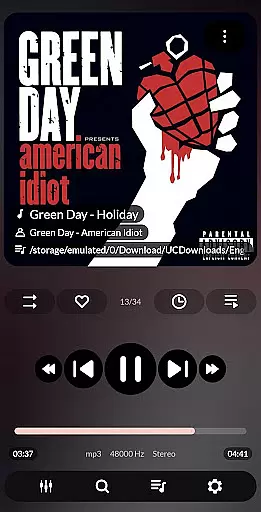
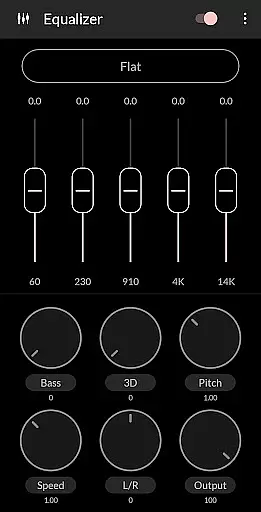
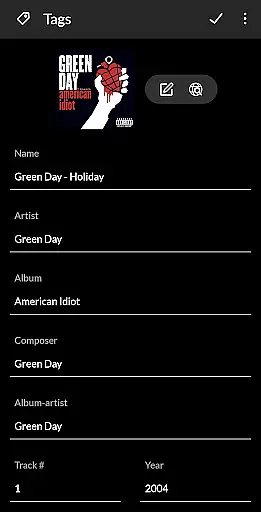


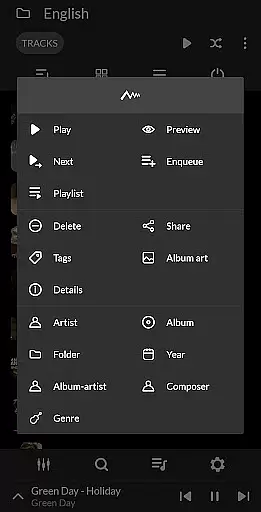
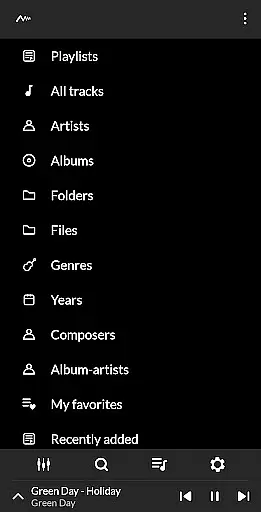
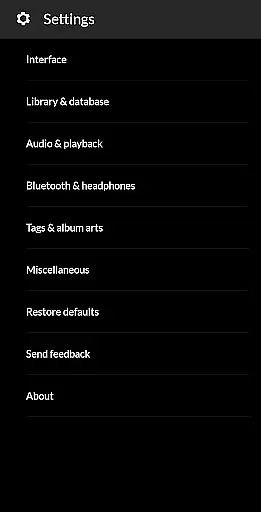
PowerAudio Plus Music Player is a feature-rich audio player designed to deliver an exceptional music experience. With its intuitive interface and support for all major audio formats, it allows users to browse songs by albums, artists, playlists, or favorites. The app includes advanced audio controls such as a powerful equalizer with BassBoost and Virtualizer, customizable presets, and playback options like repeat and shuffle.
One standout feature is the ability to create custom playlists and organize tracks according to personal preferences. Additionally, PowerAudio supports functionalities like setting ringtones, sharing media files, and detecting headphones for seamless usability. Whether you're looking to enjoy high-quality audio or manage your music library efficiently, this app caters to both casual listeners and audiophiles alike.
PowerAudio Plus Music Player offers a comprehensive suite of features that enhance music playback and organization. It supports various audio formats including MP3, WAV, AAC, and OGG, ensuring compatibility with diverse music libraries. The app's equalizer comes with multiple presets and customization options, allowing users to tailor sound output to their liking. Advanced audio effects like BassBoost and Virtualizer further elevate the listening experience.
For music management, the app provides sorting options by name, date, or date added, alongside multi-select capabilities for efficient file handling. Users can also take advantage of practical tools such as a sleep timer, codec details display, and the ability to delete unwanted tracks or playlists. These robust features make PowerAudio Plus a versatile choice for managing and enjoying digital music collections.
PowerAudio Plus Music Player offers an extensive music library that supports all major audio formats including mp3, m4a, wav, aac, amr, and ogg. This ensures that users can access and play virtually any song in their collection without compatibility issues.
The application focuses on copyright authenticity by providing features such as setting phone ringtones and sharing media files, which encourage legal use of music. While it doesn't directly provide licensed content, its support for personal audio files allows users to manage their legally acquired music efficiently.
With the ability to browse songs by albums, artists, or playlists, PowerAudio enhances the user's experience by organizing their music library comprehensively. Users can also create their own playlists, adding another layer of personalization and organization to their music collection.
Delivering best-in-class audio quality, PowerAudio Plus Music Player includes a powerful equalizer with BassBoost and Virtualizer features. These tools allow users to customize their listening experience according to their preferences, ensuring optimal sound output for different genres of music.
Users can choose from a variety of music presets or even create custom presets, offering flexibility and control over audio output. This feature is crucial for audiophiles who demand high-quality sound reproduction from their music player.
In addition to superior audio quality, the app provides codec details such as bitrate, sample frequency, and channels. This information helps users understand the technical aspects of their audio files, further enhancing the overall listening experience with transparency and detailed insights into audio file quality.
User-friendly interface
High-quality audio playback
Customizable equalizer
Playlist creation
Headphone detection
No cloud integration
Limited visual themes
Occasional bugs
Ads in free version
Heavy on storage

Pay Once, no monthly payment
 4.60
4.60
Your song collections with lyrics and chords on Android smartphones and tablets.
4.80
Brian Eno and Peter Chilvers’ acclaimed music app Bloom, radically reinvented.
4.80
AI Music Maker: Generate And Compose AI Tunes & AI Songs & AI Music & AI Melody!
4.60
Listen radio AM / FM Stations. Live AM / FM Radio App Station. Radio Com.
4.70
The original SP-1200 experience on your iPad
4.20
Play KORG’s revolutionary touch-based instrument on a variety of devices.
4.40
Customize Your Favorite Songs and Videos with booster.
4.70
Play your music offline without limits
4.80
Bass Booster & Volume Equalizer Pro improves your music and video sound quality
4.60
Over 100 million tracks available for high quality streaming and download
4.60
Time Trainer: accurate metronome w tools to help you develop your internal time!
4.20
Next generation modular control surface
4.10
Turn your phone into a musical instrument from the future!
3.90
The only true audiophile music player with Hi-Fi audio rendering and DSP engine
3.90
The ultimate media player for Android devices
3.90
The iconic iOS metronome app is now on Android.
3.70
Make music anywhere. Turn your device into an instrument.
4.5
Remove ads permanently from Music Visualizer
4.5


User Reviews