
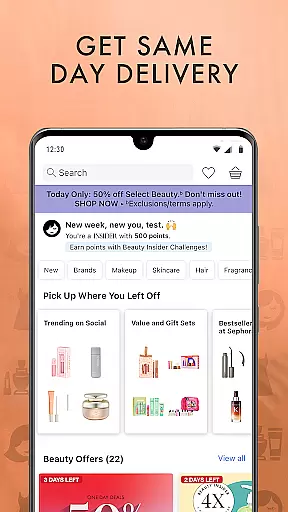
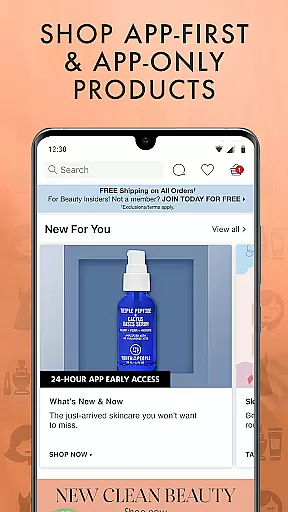
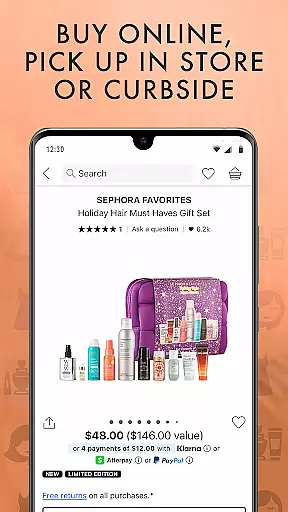

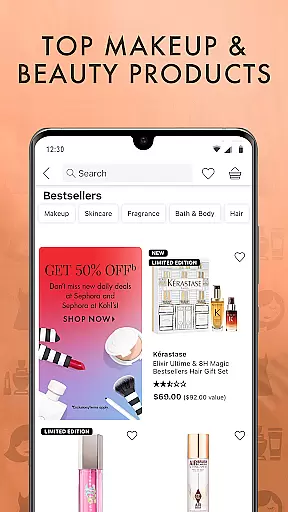

Sephora is a premier beauty shopping application that offers an extensive selection of skincare, makeup, and beauty products from top-tier brands. With its user-friendly interface, the app provides an unparalleled shopping experience by allowing users to easily order or reserve products online for in-store pickup. Whether you're looking for sustainable beauty brands, black-owned businesses, or Sephora-exclusive releases, this app caters to diverse beauty needs.
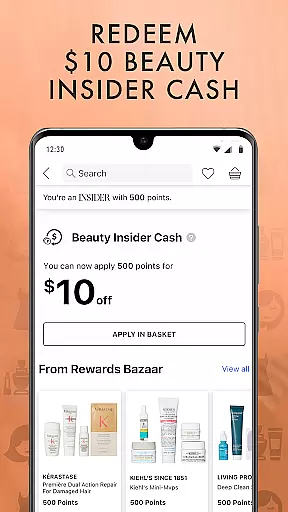
One of the standout features of Sephora is its live chat option, where users can connect with beauty associates for unbiased advice and personalized recommendations. The app also integrates a rewards program called Beauty Insider, enabling shoppers to earn points, redeem exclusive gifts, and access special promotions. From skincare treatments to hybrid makeup products, fragrances, and haircare solutions, Sephora ensures that every aspect of beauty shopping is covered, making it an essential tool for beauty enthusiasts.
Sephora boasts a wide array of innovative features designed to enhance the beauty shopping journey. Users can explore detailed product categories such as Skincare, Makeup, Hair Products, and Fragrance, each offering tailored options based on individual preferences. For instance, the Skincare section allows customers to find products targeting specific concerns like acne, dryness, or aging, while the Makeup section simplifies shopping through filters like price, brand, and product type.
The app's Foundation Finder tool revolutionizes how users select their perfect foundation match by providing results within just two minutes. Additionally, Sephora incorporates value sets, mini sizes, and exclusive collections from renowned brands like FENTY BEAUTY, Dior, and Supergloo. Features like in-store product scanning for ratings and reviews further empower buyers to make informed decisions. With seamless navigation, store locators, and integrated rewards systems, Sephora delivers both convenience and customization.
When it comes to beauty products, having access to detailed information is crucial for making informed purchasing decisions. The Sephora app offers an extensive product database that covers a wide range of skincare, makeup, and beauty items from top brands. This comprehensive database includes not only product descriptions but also details such as ingredients, usage instructions, and customer reviews.
The app's database is designed to assist users in finding products that suit their specific needs. Whether you're looking for hydrating moisturizers, acne treatments, or the latest in makeup trends, the app provides all the necessary information at your fingertips. With real-time updates, users can trust that they are accessing the most current data available.
By leveraging this deep product database, customers can make choices that align with their preferences, such as opting for sustainability-minded brands or exploring black-owned businesses. The ability to scan products in-store for ratings and reviews further enhances the shopping experience, ensuring that every purchase is backed by community insights.
Personalization is at the heart of the Sephora app's offerings, aiming to provide each user with a tailored beauty shopping experience. Through advanced algorithms, the app learns individual preferences and makes precise recommendations based on past purchases, browsing history, and stated preferences. This level of personalization ensures that users are presented with products that truly resonate with their unique beauty needs.
Features like the Foundation Finder exemplify the app's commitment to personalization. In just two minutes, users can find the perfect foundation match, selecting from various finishes such as glow, matte, or natural. This tool simplifies what can often be a complex decision-making process, empowering users to shop with confidence.
Moreover, the app's Beauty Insider program adds another layer of personalization by offering rewards and exclusive gifts tailored to individual shopping habits. From birthday gifts to point redemption options, the app consistently delivers personalized experiences that enhance customer satisfaction and loyalty.
User-friendly design
Wide range of brands
Personalized recommendations
Rewards program benefits
Innovative tools like Foundation Finder
Limited availability in some regions
Occasional app crashes
High product prices
Subscription required for full access
Complex return policy

Color haircut changer style on
 3.30
3.30
Beauty Camera - Selfie Camera with beauty editing tool, makeup, filter, sticker
4.60
Create, design and dress up your own beautiful characters in cute fashion styles
3.50
Beauty Mirror - True mirror app with light, shaving mirror, makeup mirror app
4.50
Manage your daily skin care beauty regimen & track your skin's progress.
4.70
Hair style app, Face shape finder, Face shape, Hair style, Face shape detector
4.30
HD Camera, Selfie Camera, Camera filters, is a fully featured 4K camera
4.60
Beauty Camera & Selfie Camera snap Beauty selfie with filter, makeup, stickers
4.80
Mirror app that shows your image with photo editor, zoom and light!
4.70
Book your appointments
4.90
The ultimate beauty membership
4.70
Unleash your (Pro)tential with the hottest hair, nails and beauty brands!
4.60
Wacky mirror filter, waves effect & wavy effect to make your own funny videos.
4.60
Top brand haircare & fragrance
4.60
True mirror app with zoom, LED light, for makeup & shaving anywhere!
4.20
The all new Cosmo Prof app offers exclusive pro products, deals, and training.
4.00
Enhance Your Look with Face Analysis, Hair Style Changer, Beauty Score, Rating
3.90
Change your hairstyle and color instantly with AI-powered virtual makeovers.
3.90
Your future self face age old or young from camera selfie into beautify videos
4.3


User Reviews