
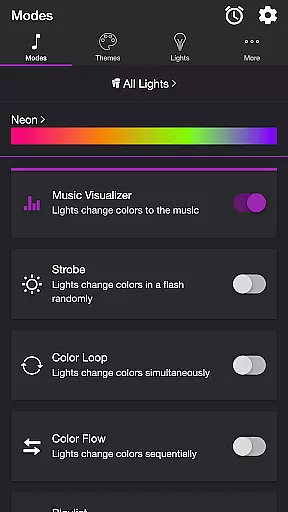
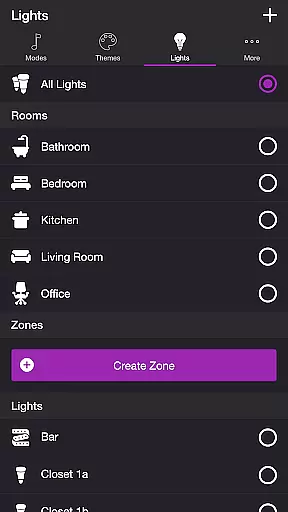
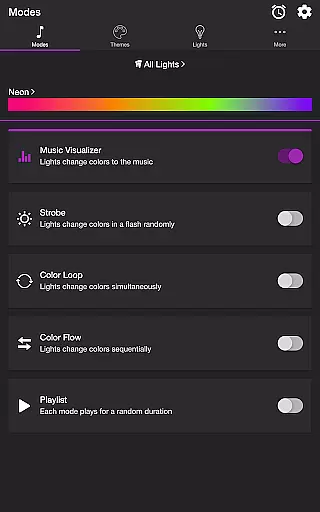
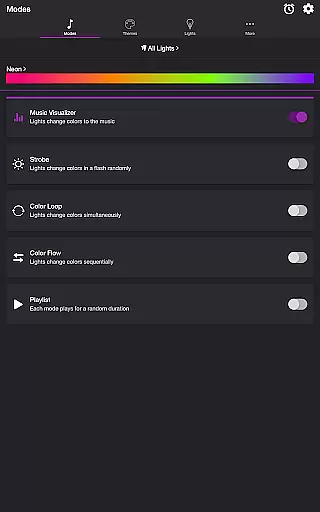
Soundstorm for Hue is an innovative entertainment application that transforms your Philips Hue lights into a dynamic party experience. The app allows users to sync their smart lights with music, creating stunning visual effects through various modes like Music Visualizer, Strobe, Color Loop, and more.
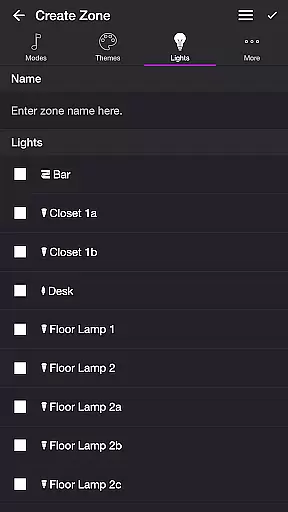
With customizable themes and detailed settings, users can tailor the light shows to their preferences. Whether you want to create a vibrant atmosphere for parties or simply enjoy a personalized light show, Soundstorm for Hue offers both functionality and flexibility. The app's ability to control individual lights or groups makes it a versatile tool for enhancing any space with synchronized lighting effects.
Soundstorm for Hue stands out with its diverse range of features designed to enhance user experience. The app includes multiple modes such as Music Visualizer, which uses the device's microphone to sync lights with music beats, and Strobe, offering random color flashes for a lively ambiance.
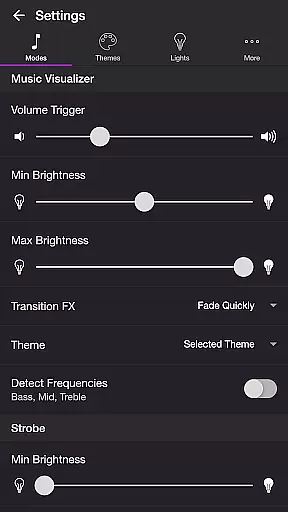
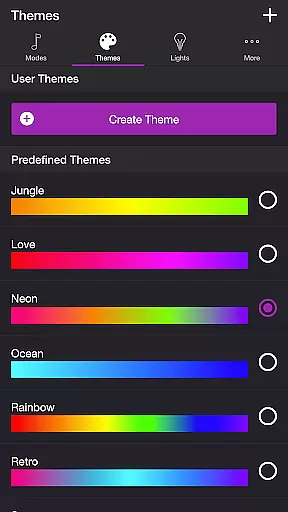
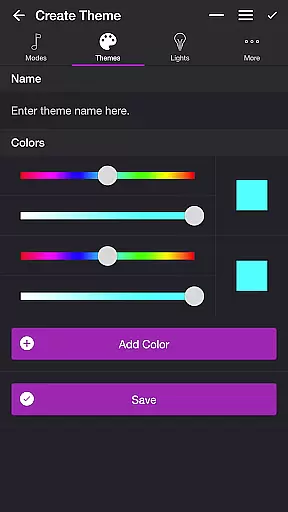
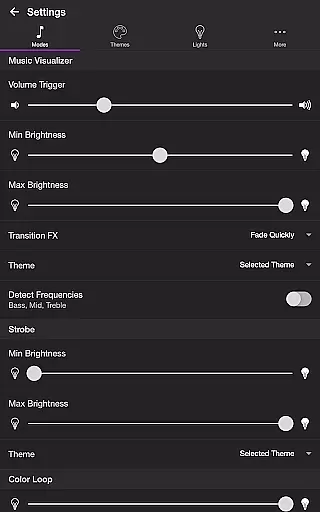
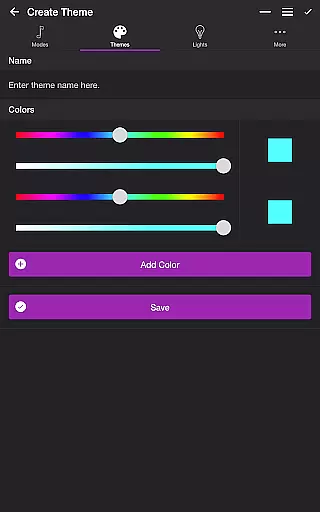
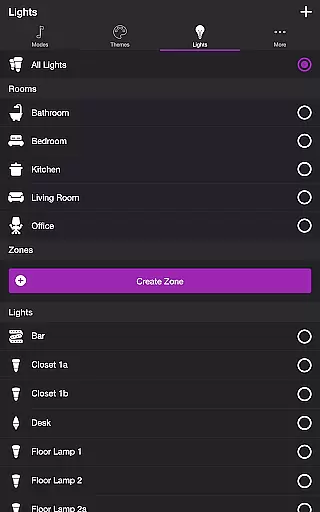
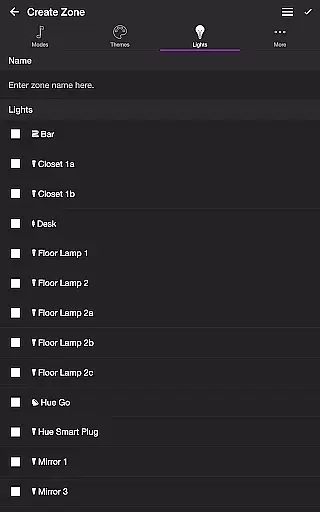
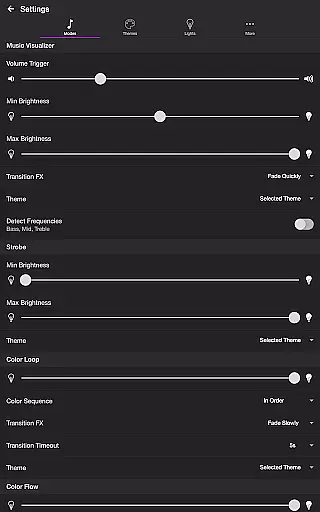
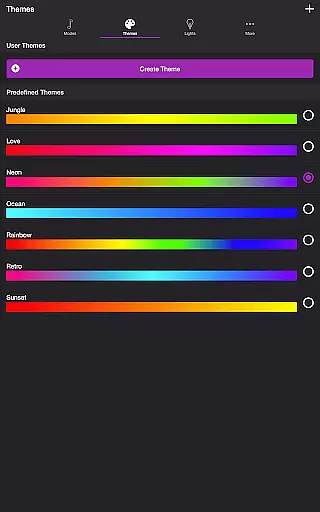
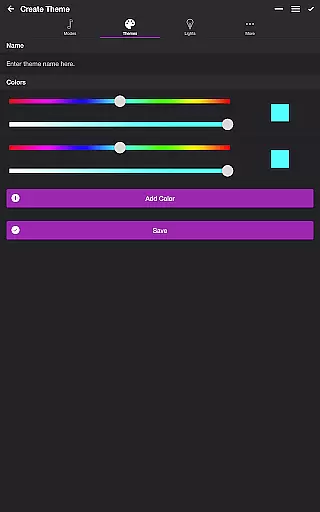
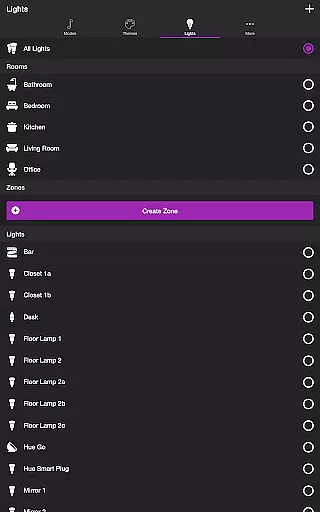
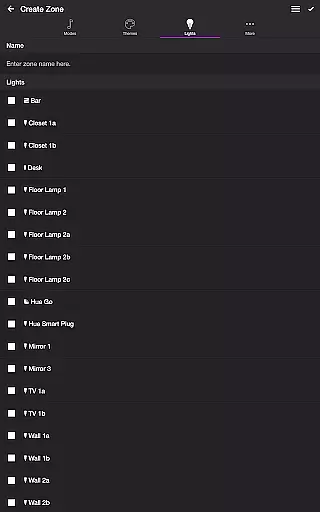
Users can customize each mode with specific settings like brightness levels, transition effects, and frequency detection. Additionally, the Themes tab allows for the creation and editing of custom color schemes, while the Lights tab provides control over individual lights or groups. These features collectively ensure a highly personalized and immersive lighting experience tailored to any occasion.
In the realm of entertainment, content variety and freshness are crucial for user engagement. Soundstorm for Hue offers a dynamic selection of modes that cater to different moods and settings. With options like Music Visualizer, Strobe, Color Loop, Color Flow, and Playlist, users can enjoy an ever-changing light show that syncs with their favorite music or operates independently.
Each mode within the app is designed to provide a unique experience. The Music Visualizer listens to ambient sounds and adjusts Philips Hue lights accordingly, creating a personalized atmosphere. Meanwhile, the Strobe and Color Loop modes offer vibrant visual effects that can transform any space into a lively venue. These features ensure that users have access to fresh content every time they engage with the app.
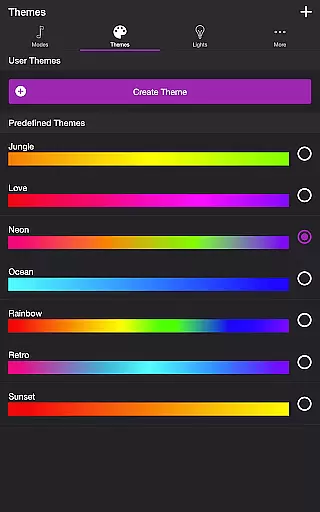
The ability to customize themes further enhances content variety. Users can choose from predefined themes or craft their own, ensuring that the light shows remain novel and tailored to individual preferences. This level of customization not only maintains interest but also encourages regular use as users experiment with new combinations and settings.
User engagement duration and retention are key metrics in evaluating the success of entertainment applications. Soundstorm for Hue excels in these areas by providing interactive features that encourage prolonged use. The app's various modes, such as Music Visualizer and Playlist, invite users to spend more time configuring and enjoying their lighting setups, which naturally extends session lengths.
Retention is bolstered by the app's depth of settings and customizability. Users can fine-tune aspects like volume triggers, brightness levels, and transition effects, which allows for a personalized experience that adapts to changing preferences over time. This ongoing customization process fosters a deeper connection between the user and the app, prompting repeated visits.
Additionally, practical features like Sleep Timer and automatic start/stop functions contribute to retention by integrating seamlessly into daily routines. By offering both entertainment and convenience, Soundstorm for Hue ensures that users remain engaged and committed to using the app regularly, thus enhancing overall user retention rates.
User-friendly interface
Highly customizable settings
Versatile light control options
Multiple entertaining modes
Syncs with music in real-time
Requires Philips Hue Bridge
Microphone access needed for Music Visualizer
Limited to Philips Hue system
Some features may be complex for beginners
Premium version might be costly

Exclusive Short Drama Video! All in HD. Bringe trending reels & enjoy drama time
 3.80
3.80
Open-source, fast, simple and powerful IPTV app
4.90
A companion app for the game Elite Dangerous
4.10
Stream videos to VIDAA & VEWD TVs from Hisense, Sharp, Skyworth, Vestel & TiVo
3.00
The JBL Portable app works with JBL portable Bluetooth speakers.
4.60
Fetch money rewards all just for playing games. Cash out for gift cards in app.
4.50
See the frequencies! Watch the magic!
4.5
Geooh GO is the most feature rich geocaching app available today.
4.50
Bold original series & hit movies that don't hold back.
4.40
Classic dynamic pixel art from Mark Ferrari.
4.70
Stream Online TV - Watch Live IPTV Playlist & Channel with Built-In Player
4.50
Triple A is a highly complex, kinetic, and interactive visualizer.
4.50
Just play games to earn gift cards. Keep playing, keep earning.
4.50
Practice and master your ESP and intuition with five mode trainer.
4.20
Catch the latest episodes of The Voice or live stream NFL games with The NBC App
4.20
Stream live TV shows, sports, news, movies & more - all without cable.
3.00
With the credits you earn play more games
2.90
Air Horn - Siren Sounds Prank, Fun way to wake up your Friends and Family
4.3
Control your AWTRIX 3 easily
4.3


User Reviews