
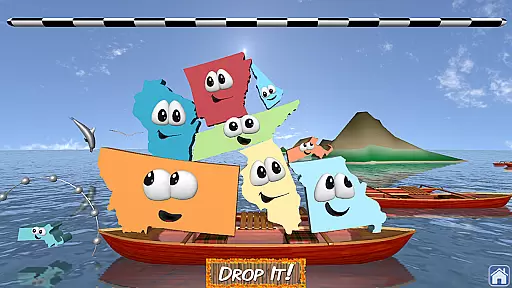
Stack the States® 2 is an engaging educational game designed to make learning US geography enjoyable. The app features interactive activities where users can touch, move, and stack animated states. With new question types, bonus games, and a voice mode for non-readers, it offers diverse ways to learn state capitals, cities, landmarks, and more.
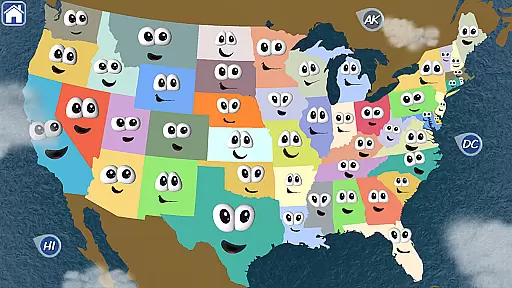
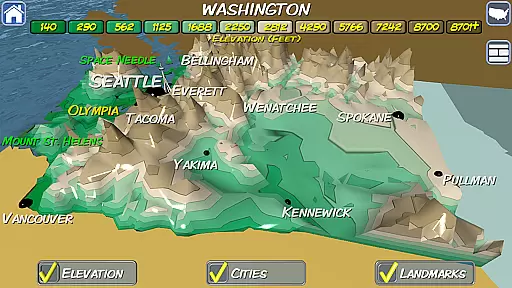
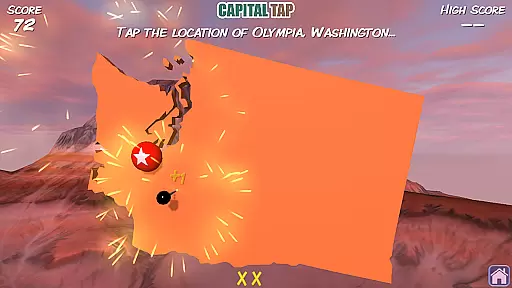
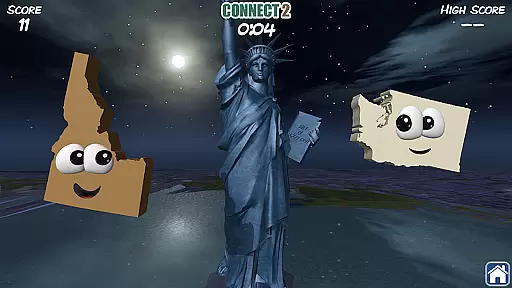
The app provides a personalized map of the United States that gets populated as users earn states by completing levels. It also includes four games in one, with unlockable bonus games like Map It, Connect 2, and Capital Tap. The detailed interactive map with 3D elevation views and over 90 3D landmark models enhances the learning experience while offering beautiful graphics and fun sound effects.
Stack the States® 2 stands out with its innovative features tailored for education and entertainment. The app introduces new question types and three bonus games, which add variety to the learning process. Voice mode allows younger players to engage independently, making it suitable for a wide age range.
One of the highlights is the detailed interactive map featuring major cities and 3D elevation views. Users can explore 10 different 3D scenes representing various US locations. Additionally, the app contains 50 flash cards for individual state facts, hundreds of unique questions, and supports up to six player profiles, ensuring a personalized and comprehensive learning journey.
In the realm of educational gaming, content authority and curriculum alignment are paramount. Stack the Statesu00ae 2 excels in this area by offering a rich learning experience that aligns with educational standards. The app provides hundreds of unique questions covering state capitals, cities, landmarks, and more, ensuring comprehensive geographical knowledge.
Each interactive flash card represents one of the 50 states, providing authoritative information that is both accurate and engaging. This method of teaching not only imparts knowledge but also makes learning enjoyable through its game-like structure. Users can touch, move, and drop animated states, reinforcing their understanding of US geography in an immersive way.
The inclusion of new question types and voice mode further enhances the curriculum alignment, catering to different learning styles and needs. Voice mode, in particular, supports non-readers, allowing them to participate independently. This thoughtful design ensures that learners of all ages can benefit from the app's educational content.
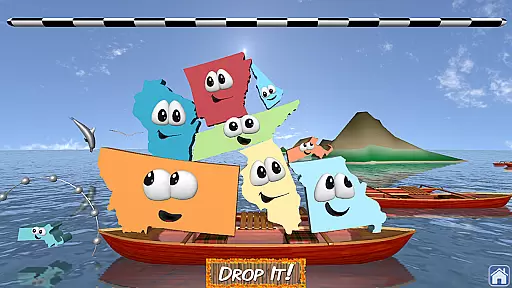
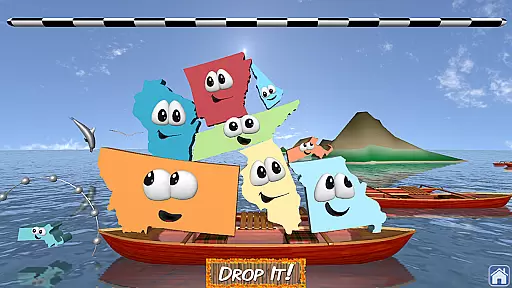
Gamification in learning transforms mundane tasks into engaging activities, and Stack the Statesu00ae 2 masterfully integrates this concept. By incorporating four games in one, it offers varied challenges such as building a stack of states to reach a checkered line, which keeps the learning process dynamic and fun.
The app rewards users with new states for every completed level, which then appear on a personalized map of the United States. This reward system motivates learners to collect all 50 states while unlocking bonus games like Map It, Connect 2, and Capital Tap. These games provide additional layers of engagement and reinforce geographical knowledge through play.
With beautiful 3D graphics, 10 different scenes depicting US locations, and models of over 90 US landmarks, the visual appeal complements the educational aspect. Such features ensure that users remain engaged and invested in their learning journey, making Stack the Statesu00ae 2 an exemplary model of gamification-learning integration.
Engaging gameplay
Educational content
Interactive map
Voice mode for kids
Multiple bonus games
No third-party ads
In-app purchases absent
No social network integration
Limited analytics use
Links to other apps

Wind down, relax and snuggle up with your favourite Blocks characters.
 3.30
3.30
Explore the world of reading and writing with Booker!
4.0
A game to memorize
4.2
Woof! The very first official Hey Duggee app for CBeebies' new favourite show.
3.70
Get points, learn Spanish, repeat. Speedrun your way to knowledge.
4.0
Tracing, phonics & spelling games for toddlers, preschool & kindergarten kids!
4.50
Tons of kids safety games, cartoons, and stories are included in one kids app!
4.70
Fun phonics & alphabet tracing game for toddlers, preschool & kindergarten kids!
4.60
Create, design & explore Mia’s avatar game world! Dress up a dreamhouse you love
3.80
Creative beauty & fashion
4.50
Toddler Learning Games, Learn: Colors, Shapes, Puzzles, ABC ... ►NoAds!◄
4.50
This will quickly become your kids' favorite animals game!
4.40
Kids letter tracing technique, which is the first step in learning how to write.
4.30
Build your own BRIO railway!
4.30
OG Trail - Lets you play the classic Oregon Trail simulation game on Android
4.20 2.80
2.80
Help your child improve their number literacy with Numberblocks: Card Fun!
2.60
Absorbing, highly visual, effective learning of multiplication, division
4.0
Join Rus and his friends to save Pear Island!
4.5


User Reviews