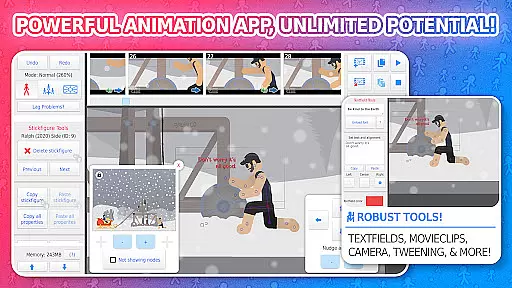
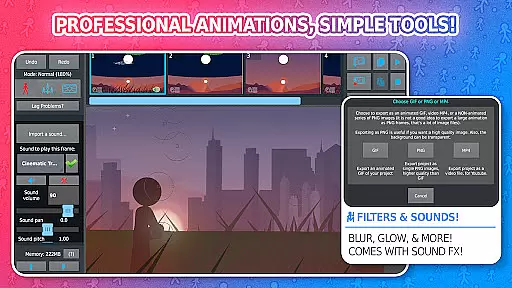
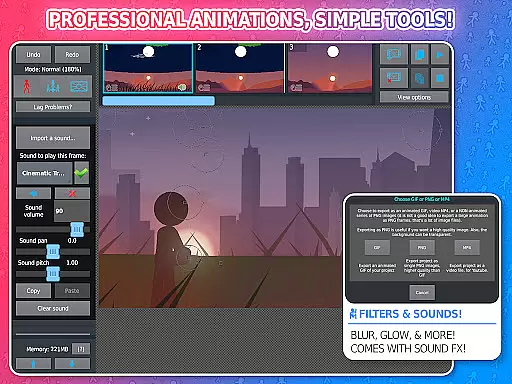
Stick Nodes Pro is a premier animation app designed for creating stickman-based animations on mobile devices. Inspired by Pivot Stickfigure Animator, this application allows users to produce high-quality animated GIFs and MP4 videos. The Pro version offers advanced features such as sound effects per frame, MP4 video export, and enhanced filters like blur and glow.
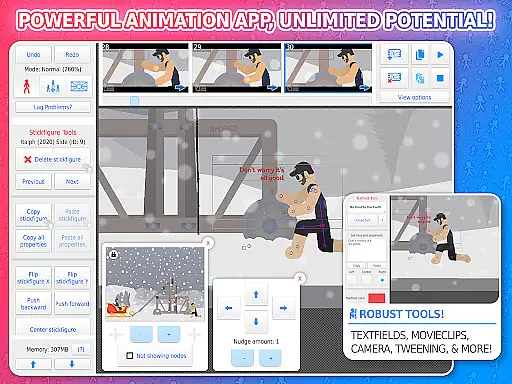
This app stands out with its automatic customizable frame-tweening, making animations smoother, and a simple camera feature that allows panning, zooming, and rotating around the scene. With compatibility for importing Minecraft skins and animating them instantly, it caters to both novice animators and skilled professionals looking to showcase their talents.
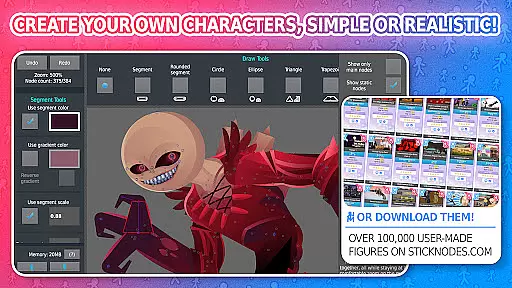
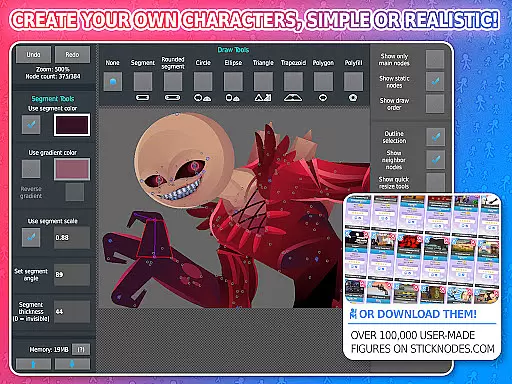
Whether you're an aspiring animator or using it in educational settings, Stick Nodes Pro provides all the tools necessary to create detailed and professional animations. Its thriving community and vast library of over 30,000 stick figures make it an invaluable resource for creativity and collaboration.
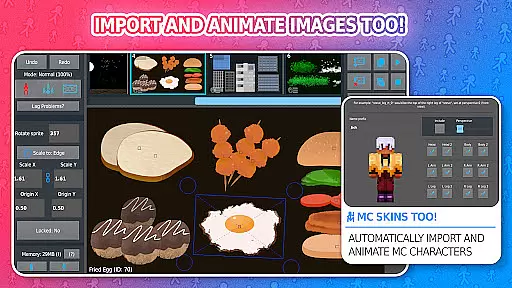
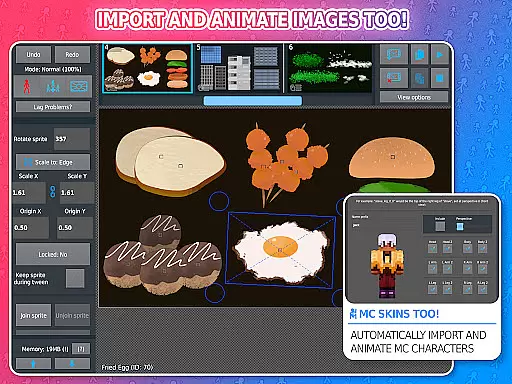
Stick Nodes Pro boasts a comprehensive set of features tailored for animators. It includes the ability to import and animate images, use movie clips for reusable/looped animations, and apply various shapes and gradients on a per-segment basis. These capabilities allow for intricate customization of each stick figure.
The app supports text fields for easy integration of speech and dialogue within animations. Users can add diverse sound effects to enhance their projects, while applying different filters such as transparency, blur, and glow adds a professional touch. Additionally, the feature to join stick figures together enables simulating complex interactions like holding or wearing objects seamlessly.
With functionalities like undo/redo options, onion-skinning, background images, and compatibility with pre-3.0 Pivot stick figure files, Stick Nodes Pro ensures a robust animation experience. Export options include high-quality GIFs and MP4 videos, ensuring your creations are ready for sharing across multiple platforms effortlessly.
Stick Nodes Pro stands out in the Entertainment category by offering a vast array of content that ensures users never run out of creative options. With over 30,000 stickfigures available for download and new ones added daily, animators have an endless supply of characters to work with.
The app allows for the import and animation of images, providing even more variety. Users can animate Minecraft skins, apply different filters like transparency, blur, and glow, and add sound effects to frames, ensuring their animations remain fresh and engaging.
Compatibility with pre-3.0 Pivot stickfigure files and the ability to save, open, and share projects further enhance the diversity of content. This flexibility empowers creators to experiment with different styles and techniques, keeping their work dynamic and innovative.
User engagement is a critical factor for apps in the Entertainment category, and Stick Nodes Pro excels in this area. The app's rich feature set, including automatic customizable frame-tweening and a simple camera for panning, zooming, and rotating around scenes, keeps users deeply involved in their animation projects.
Movieclips allow animators to create reusable/loopable animation objects within their projects, encouraging longer sessions and repeat usage. The thriving community and large repository of stickfigures also motivate users to return regularly, share their work, and collaborate with others.
Export options to GIF and MP4 formats enable users to showcase their creations online, enhancing pride and satisfaction. These features collectively contribute to prolonged user engagement and high retention rates, making Stick Nodes Pro a staple for both amateur and professional animators.
Powerful animation tools
Vast stick figure library
Active user community
Professional export options
Customizable features
Pro version is paid
Steep learning curve
Limited free features
Requires time investment
Complex interface

Watch short films, dramas, reels, series and movies anytime on Micro Drama.
 4.60
4.60
A companion app for the game Elite Dangerous
4.10
Create and play realistic-looking mock Emergency Alert System messages.
4.30
Watch everything you want.
2.90
NFL, NBA, NHL, MLB, local sports coverage, shows, movies & news!
3.20
Unleash Your AI Imagination
4.60
Stream live TV shows, sports, news, movies & more - all without cable.
3.00
Alice Box is an Instrumental Trans Communication app.
3.80
Earn big rewards like PayPal & Amazon gift cards by playing games you love!
4.30
The OFFICIAL PeeWee Purpdrank Soundboard!
4.80
Classic dynamic pixel art from Mark Ferrari.
4.70
Find out if you're on Santa's Naughty or Nice List with this magical scanner!
4.60
The JBL Portable app works with JBL portable Bluetooth speakers.
4.60
Your Avatar, Endless Fun
4.60
Tarot & Oracle Card Readings
4.50
Heroclix search units with multi filter , team builder, collection manager.
4.40
Himnario LLDM - Fast and Easy to read , updated Hymnal 2019 Edition Official
4.20
Disney Stickers: Zootopia 2
4.5
Collaboration with popular VTubers
4.5


User Reviews