
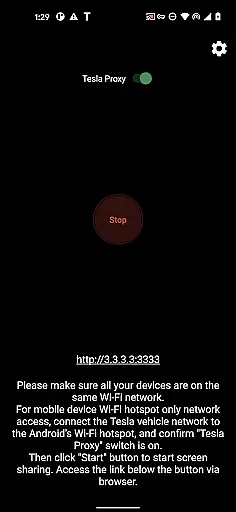
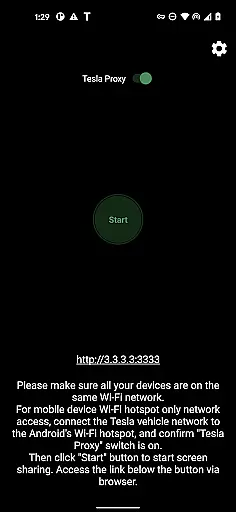
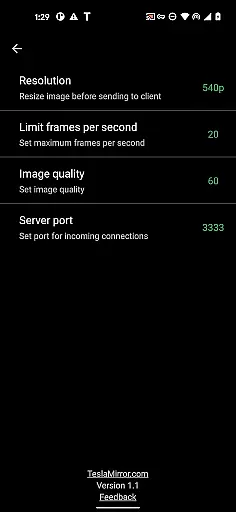
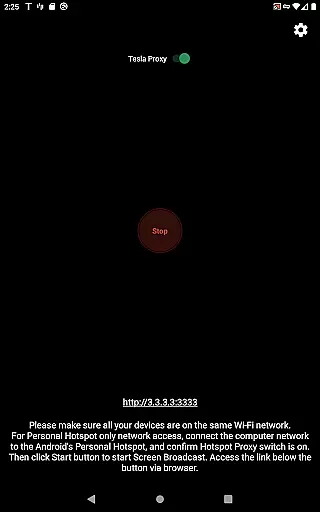
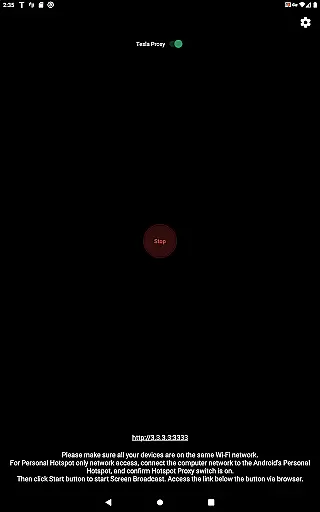
TeslaMirror is an innovative Android application that allows users to mirror their mobile device screens directly to Tesla vehicles' infotainment systems. Designed for Tesla models with MCU2/3 hardware, this app supports a variety of streaming options including H.264, H.265, and MJPEG modes, ensuring compatibility and optimal video quality. The app also features remote control capabilities, allowing users to interact with their phones via the Tesla touchscreen.
With its unique local web server setup and secure VPN tunneling, TeslaMirror ensures a private and direct connection between the user's phone and Tesla vehicle. This makes it possible to enjoy high-quality audio and video streaming while parked, enhancing the overall in-car entertainment experience without compromising privacy or security.
TeslaMirror offers several advanced features tailored specifically for Tesla owners. The app supports multiple video encoding standards such as H.264 and H.265, providing users with flexibility in choosing the best streaming quality based on their vehicle's hardware capabilities. For instance, MCU3-equipped Teslas can take advantage of H.265 at 720p@60fps for superior video performance.
In addition to video streaming, TeslaMirror provides lossless audio support for devices running Android 10 and above. This feature delivers high-fidelity sound, surpassing traditional Bluetooth audio quality. The app also includes a remote control function, enabling users to operate their phones using the Tesla touchscreen or an external mouse, thus creating a seamless and integrated user experience.
In the context of TeslaMirror, detailed vehicle information refers to the comprehensive data exchange between your Android device and Tesla's infotainment system. This ensures optimal compatibility and performance.
The app supports Tesla models with MCU2/3 hardware, including Model 3, Model Y, and newer versions of Model X and S. It provides specific recommendations based on the vehicle's hardware capabilities, ensuring users can maximize their screen mirroring experience.
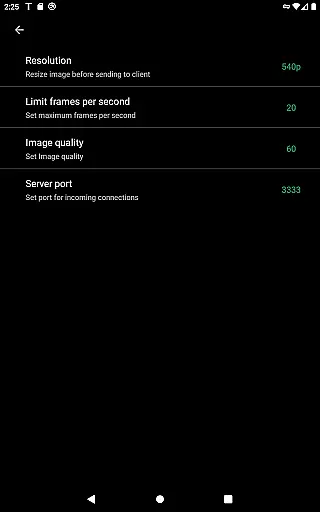
For instance, MCU3 vehicles can utilize H.265 encoding for superior video quality at 720p@60fps or even 1080p resolutions. Meanwhile, MCU2 users are guided to use H.264 at 540p@30fps, maintaining a balance between performance and compatibility.
This level of detail allows users to tailor their mirroring setup according to their Tesla's specific hardware configuration, ensuring smooth and high-quality screen broadcasting while parked.
TeslaMirror offers a clear and straightforward pricing model through Google Play, ensuring complete price transparency for users. The app provides a 144-hour (6-day) free trial period upon purchase, allowing users to test its full functionality risk-free.
If unsatisfied, users can request a refund by contacting TeslaMirror@hustmobile.com with their order details. This approach eliminates hidden fees or surprises, fostering trust between developers and users.
Additionally, TeslaMirror clearly outlines its value proposition within the app description, detailing features like H.264/H.265 support, lossless audio, and remote control capabilities. Users understand exactly what they're paying for and how it enhances their Tesla experience.
This transparent pricing strategy empowers users to make informed decisions about their purchase while encouraging them to fully explore the app's potential during the trial period.
User-friendly interface
High-quality streaming
Secure private connection
Remote control functionality
Compatibility with latest Teslas
Limited to Tesla vehicles
Requires specific hardware
No DRM content support
Parked vehicle only usage
Complex initial setup

On the CarShield app, you can view contracts, make payments, & request roadside.
 4.40
4.40
Theme for Car Launcher
4.2
Play what you want through Android Auto
4.90
Lexus app currently supports 2010 or newer vehicles (2018 or newer for Hawaii).
4.80
Instantly redesign your car with AI. From sporty to futuristic, try it all.
4.50
Secure mobile payments & fuel savings at Phillips 66®, Conoco® and 76® stations
4.40
DMV practice test 2025: Driver License permit test & written test for all states
4.70
Marathon ARCO Rewards members earn rewards & apply the rewards for fuel savings!
4.80
A smarter way to park and reserve your spot ahead of time.
4.40
Quick and easy car diagnostics to get you the right fix.
4.70
Find Your Local Store or Shop Online for the Car, Truck, or SUV Parts You Need
4.70
Easy connect & control your cars from afar. Remote Lock & unlock car and carplay
4.60
Ultimate OBD2 Car Scanner: Diagnostics, Service and Modification Tool
4.30
OBD diagnostics, Live Data, DPF regeneration for BMW
4.00
Wonder how much horsepower and torque your car/truck makes? Look no further.
3.40
Club Car Wash Mobile App—the fast lane to managing your wash membership.
3.30
Easily notify car owners in urgent situations, safe, fast, multilingual.
4.0
Attention! This is the theme for the Car Launcher app
4.5
Ferrari inspired analog & digital watch face with quick access and premium style
4.3


User Reviews