
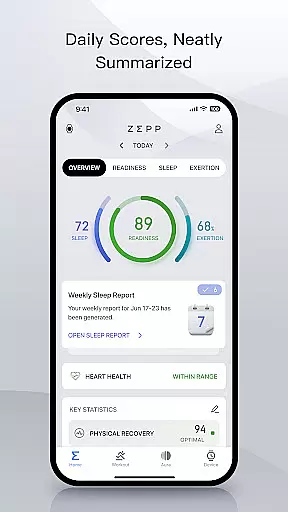
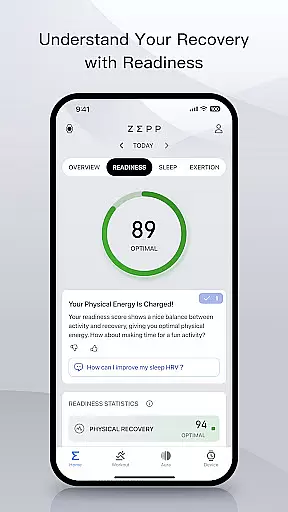
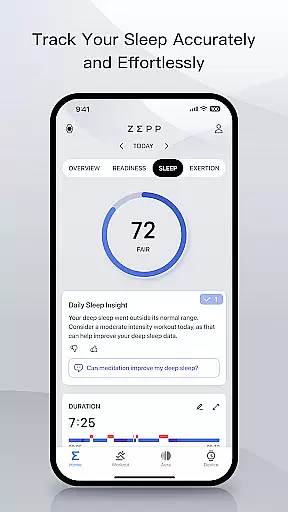
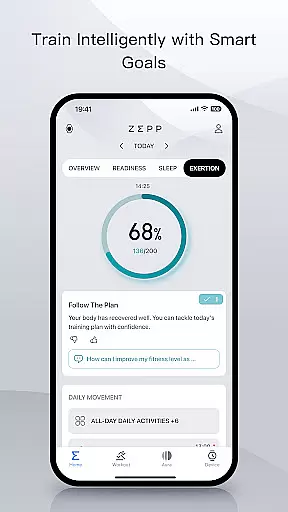
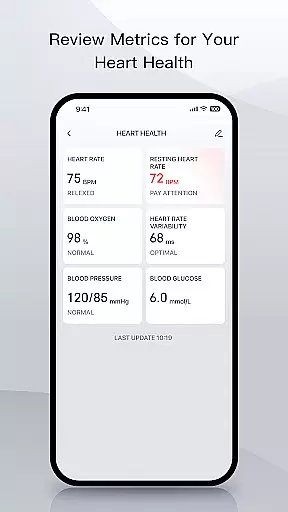
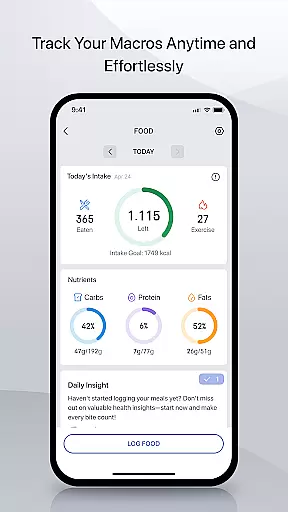
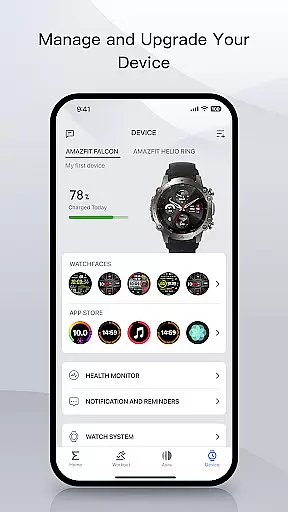
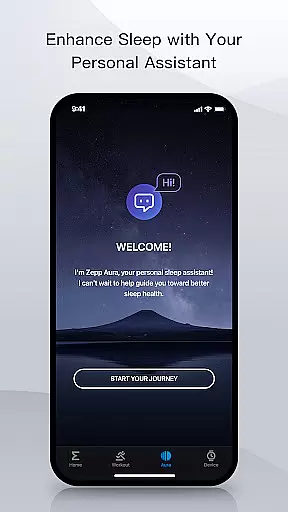
Zepp is a comprehensive sports and performance tracking application designed for athletes and fitness enthusiasts. The app serves as a central hub to monitor training, health metrics, and recovery data while offering AI-powered coaching for optimized performance. With features like macro tracking, sleep monitoring, heart health analysis, and watch customization options, Zepp provides a holistic approach to managing both physical activity and overall wellness.
The application stands out with its advanced health tracking capabilities, including heart rate, sleep quality, stress levels, and blood oxygen monitoring. It also offers precise nutritional logging through its meal-tracking feature, which allows users to instantly capture calorie and macronutrient information. Additionally, Zepp ensures top-tier data security by leveraging Amazon Web Services (AWS), making it a trusted choice for users concerned about privacy.
Whether you're an elite athlete or someone focused on improving personal fitness, Zepp caters to various needs. Its integration with Amazfit devices enhances user experience by providing detailed insights into daily activities, advanced training metrics, and recovery analysis. This makes it easier than ever to balance intense training regimens with proper nutrition and adequate rest.
Zepp boasts an impressive array of features tailored for sports performance and health management. One of its standout functionalities is the AI-driven coaching system, which delivers actionable insights based on your tracked data. This includes personalized recommendations for workouts, recovery strategies, and even nutrition plans, helping users achieve their fitness goals more effectively.
In addition to its core tracking abilities, Zepp offers specialized tools such as sleep stage analysis, heart rate variability (HRV) monitoring, and manual entry options for blood pressure and glucose levels. These features provide a complete picture of your health, empowering you to make informed decisions about training intensity and recovery periods. The app also supports seamless device integration, enabling users to customize their Amazfit smartwatches with downloadable apps and unique watch faces from the Zepp Store.
For those conscious about data privacy, Zepp employs enterprise-grade encryption protocols and GDPR compliance measures. All health and performance data is securely stored using Amazon Web Services (AWS), ensuring that sensitive information remains protected at all times. Furthermore, the optional Zepp Aura Premium subscription unlocks additional wellness features, including in-depth health assessments and guided sleep music, enhancing the overall user experience.
Gameplay realism in sports applications like Zepp is crucial for providing users with an authentic experience that mirrors real-world activities. The Zepp app achieves this by integrating advanced sensors and AI algorithms to track and analyze sports performance data accurately.
The application's physics accuracy is evident in its ability to monitor intricate details such as pace, distance, speed, and even recovery insights. This allows athletes to receive precise feedback on their training sessions, ensuring they can make informed decisions about their performance strategies.
For users, this level of realism translates into actionable insights that help them optimize their training routines. Whether it's a professional athlete like Derrick Henry or a fitness enthusiast, the Zepp app provides tailored guidance that enhances performance while minimizing the risk of injury.
Ultimately, the Zepp app's commitment to delivering realistic gameplay and accurate physics ensures that users can trust the data they receive. This empowers them to reach their full potential, backed by reliable metrics and expert analysis.
An intuitive control scheme is essential for any sports app, ensuring users can easily navigate and access features without a steep learning curve. The Zepp app excels in this area by offering a user-friendly interface that simplifies complex health and fitness tracking processes.
Through seamless integration with Amazfit devices, Zepp provides effortless synchronization of vital metrics such as heart rate, sleep patterns, and activity levels. Users can quickly log nutrition, review their training progress, and customize device settings directly from the app.
This intuitive design extends to advanced functionalities like sleep monitoring and heart health tracking. With clear visualizations and easy-to-understand scores, users can effortlessly interpret their data and implement necessary adjustments to their routines.
By prioritizing an intuitive control scheme, Zepp ensures that users of all technical backgrounds can harness the power of AI-powered coaching and comprehensive health metrics. This accessibility ultimately enhances user engagement and promotes long-term adherence to fitness goals.
User-friendly interface
Advanced health metrics
AI-powered coaching
Secure data storage
Customizable watch features
Premium subscription cost
Limited free features
Device compatibility required
Occasional syncing issues
Region-specific limitations

Score stunning goals and outsmart defenders on your path to football glory!
 4.40
4.40
BE A SOCCER HERO! Pass, Shoot & Score your way to legendary status!
4.50
Exploring Football from a Unique Perspective
4.10
Quick-fire archery duels! Play the most realistic 3D archery game now!
4.70
Old-School Football
4.40
Play T20 Cricket World Cup 2025. Real matches, offline & tournament mode!
4.3
Rediscover the joy of the original Backyard Baseball 1997
3.70
The My Epic app unlocks the mountain and elevates your experience.
3.90
NHL scores for Wear OS. Quickly see all NHL game details, standings & schedules+
4.5
Ride, flip, and perform crazy stunts in an open BMX freestyle playground!
4.80
NBA-licensed Streetball Game
4.70
This is the most realistic 3D bowling game on the Android phones.
4.70
Play football like it's 1987! Classic retro arcade action and franchise mode.
4.60
Let's play catch and throwing game!
4.60
FIFPRO licensed soccer game
4.50
Beat against 8 ball masters from around the world.
4.40
Fun multiplayer golf game! Prove you’re a golf legend and play with friends!
4.40
Try your hand at managing an auto racing team!
4.30
Play fun baseball with doodle-style characters and hit massive home runs!
4.4


User Reviews