
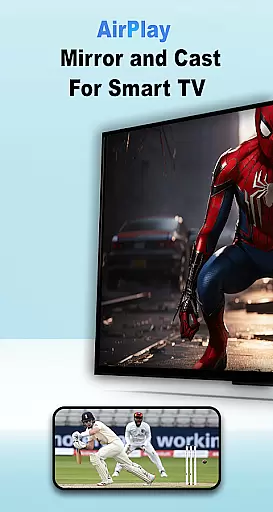
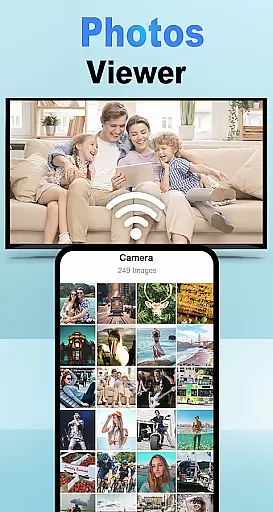
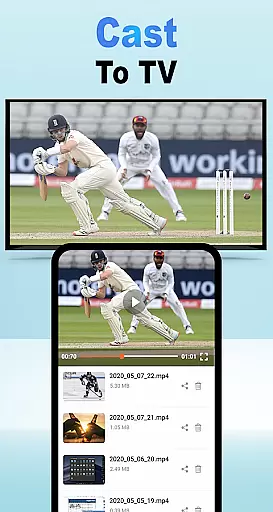
Air Play: Cast to TV is an innovative application that allows users to wirelessly stream and mirror content from their Android devices to a wide range of compatible devices, including AirPlay TVs, Samsung AirPlay TVs, Apple TVs, and AirPlay speakers. The app leverages DLNA protocols, Chromecast, and other supported technologies to ensure seamless connectivity.
With its user-friendly interface, this app makes it easy for anyone to cast their favorite videos, photos, and music to larger screens or audio systems. Whether you're looking to enjoy a movie night with friends or share your latest playlist on high-quality speakers, Air Play: Cast to TV provides the tools necessary for effortless streaming.
The true value of Air Play: Cast to TV lies in its ability to enhance entertainment experiences by bridging mobile devices with home entertainment systems. This compatibility empowers users to transform their living spaces into dynamic media hubs, all through the convenience of wireless technology.
Air Play: Cast to TV stands out due to its extensive feature set tailored for versatile media sharing. One of its core functionalities is the ability to cast various types of media - be it videos, photos, or music - directly to any AirPlay-compatible device. This includes smart TVs, sound systems, and even gaming consoles.
Another significant aspect is its wide compatibility across different platforms and devices. Users can connect not only to Apple's ecosystem but also to Samsung AirPlay TVs and other DLNA-supported gadgets. By ensuring that both Android and iOS users can take advantage of its capabilities, the app bridges gaps between traditionally segregated ecosystems.
Lastly, the app emphasizes ease-of-use without compromising on performance. With just a few taps, users can select their desired media, choose a receiver device on the same Wi-Fi network, and begin streaming instantly. This simplicity combined with robust underlying technology ensures a smooth experience every time.
Functionality completeness refers to the app's ability to deliver a comprehensive set of features that meet user expectations. Air Play: Cast to TV for Android demonstrates this by offering seamless screen mirroring and wireless streaming capabilities. The app supports various protocols like DLNA, Chromecast, and other technologies, ensuring users can cast their favorite videos, photos, and music to a wide range of devices.
The coverage of Air Play extends to compatibility with multiple devices, including Samsung AirPlay TVs, Apple TVs, and AirPlay speakers. This broad compatibility ensures that no matter what type of TV or speaker system you own, the app will likely support it. Such extensive device integration is crucial for users who want flexibility in their streaming options without worrying about technical limitations.
Users benefit from this complete functionality as they can effortlessly connect their Android devices to different types of TVs and AirPlay-compatible devices. Whether it's casting media to an Apple TV or streaming music through AirPlay speakers, the app provides a reliable solution. This reliability enhances user satisfaction by delivering consistent performance across all supported platforms.
Usability is a critical factor in determining how easily users can interact with an application. Air Play: Cast to TV excels in providing operational smoothness by simplifying the process of connecting your Android device to various display and audio systems. With intuitive controls and straightforward instructions, even first-time users can quickly figure out how to use the app effectively.
To start streaming, users simply open the app, select the media they wish to shareu2014be it photos, videos, or musicu2014and ensure both their Android device and target device are on the same Wi-Fi network. They then choose the desired AirPlay receiver from the list provided within the app and tap 'Connect.' This streamlined approach eliminates unnecessary steps, making the overall experience hassle-free.
The result is an enhanced user experience where individuals can enjoy flawless streaming, sharing, or gaming sessions. By focusing on usability and operational efficiency, Air Play ensures that whether you're using a Samsung AirPlay TV, streaming movies to an Apple TV, or playing music on AirPlay speakers, the transition between devices is smooth and uninterrupted. This focus not only meets but exceeds user expectations for convenience and ease of use.
User-friendly interface
Wide device compatibility
Seamless streaming quality
Supports multiple media formats
Regular updates and improvements
Limited offline functionality
Requires stable Wi-Fi connection
Premium features need subscription
Occasional connectivity issues
Interface could be more intuitive

Connect and find your Smart Tag 2 devices through our app.
 3.60
3.60
The Free Catholic Latin American Bible in complete Spanish
4.60
Sad ringtones full of feeling, sad music ringtones
3.90
With Endoscope Camera Connector you can connect your phone with endoscope cam
3.70
You can remote control and play much easier.
4.10
Block, disable and secure phone camera from secretly taking photos by spyware.
4.50
Zlink Carplay Android a mirror link app with a Carplay interface style
4.2
Explore The Holy Quran Majeed for Muslim. Listen to MP3 Quran & Al Quran Kareem.
4.80
DamonSx2 is the open Source LGPL Emulator
3.20
TV USB connector app provides you a seamless cast option from your phone to tv.
4.70
Al QURAN-القرأن الكريم app to read Quran offline just like an actual Quran book
4.30
An impressive collection of tools, characters, weapons, skins and more!
4.30
Manage apps & elevate your gaming experience with Game Launcher: Gaming Hub app.
4.30
Demo version of the mcpro24fps manual video camera. Try and buy a full version!
4.00
Mirror link car connector to share your screen with car dashboard
3.80
Mobile Connect To TV - HDMI USB & WiFi Screen Mirroring
3.70
Mobs maker Minecraft help MCPE creators make their own mob by using Blockbench
3.50
Looking to connect your phone to your car screen? Mirror Link is the solution.
3.20
Collection of high-quality, trendy skins and outfits!
4.2


User Reviews