
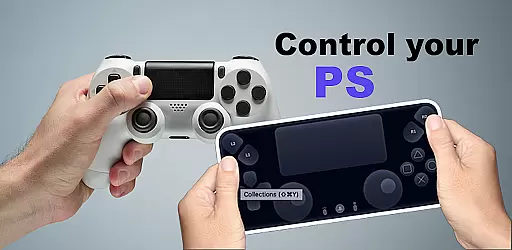
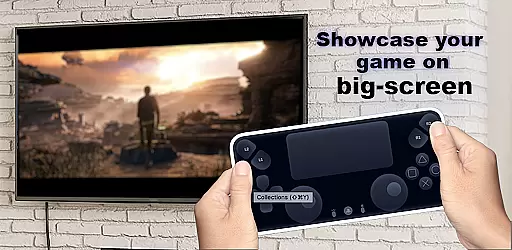
The Ps Controller for PS4 PS5 is a revolutionary application that allows gamers to remotely control their PlayStation consoles from a separate location using their mobile devices. This app transforms your smartphone into a virtual Dualshock controller, providing an immersive gaming experience without the need for physical controllers.
With its innovative streaming technology, the app delivers low-latency gameplay directly to your device, making it perfect for multiplayer sessions. Whether you're looking to play with friends or simply want the convenience of controlling your PS5/PS4 remotely, this app offers a versatile solution that enhances your gaming setup.
The Ps Controller for PS4 PS5 boasts an array of impressive features designed to elevate your gaming experience. One standout capability is the ability to use your smartphone as a virtual Dualshock controller, allowing for seamless interaction with your PlayStation console.
In addition to its controller functionality, the app supports third-party and physical controllers across all Android devices. The low-latency streaming ensures that gameplay remains smooth and responsive, while the second-screen functionality lets users engage with their PS4/PS5 content in new ways. These features collectively create a dynamic and flexible gaming environment.
Functionality completeness in an application refers to the extent to which it performs all the necessary functions expected by users within its category. For Ps Controller for PS4 PS5, this means providing comprehensive control features that mirror a physical Dualshock controller's capabilities.
The app achieves this by offering a virtual Dualshock controller on your mobile device, enabling you to play multiplayer games without needing an additional physical controller. It supports streaming from PlayStation consoles with low latency, ensuring a seamless gaming experience.
Moreover, the app extends its functionality by supporting third-party and physical controllers across all Android devices. This inclusivity enhances user accessibility and convenience, making it a versatile tool for gamers who prefer using different types of controllers.
Usability is a critical factor for any application, indicating how easily users can navigate and utilize its features. In the case of Ps Controller for PS4 PS5, usability is enhanced through intuitive design and straightforward operational processes.
Users can quickly connect their mobile devices to their PlayStation consoles and start streaming games with minimal setup. The on-screen controller layout is designed to mimic the physical Dualshock controller closely, reducing the learning curve for new users.
Operational smoothness is further ensured by optimizing data transmission to minimize latency during gameplay. However, users should be aware that network conditions and carrier limitations might affect performance when using mobile data, highlighting the importance of stable internet connectivity for optimal usability.
User-friendly interface
Low latency streaming
Wide device compatibility
Supports multiple controller types
Enhances multiplayer gaming
Requires stable internet
Mobile data charges may apply
Limited to Android devices
Dependent on network conditions
Third-party controller support varies

Game Booster GFX for smoother gaming experience. Enjoy 120 FPS and 4x Game Space
 4.20
4.20
View your cameras anywhere and anytime
4.20
Wireless reverse charging using phone now is possible
4.30
Enjoy hours of entertainment with our Roblox mobile games app
4.3
a wireless controller that provides a seamless and gaming experience for players
3.80
CloudEye 365 is a easy-handling APP
3.60
Game booster GFX may reduce interruptions and improve gaming experience.
4.50
Mobile Connect To TV - HDMI USB & WiFi Screen Mirroring
3.70
Mirror phone to TV effortlessly! Stream, share & connect with Airplay ease.
3.60
Expo is a free & open source platform to build apps using JavaScript and React.
4.70
Block and secure the microphone and protect from secret listening and recording.
4.50
Phone Software Update Quick Checker helps you to keep your phone apps up to date
4.50
Demo version of the mcpro24fps manual video camera. Try and buy a full version!
4.00
Connect your phone to any endoscope camera, USB camera, or borescope with ease.
3.70
Connect and find your Smart Tag 2 devices through our app.
3.60
Experience virtual reality on your smartphone with Cardboard.
3.50
Collection of high-quality, trendy skins and outfits!
4.3
Read Quran pak offline & listen online mp3 Quran in Al Quran Majeed app
4.5
Turn your phone into a wireless Xbox controller – play, stream & control anytime
4.4


User Reviews