
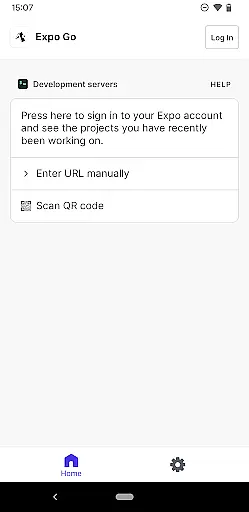
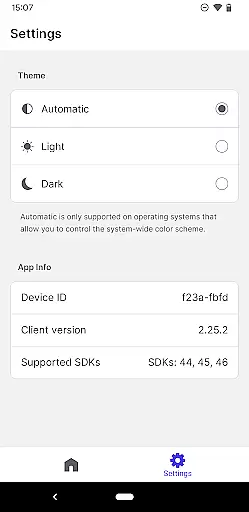
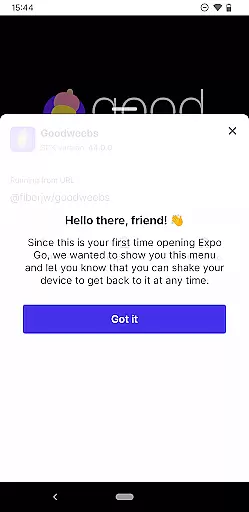
Expo Go is a powerful development tool that allows developers to create rich, interactive mobile experiences using JavaScript and React Native. The application supports a wide range of features including camera functionality, background location tracking, audio and video capabilities, and SQLite database integration.
This app is particularly useful for developers who want to prototype and test their applications directly on an Android device. With just a computer and an Android phone, users can start building complex applications with interactive gestures and advanced graphics. Expo Go serves as an essential tool for streamlining the development process while providing access to native device features.
The value proposition of Expo Go lies in its ability to simplify the development workflow. By offering a comprehensive set of tools and APIs, it enables developers to focus on creating engaging user experiences without worrying about the underlying native code. Whether you're building a simple prototype or a full-fledged application, Expo Go provides the necessary infrastructure to bring your ideas to life efficiently.
Expo Go stands out with its extensive feature set tailored for mobile developers. One of its key characteristics is the seamless integration with React Native, allowing developers to use JavaScript for building native applications. This includes access to device-specific features such as the camera, geolocation, media playback, and local storage through SQLite.
Another notable feature is the live reloading capability, which significantly speeds up the development process. Developers can instantly see the results of their code changes without rebuilding the entire project. Additionally, Expo Go offers a rich library of pre-built components and APIs that handle common tasks, reducing the need for writing boilerplate code.
The app also provides a collaborative development environment through its cloud services. Developers can easily share their projects with team members or testers by simply sending a link. This feature not only enhances productivity but also facilitates better communication and feedback during the development cycle. Overall, these features make Expo Go an indispensable tool for modern mobile app development.
Functionality completeness in a development tool like Expo Go ensures that developers have access to a wide array of features necessary for creating rich, interactive applications. This app offers functionalities ranging from camera integration and background location tracking to audio and video capabilities.
Expo Go stands out by providing comprehensive support for SQLite, which is crucial for local data storage and management within apps. The inclusion of these diverse features allows developers to experiment with and implement complex functionalities without needing additional plugins or tools.
For users, this means the ability to build more robust and feature-rich applications directly on their Android devices. With Expo Go, developers can seamlessly integrate multimedia elements and device-specific features into their projects.
The extensive functionality coverage not only enhances productivity but also significantly reduces development time. By offering an all-in-one solution, Expo Go empowers developers to focus on creativity and innovation rather than worrying about compatibility issues or missing components.
Usability and operational smoothness are critical factors that determine how effectively developers can utilize a tool like Expo Go. This application excels in providing an intuitive interface that simplifies the process of building interactive experiences using JavaScript and React Native.
By ensuring smooth operations, Expo Go enables developers to concentrate on coding without being hindered by technical glitches or cumbersome workflows. Its design emphasizes ease-of-use, making it accessible even to those who may be new to mobile app development.
Operational efficiency is further enhanced through seamless integration with various APIs and services, allowing developers to quickly implement advanced features such as gesture recognition and multimedia handling. This streamlined workflow translates into faster iteration cycles and quicker deployment times.
Ultimately, the high level of usability and operational fluidity provided by Expo Go results in a more enjoyable and productive development experience. Developers can efficiently bring their ideas to life, knowing they have a reliable platform at their disposal.
User-friendly interface
Extensive feature set
Live reloading capability
Rich library of APIs
Collaborative cloud services
Requires programming knowledge
Limited to React Native
No offline support
Performance overhead
Steep learning curve

Read Holy Quran Feel Like Real Quran & Listen Al Quran Mp3 Audio Online Offline.
 4.70
4.70
Enjoy Minecraft Mod Scary Neighbor Granny for Minecraft PE.
4.30
Connect and find your Smarttag devices through our app.
4.00
use your smartphone as Remote control drones .
4.20
charging your phone by other phone easly
4.00
Enjoy hours of entertainment with our Roblox mobile games app
4.3
Explore The Holy Quran Majeed for Muslim. Listen to MP3 Quran & Al Quran Kareem.
4.80
Phone Software Update Quick Checker helps you to keep your phone apps up to date
4.50
Unlock the hidden menus of your phone with our mobile secret codes app.
4.20
Demo for Key Attestation feature of the Android system.
4.80
TV USB connector app provides you a seamless cast option from your phone to tv.
4.70
The Free Catholic Latin American Bible in complete Spanish
4.60
Tune your game graphics with our GFX optimizer for optimal gaming experience
4.50
A Pydroid Quick Install repository provider.
4.00
Connect your phone to any endoscope camera, USB camera, or borescope with ease.
3.70
Connect and Find your smart tag via our app.our app is compatible with smarttag.
3.30
Identify securely online
3.10
Read Quran pak offline & listen online mp3 Quran in Al Quran Majeed app
4.1
Mirror Link Car Display to share your screen with car dashboard wirelessly
4.2


User Reviews