
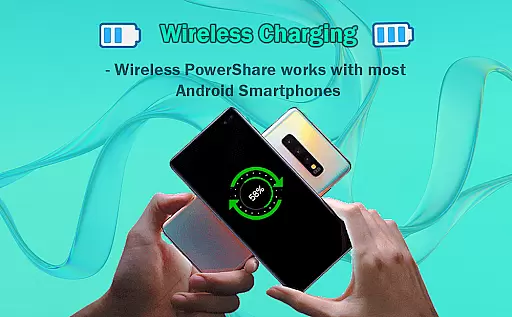
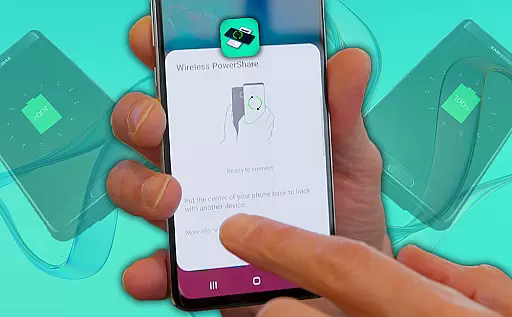
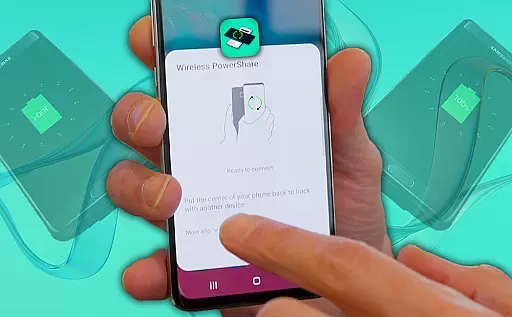
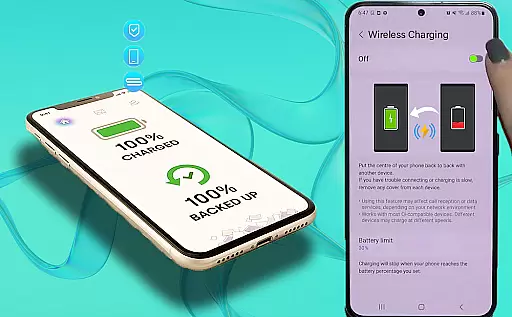
Wireless Reverse Charging is an innovative app that allows users to wirelessly charge their phones by exchanging power with another compatible smartphone. The core functionality revolves around the ability to transfer and receive electric power simply by placing your phone on the rear face of another smartphone, initiating the charging process seamlessly.
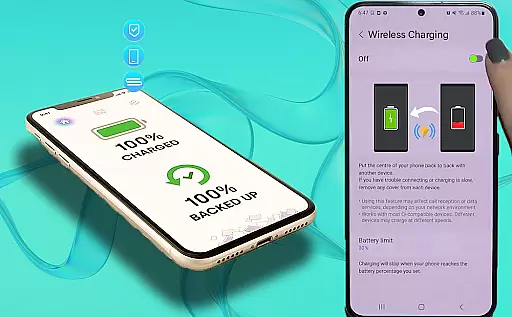
This app also features a Wireless Charging Checker, which helps users verify the compatibility of their devices before starting the charging process. With its user-friendly interface and straightforward steps, Wireless Reverse Charging is ideal for those who need a quick and efficient way to charge their devices on the go, without the hassle of cables or additional accessories.
Wireless Reverse Charging offers several notable features that enhance the user experience. One key feature is the Wireless Charging Checker, which ensures that your device is compatible with wireless charging capabilities, providing peace of mind before initiating any power exchange.
Additionally, the app simplifies the entire charging process through intuitive design and easy-to-follow steps. Users can effortlessly transfer and receive power by following simple instructions, making it accessible even for those who may not be tech-savvy. This seamless integration of technology provides a practical solution for maintaining device battery life in various scenarios.
Looking ahead, the developers plan to introduce more features to further enhance functionality and user convenience. These upcoming enhancements aim to solidify Wireless Reverse Charging as a must-have app for modern smartphone users seeking efficient energy solutions.
Wireless Reverse Charging app offers a comprehensive solution for wireless power exchange between smartphones. This functionality ensures that users can both transfer and receive electric power by simply placing their phone on the rear face of another compatible smartphone.
The app includes essential features such as checking wireless charging compatibility, which allows users to verify if their devices support this innovative method of charging. Additionally, the Wireless Charging Checker ability provides an easy way to confirm the readiness of your device before initiating the charging process.
By covering these fundamental aspects, the app ensures a seamless user experience, making it convenient for users to manage their phone's battery life without the need for traditional charging methods.
Usability is at the core of the Wireless Reverse Charging app, designed to provide a smooth and hassle-free operation. The straightforward steps required to initiate the charging process make it accessible even for those who may not be tech-savvy.
Operational smoothness is achieved through intuitive controls and clear instructions within the app. Users can easily navigate through its features, such as checking compatibility and using the Wireless Charging Checker, ensuring they are always informed about their device's status.
This focus on usability enhances the overall efficiency of the wireless charging process, allowing users to quickly and effortlessly charge their phones whenever needed.
User-friendly interface
Quick power exchange
Compatibility checker
Cable-free charging
On-the-go convenience
Limited device support
Slower than wired
Battery drain concern
Requires close contact
Dependent on hardware

Read Holy Quran Feel Like Real Quran & Listen Al Quran Mp3 Audio Online Offline.
 4.70
4.70
Tune your game graphics with our GFX optimizer for optimal gaming experience
4.50
Demo version of the mcpro24fps manual video camera. Try and buy a full version!
4.00
Looking to connect your phone to your car screen? Mirror Link is the solution.
3.20
CloudEye 365 is a easy-handling APP
3.60
Manage apps & elevate your gaming experience with Game Launcher: Gaming Hub app.
4.30
Mobile Connect To TV - HDMI USB & WiFi Screen Mirroring
3.70
Endoscope camera an app to connect with endoscope cam or any device
3.30
Simulator of real black light
3.50
Demo for Key Attestation feature of the Android system.
4.80
Phone Software Update Quick Checker helps you to keep your phone apps up to date
4.50
An impressive collection of tools, characters, weapons, skins and more!
4.30
View your cameras anywhere and anytime
4.20
You can remote control and play much easier.
4.10
The best PS2 games from your childhood come to life in their mobile version!
4.00
a wireless controller that provides a seamless and gaming experience for players
3.80
With Endoscope Camera Connector you can connect your phone with endoscope cam
3.70
Connect and Find your smart tag via our app.our app is compatible with smarttag.
3.30
A great tool help you to format Micro SD memory Card
3.10


User Reviews