
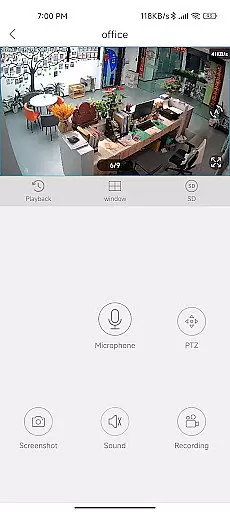
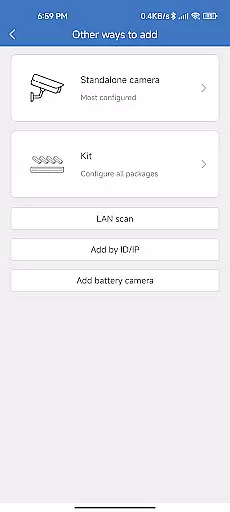
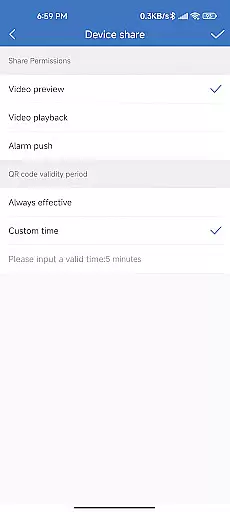
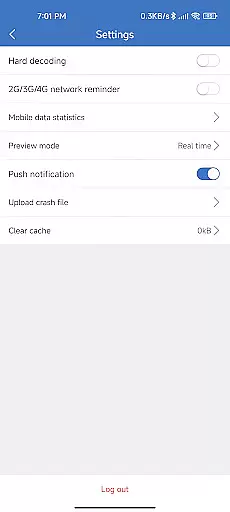
CloudEye 365 is a cutting-edge remote monitoring application designed to provide users with enhanced security and peace of mind. This app allows you to access live video feeds from your surveillance devices directly on your mobile device, no matter where you are. Whether you're at home, in the office, or traveling abroad, CloudEye 365 ensures that you can keep an eye on your property in real-time.
The application's intelligent alert system notifies you immediately when any abnormal movement or suspicious activity is detected by your connected devices. This proactive approach helps prevent potential risks to both personal security and property. With its user-friendly interface and reliable performance, CloudEye 365 serves as your personal security assistant, operating 24/7 for 365 days a year.
CloudEye 365 boasts an array of sophisticated features tailored for optimal remote monitoring. One of its standout capabilities is the real-time video streaming function, which allows users to view live footage from their security cameras directly through the app. The video quality remains clear and stable, even when accessed remotely, ensuring that you never miss a detail.
In addition to live monitoring, the app includes an advanced motion detection system. When unusual activity is identified, instant notifications are sent to your device, allowing you to respond promptly to any potential threats. Users can also customize sensitivity settings to reduce false alarms. Furthermore, CloudEye 365 supports cloud storage, enabling you to store and review recorded footage securely. These comprehensive features make it an indispensable tool for modern security needs.
When evaluating a monitoring application like CloudEye 365, functionality completeness is paramount. This app offers a comprehensive suite of features that cover all essential aspects of remote surveillance. The live feed access allows users to monitor their properties in real-time from any location.
The application's ability to detect abnormal movements and suspicious activities demonstrates its sophisticated motion detection algorithms. These are crucial for ensuring personal security and protecting valuable assets. By providing instant notifications, the app enables users to respond promptly to potential threats.
CloudEye 365 also shows impressive coverage through its year-round operation capability. The 365-day monitoring feature ensures continuous protection without interruption. This level of comprehensive coverage gives users peace of mind knowing their properties are constantly monitored.
Furthermore, the app's functionality extends beyond basic monitoring. It includes advanced security protocols and data encryption methods that protect user information. These additional layers of security make CloudEye 365 a reliable choice for those seeking complete remote monitoring solutions.
Usability plays a vital role in security applications, and CloudEye 365 excels in this aspect. The app's interface is designed for easy handling, making it accessible even for users with limited technical expertise. Its intuitive controls allow quick navigation between different monitoring features.
Operational smoothness is evident in how seamlessly the app functions across various network conditions. Whether users are connected via Wi-Fi or mobile data, they can access live feeds without significant delays or interruptions. This reliability is crucial when immediate action might be necessary.
The application's notification system showcases its operational efficiency. When the connected device detects unusual activity, alerts are sent instantly to the user's device. This prompt response mechanism ensures that users never miss important security events.
Additionally, CloudEye 365 maintains operational consistency throughout its usage. From initial setup to daily monitoring tasks, each function operates smoothly without requiring complex configurations. This streamlined performance makes it an excellent choice for both home and office security needs.
User-friendly interface
Real-time notifications
Cloud storage integration
Customizable settings
Reliable performance
Limited device compatibility
Subscription fees apply
Occasional connectivity issues
No offline mode
Basic free version

Game Booster GFX for smoother gaming experience. Enjoy 120 FPS and 4x Game Space
 4.20
4.20
Connect and find your Smart Tag 2 devices through our app.
3.60
Tune your game graphics with our GFX optimizer for optimal gaming experience
4.50
Android secret code for smart phone, mobile codes, with secret codes app
4.20
A great tool help you to format Micro SD memory Card
3.10
Easily evaluate the performance of Scandit's barcode and ID scanning SDK
4.10
You can remote control and play much easier.
4.10
MirrorLink for connecting your Android phone to your car’s infotainment screen.
4.50
A Pydroid Quick Install repository provider.
4.00
Study Bible King James Version: the correct way to learn the Bible with audio
4.80
Read Holy Quran Feel Like Real Quran & Listen Al Quran Mp3 Audio Online Offline.
4.70
Block, disable and secure phone camera from secretly taking photos by spyware.
4.50
Phone Software Update Quick Checker helps you to keep your phone apps up to date
4.50
An impressive collection of tools, characters, weapons, skins and more!
4.30
View your cameras anywhere and anytime
4.20
Mirror phone to TV effortlessly! Stream, share & connect with Airplay ease.
3.60
Connect and Find your smart tag via our app.our app is compatible with smarttag.
3.30
Looking to connect your phone to your car screen? Mirror Link is the solution.
3.20
Collection of high-quality, trendy skins and outfits!
4.0


User Reviews