
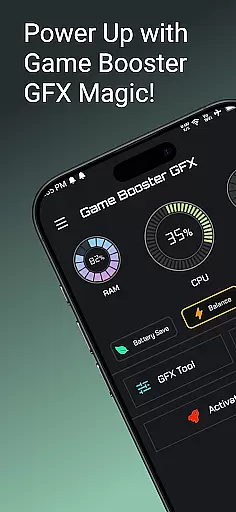
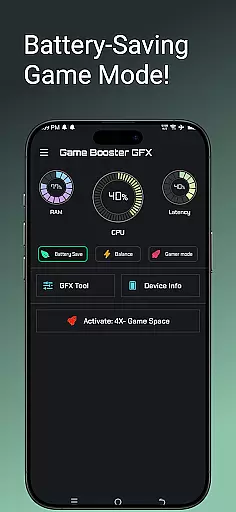
Game Booster GFX 4x is a powerful tool designed to enhance your mobile gaming experience. This app focuses on delivering smoother gameplay with support for up to 120 FPS on compatible devices, ensuring that gamers can enjoy their favorite titles without any lag or interruptions. The app's main features include the ability to customize in-game resolution and unlock extreme frame rates of up to 90 or 120 FPS.
In addition to performance improvements, Game Booster GFX offers various graphics styles such as Realistic, Colorful, Soft, and Classic modes, allowing users to tailor their visual experience. With Ultra HD and HDR graphics support, this app ensures top-tier image quality. It also provides essential tools like Device Info and a dedicated Gamer Mode, making it an all-in-one solution for mobile gamers looking to optimize their gaming sessions.
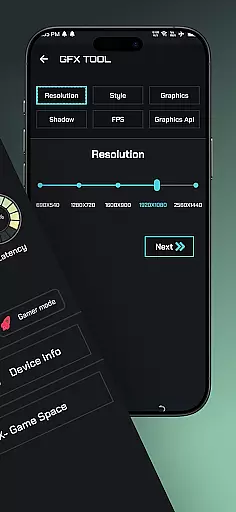
Game Booster GFX 4x stands out with its comprehensive suite of gaming optimization features. One of the key highlights is the GFX Tool, which allows users to customize game resolution settings without experiencing lag. This feature is particularly beneficial for players who want to fine-tune their gaming experience according to their device's capabilities. Additionally, the app enables users to unlock extreme frame rates of up to 90 or 120 FPS, providing ultra-smooth visuals that are crucial for competitive gaming.
Beyond performance enhancements, the app offers multiple graphic style options including Realistic, Colorful, Soft, and Classic modes. These presets cater to different preferences, ensuring that every gamer can find a setting that suits their taste. The inclusion of Ultra HD and HDR graphics further elevates the visual experience, offering stunning clarity and vibrant colors. With its intuitive interface and robust feature set, Game Booster GFX 4x delivers both functionality and ease of use, making it a must-have for mobile gaming enthusiasts.
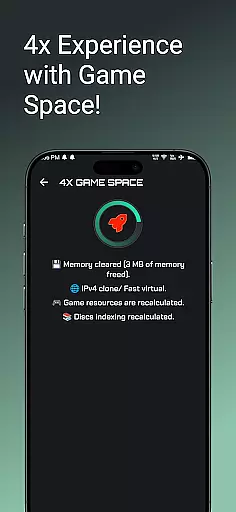
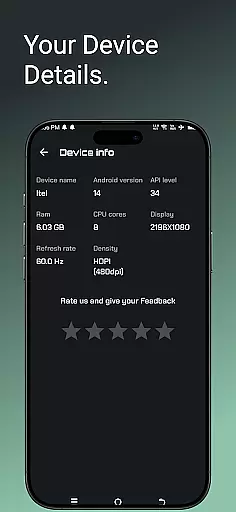
Game Booster GFX 4x offers a comprehensive suite of features designed to enhance gaming performance on supported devices. The app includes functionalities such as 4x Game Space, Device Info, Gamer Mode, and a GFX Tool that allows users to customize resolution without lag.
The GFX Tool is particularly noteworthy, providing gamers with the ability to unlock extreme FPS up to 90 and 120. This feature ensures that players can enjoy their favorite games at the highest possible frame rates, resulting in smoother gameplay. Additionally, users can choose from various graphics styles including Realistic, Colorful, Soft, and Classic, catering to personal preferences and device capabilities.
Another significant aspect is the support for Ultra HD and HDR graphics, which greatly enhances visual quality. Gamers can expect an immersive experience with detailed textures and vibrant colors, making every gaming session more enjoyable. These features collectively ensure extensive functionality coverage, addressing multiple aspects of game optimization.
Usability is a critical factor for any application, and Game Booster GFX 4x excels in providing a user-friendly interface. The app's design focuses on simplicity and ease of use, ensuring that even novice users can navigate and utilize its features effectively. With clear options and intuitive controls, gamers can quickly adjust settings to suit their needs.
Operational smoothness is another highlight of this app. By allowing users to customize resolution without experiencing lag, Game Booster GFX 4x ensures uninterrupted gameplay. This seamless operation is crucial for maintaining the flow of the game and enhancing overall user satisfaction.
Furthermore, the inclusion of a Gamer Mode demonstrates the app's commitment to delivering a hassle-free experience. This mode optimizes device performance specifically for gaming, reducing background activity and ensuring that system resources are allocated efficiently. As a result, users can enjoy extended gaming sessions without worrying about performance drops or battery drain.
Smooth gameplay
High FPS support
Customizable settings
Variety of graphic styles
User-friendly interface
Limited device compatibility
Potential battery drain
No major game affiliation
Occasional bugs
Requires technical knowledge

Connect and find your Smart Tag 2 devices through our app.
 3.60
3.60
Collection of high-quality, trendy skins and outfits!
4.2
Demo for Key Attestation feature of the Android system.
4.80
Collection of Maps and Mods for Dmod
3.30
MirrorLink for connecting your Android phone to your car’s infotainment screen.
4.50
Game booster GFX may reduce interruptions and improve gaming experience.
4.50
Manage apps & elevate your gaming experience with Game Launcher: Gaming Hub app.
4.30
Mobile Connect To TV - HDMI USB & WiFi Screen Mirroring
3.70
Now Available on Android ™
3.40
Block and secure the microphone and protect from secret listening and recording.
4.50
Block, disable and secure phone camera from secretly taking photos by spyware.
4.50
Recite Quran Majeed القران with special 16 line real Kuran page in hand
4.30
An impressive collection of tools, characters, weapons, skins and more!
4.30
Do you want to drive easy ? do you wanna full mirror link Mobile with your car
4.10
A Pydroid Quick Install repository provider.
4.00
The best PS2 games from your childhood come to life in their mobile version!
4.00
Connect your phone to any endoscope camera, USB camera, or borescope with ease.
3.70
Experience virtual reality on your smartphone with Cardboard.
3.50
Looking to connect your phone to your car screen? Mirror Link is the solution.
3.20


User Reviews