
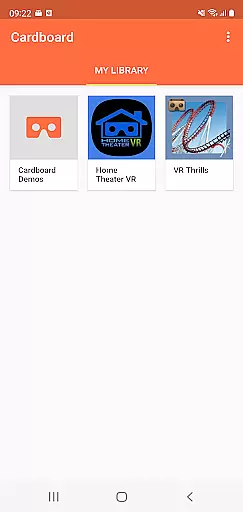
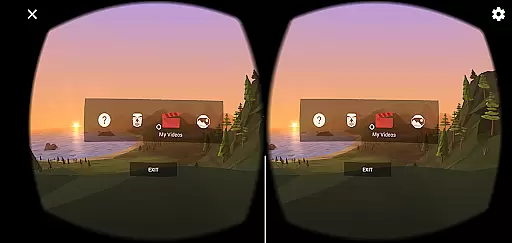

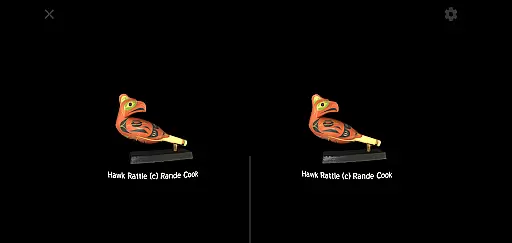
Cardboard is an innovative app that brings virtual reality experiences to your smartphone. Developed by Google, this application serves as a gateway to the world of VR by helping users launch their preferred virtual reality apps and discover new ones. The app also provides a seamless setup process for Cardboard viewers, ensuring you can quickly immerse yourself in VR environments.
The core functionality revolves around enhancing user experience through intuitive navigation and easy access to various VR applications. Whether you are a VR enthusiast or new to the technology, Cardboard offers a user-friendly interface that simplifies the discovery and setup processes. Its compatibility with a wide range of smartphones makes it accessible to a broad audience.
For the best experience, it's recommended to use a Cardboard viewer, which can be obtained from Google's official website. This combination of software and hardware creates an immersive environment suitable for education, gaming, and exploration. By leveraging this app, users can enjoy high-quality VR content that is both engaging and informative.
Cardboard stands out due to its rich feature set tailored for virtual reality enthusiasts. One of its primary features is the ability to launch and manage VR applications directly from the app interface. This centralized control panel allows users to easily access their favorite VR experiences without navigating through multiple menus.
Another significant feature is the discovery engine, which recommends new and exciting VR apps based on user preferences and behavior. This ensures that users are always up-to-date with the latest VR content available. Additionally, the app includes a comprehensive setup guide for Cardboard viewers, making it easy for users to configure their devices for optimal performance.
Cardboard also emphasizes user safety and convenience. It provides clear instructions and warnings to prevent misuse, such as avoiding use while driving or walking. These safety measures ensure that users can enjoy VR experiences responsibly. Overall, the app's features create a robust ecosystem that supports both novice and experienced VR users.
Functionality completeness refers to the app's ability to provide a comprehensive set of features that cater to user needs. Cardboard by Google ensures this by offering an all-in-one platform for virtual reality experiences on smartphones.
The app not only launches VR applications but also assists in discovering new ones, ensuring users have access to a wide range of virtual environments. This breadth of functionality allows users to explore various VR realms without needing multiple apps.
Additionally, Cardboard includes viewer setup capabilities, making it easy for users to configure their devices with minimal hassle. By integrating these features, the app covers essential aspects of the VR experience, from discovery to interaction.
This holistic approach guarantees that users can enjoy a complete VR journey, enhancing satisfaction and engagement with immersive content.
Usability is crucial for any application, especially one that introduces users to virtual reality. Cardboard excels in providing a smooth operational experience through intuitive design and straightforward navigation.
Users can effortlessly launch their favorite VR apps and discover new ones thanks to the streamlined interface. The app minimizes learning curves by employing familiar gestures and clear instructions, making it accessible even to VR novices.
Operational smoothness is further enhanced by reliable performance and quick response times. Whether setting up a viewer or transitioning between VR environments, Cardboard ensures seamless interactions, reducing frustration and enhancing enjoyment.
By prioritizing usability and operational efficiency, Cardboard delivers a polished VR experience that keeps users engaged and eager to explore more.
User-friendly interface
Wide device compatibility
Rich VR content library
Comprehensive setup guide
Active community support
Limited without viewer
Occasional performance issues
Dependent on third-party apps
Basic customization options
Requires stable internet

Do you want to drive easy ? do you wanna full mirror link Mobile with your car
 4.10
4.10
Collection of high-quality, trendy skins and outfits!
4.3
Use your Phone as Drone Controller.
3.70
Identify securely online
3.10
Al QURAN-القرأن الكريم app to read Quran offline just like an actual Quran book
4.30
Simulator of real black light
3.50
Phone Software Update Quick Checker helps you to keep your phone apps up to date
4.50
The best PS2 games from your childhood come to life in their mobile version!
4.00
Now Available on Android ™
3.40
SmartCast mirrors Android phone to TV screen With Cast Screen, Chromecast.
4.80
Explore The Holy Quran Majeed for Muslim. Listen to MP3 Quran & Al Quran Kareem.
4.80
Tune your game graphics with our GFX optimizer for optimal gaming experience
4.50
Popular mods fnaf mods for melon playground
4.50
Barcode scanning made simple!
4.40
Manage apps & elevate your gaming experience with Game Launcher: Gaming Hub app.
4.30
Connect and find your Smart Tag 2 devices through our app.
3.60
Record with Double Camera Video Recording using Dual Camera Front and Back Video
3.00
Zlink Carplay Android a mirror link app with a Carplay interface style
4.1
Mirror Link Car Display to share your screen with car dashboard wirelessly
4.5


User Reviews