
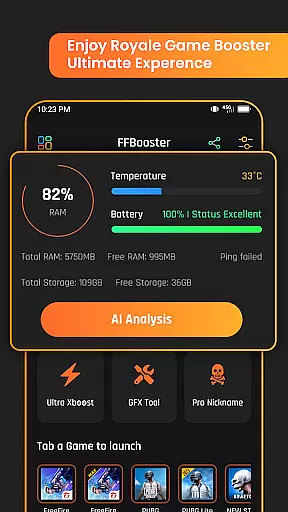
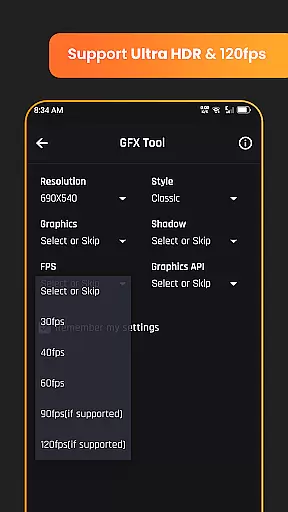
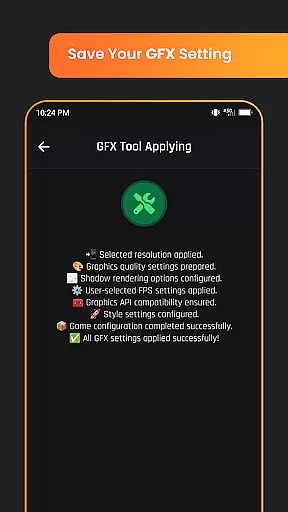
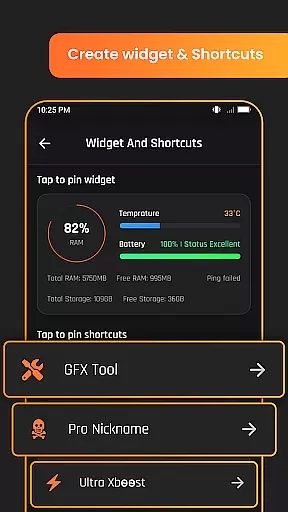
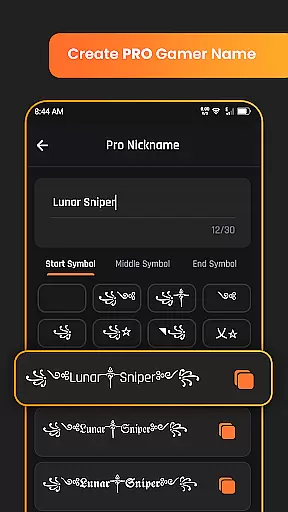
Game Booster GFX Fire Fix is a powerful utility app designed to enhance your mobile gaming experience. This application provides advanced graphics optimization tools specifically tailored for Royale battle games. With features like HDR support, Ultra HD graphics, and frame rates up to 120 FPS on compatible devices, it ensures top-tier visual quality and performance.
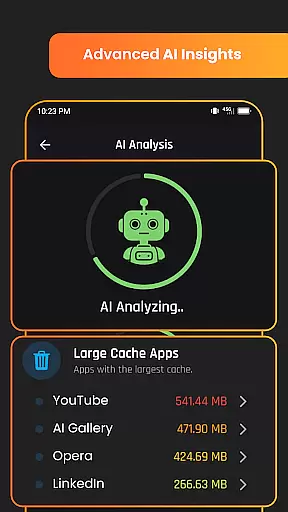
The app offers customizable resolution settings, shadow control options, and realistic graphic styles through its GFX toolset. Additionally, it includes unique features such as a Pro nickname generator for creating cool in-game names and AI analysis for advanced gameplay insights. These comprehensive tools make it an essential utility for competitive gamers seeking optimal performance.
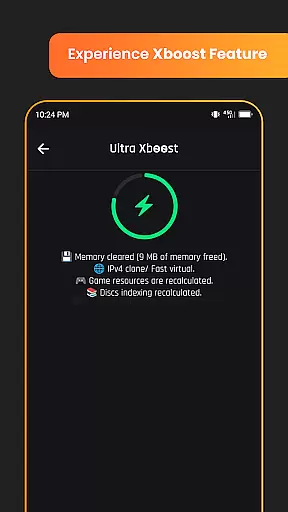
Ideal for serious gamers, this app helps you launch games faster while maintaining superior graphic quality. By using the app's extensions to launch your games, you can achieve better results and enhanced gameplay experiences. As an independent utility, it operates without affiliation to any specific games or trademarks, making it a versatile solution for various gaming needs.
Game Booster GFX Fire Fix stands out with its extensive feature set designed to optimize mobile gaming performance. The app supports advanced graphic settings including HDR and Ultra HD resolutions, allowing gamers to experience their favorite titles in stunning detail. Its ability to deliver up to 120 FPS on compatible devices ensures smooth gameplay without lag or interruptions.
Customization is at the core of this app's functionality. Users can adjust resolution settings, enable or disable shadows, and choose from various realistic graphic styles through the GFX tool. The instant game launch feature reduces waiting times, while the Pro nickname generator helps create unique in-game identities. Furthermore, the app's AI analysis provides valuable insights into gameplay patterns and strategies.
These features collectively contribute to a more immersive and competitive gaming experience. The combination of high-performance graphics optimization and unique utility tools makes Game Booster GFX Fire Fix a comprehensive solution for gamers looking to maximize their device's capabilities while maintaining complete control over their gaming environment.
Functionality completeness in a game booster app like GFX Fire Fix ensures that all essential features are included to enhance the gaming experience. This app supports advanced graphics settings such as HDR and Ultra HD, which are crucial for delivering high-quality visuals.
The app extends its functionality by offering up to 120 FPS on compatible devices, providing smoother gameplay. Custom resolution settings and options to enable or disable shadows allow gamers to tailor their experience according to their device's capabilities and personal preferences.
In addition to graphic enhancements, the app includes unique tools such as a Pro nickname generator and AI analysis, which add extra layers of personalization and strategy. These features ensure comprehensive coverage of gamers' needs, from performance optimization to creative expression.
By launching games through the app's extensions, users can achieve better results, making it an indispensable tool for competitive players seeking every advantage in their favorite Royale battle games.
Usability is a critical aspect of any utility application, especially one designed to boost gaming performance. The GFX Fire Fix app offers an intuitive interface that allows users to easily access and adjust settings such as custom resolutions and realistic graphic styles without hassle.
Operational smoothness is demonstrated through instant game launch capabilities, ensuring that players can start their games quickly and efficiently. This feature minimizes downtime and maximizes playtime, which is particularly beneficial during competitive matches where every second counts.
Furthermore, the app provides clear instructions and important notes about using its extensions for optimal results. By emphasizing ease of use and operational efficiency, GFX Fire Fix caters to both casual gamers and serious competitors who demand reliability and performance.
Overall, the combination of user-friendly design and efficient operation makes this app a valuable asset for anyone looking to enhance their gaming experience with minimal effort.
Advanced GFX optimization
High FPS support
Custom resolution settings
Instant game launch
AI-powered analysis
Limited game compatibility
Premium features locked
Device-specific limitations
Occasional stability issues
Learning curve for beginners

Record with Double Camera Video Recording using Dual Camera Front and Back Video
 3.00
3.00
Use your Phone as Drone Controller.
3.70
Test DPC is a sample device policy controller for use with Android Enterprise.
4.20
Zlink Carplay Android a mirror link app with a Carplay interface style
4.0
MirrorLink for connecting your Android phone to your car’s infotainment screen.
4.50
Ps2 plugins for 64 bit artitechture
3.70
Phone Software Update Quick Checker helps you to keep your phone apps up to date
4.50
The best PS2 games from your childhood come to life in their mobile version!
4.00
Expo is a free & open source platform to build apps using JavaScript and React.
4.70
SmartCast mirrors Android phone to TV screen With Cast Screen, Chromecast.
4.80
Explore The Holy Quran Majeed for Muslim. Listen to MP3 Quran & Al Quran Kareem.
4.80
Read Holy Quran Feel Like Real Quran & Listen Al Quran Mp3 Audio Online Offline.
4.70
The Free Catholic Latin American Bible in complete Spanish
4.60
Barcode scanning made simple!
4.40
use your smartphone as Remote control drones .
4.20
Connect and find your Smarttag devices through our app.
4.00
A Pydroid Quick Install repository provider.
4.00
Connect your phone to any endoscope camera, USB camera, or borescope with ease.
3.70
Mobs maker Minecraft help MCPE creators make their own mob by using Blockbench
3.50


User Reviews