
Drone Remote Control is an innovative application that transforms your Android smartphone into a powerful remote control for drones. This app allows users to seamlessly operate various drone models, offering functionalities similar to physical RC controllers.
The application supports key drone operations including flight planning, automated takeoff and landing, and live First Person View (FPV) streaming. Additionally, it provides advanced features like video recording and camera control, making it a comprehensive solution for drone enthusiasts.
Whether you're a hobbyist or professional drone operator, this app offers practical value by turning your smartphone into a universal drone remote control. The intuitive interface and reliable performance make it suitable for both beginners and experienced users.
This application stands out with its rich feature set designed specifically for drone control. The most notable capability is the ability to create detailed flight plans directly on your mobile device, allowing precise control over drone movements.
Users can automate essential functions such as takeoff, flight path navigation, image capture, and landing sequences. The app's single-tap control feature enables quick switching between automated and manual flight modes, providing optimal flexibility during operations.
Additional features include live FPV streaming, video recording with adjustable FPS, and complete camera control functionality. These capabilities, combined with WiFi camera integration, create a comprehensive drone control solution that enhances both recreational and professional drone operations.
Functionality completeness in a drone remote control app refers to the range of features that allow users to fully operate and manage their drones. Drone Remote Control offers an extensive set of tools that cover various aspects of drone operation.
The application allows users to create detailed flight plans on their devices, automate critical functions such as takeoff, flight paths, image capturing, and landing. This comprehensive feature set ensures that users have the necessary tools for a seamless drone flying experience.
Additionally, the app provides live stream First Person View (FPV) capabilities and the option to disable auto-flight modes with a single tap, giving pilots real-time control over their drones. These features are crucial for both amateur enthusiasts and professional operators who require precision and adaptability during flights.
By offering compatibility with the latest drones and supporting advanced functionalities like video capture and FPV streaming, Drone Remote Control demonstrates its commitment to providing a complete and versatile user experience.
Usability and operational smoothness in drone applications refer to how intuitively and efficiently users can interact with the software to control their drones. Drone Remote Control is designed with simplicity and ease of use in mind, ensuring that users can quickly configure and operate their drones without hassle.
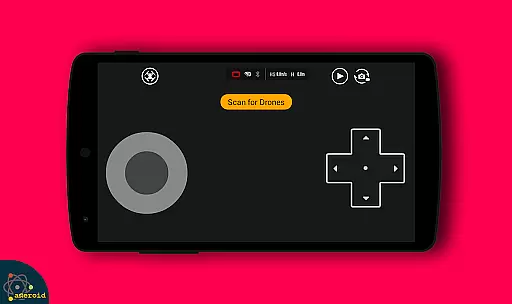
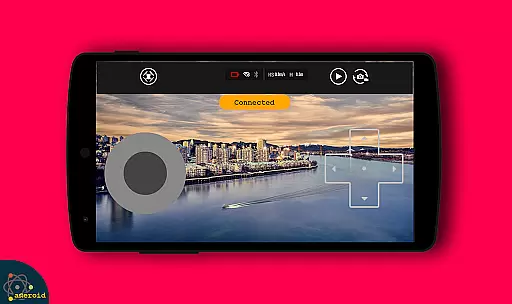
The interface mimics traditional RC drone controls, making it familiar for seasoned drone pilots while remaining accessible for newcomers. With straightforward navigation and clear instructions, users can easily access features such as flight planning, camera control, and video recording.
Moreover, the app's ability to connect to WiFi camera devices enhances its usability by allowing users to receive live camera views, capture images, and record videos directly through the app. This integration simplifies complex tasks and contributes to a smoother overall operation.
Drone Remote Control stands out by offering a balance between powerful functionality and user-friendly design, ensuring that users can enjoy uninterrupted flights and efficient mapping of large areas without being hindered by complicated controls or settings.
User-friendly interface
Comprehensive feature set
Wide drone compatibility
Free to use
Reliable performance
Limited old hardware support
Requires stable connection
Learning curve for beginners
Battery consumption
Device compatibility issues

Connect and find your Smart Tag 2 devices through our app.
 3.60
3.60
If you are looking for melon playground mod that fun you deffinitely try our app
2.70
Popular mods fnaf mods for melon playground
4.50
Read Quran pak offline & listen online mp3 Quran in Al Quran Majeed app
4.4
charging your phone by other phone easly
4.00
Block, disable and secure phone camera from secretly taking photos by spyware.
4.50
DamonSx2 is the open Source LGPL Emulator
3.20
A Pydroid Quick Install repository provider.
4.00
Ps2 plugins for 64 bit artitechture
3.70
SmartCast mirrors Android phone to TV screen With Cast Screen, Chromecast.
4.80
Expo is a free & open source platform to build apps using JavaScript and React.
4.70
Barcode scanning made simple!
4.40
Wireless reverse charging using phone now is possible
4.30
View your cameras anywhere and anytime
4.20
Unlock the hidden menus of your phone with our mobile secret codes app.
4.20
CloudEye 365 is a easy-handling APP
3.60
Mirror phone to TV effortlessly! Stream, share & connect with Airplay ease.
3.60
Endoscope camera an app to connect with endoscope cam or any device
3.30
Collection of high-quality, trendy skins and outfits!
4.5


User Reviews