
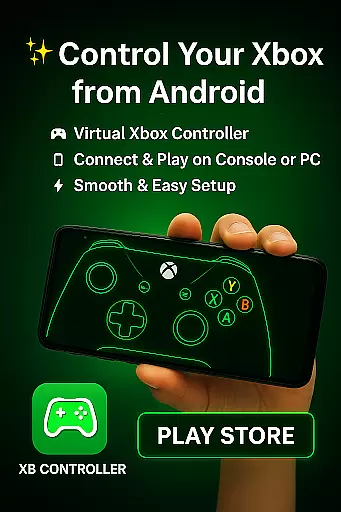
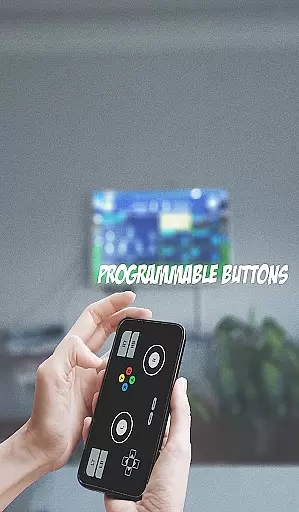
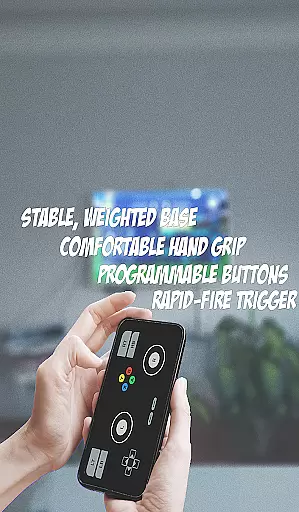
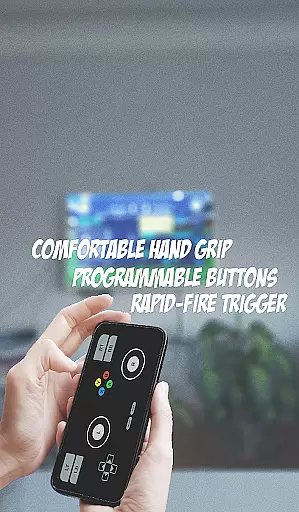
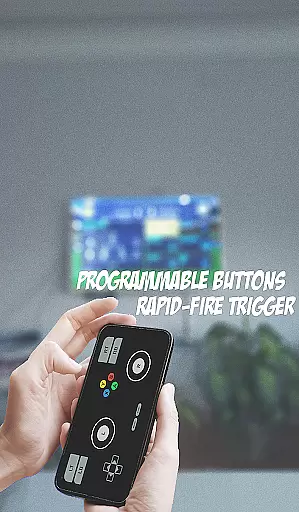
XB CONTROLLER is a specialized gaming input device designed for Xbox consoles, including Xbox One and Xbox Series X/S. This wireless controller offers an ergonomic design with intuitive button placement, ensuring seamless gameplay.
The controller features two thumbsticks, a directional pad, four action buttons (A, B, X, Y), shoulder buttons (LB, RB), triggers (LT, RT), and a menu button. These controls provide precise navigation and interaction in games, while vibration feedback enhances immersion by simulating in-game events through tactile sensations.
With both wireless and optional wired USB connectivity, the XB CONTROLLER ensures uninterrupted gameplay. Its latest iteration includes enhanced haptic feedback and an improved D-pad, offering even more accurate inputs and a comfortable experience for gamers.
XB CONTROLLER boasts several standout features that enhance the gaming experience. The ergonomic design ensures comfort during extended gaming sessions, while the strategically placed controls allow for quick access and precision during gameplay.
One of its key features is the incorporation of vibration feedback, which provides tactile responses to in-game actions, increasing player engagement. Additionally, the latest model introduces advanced haptic feedback and an upgraded D-pad, allowing for more nuanced control in various gaming scenarios.
Wireless functionality adds to the convenience, enabling players to game from a distance without worrying about cables. For those preferring a wired connection, a USB option is available to minimize input lag. These features collectively make XB CONTROLLER a versatile and reliable choice for gamers.
Functionality completeness in a controller app like XB CONTROLLER ensures that all essential features of a physical Xbox controller are accurately replicated. This includes the full range of buttons, triggers, and thumbsticks that gamers rely on for an immersive experience. The app achieves this by implementing precise touch controls and responsive virtual buttons that mimic the tactile feedback of a real controller.
Coverage extends beyond basic button mapping. The app provides specialized configurations for different game genres, ensuring optimal performance across various gaming scenarios. Whether it's adjusting sensitivity for first-person shooters or customizing button layouts for racing games, the app offers comprehensive solutions tailored to diverse gaming needs.
Users benefit from this complete functionality through enhanced gaming precision and control. The app's attention to detail in replicating every aspect of the physical controller ensures that players can enjoy their games without compromising on performance or responsiveness.
The true value lies in how this comprehensive feature set enables seamless transition between physical and virtual controllers. Gamers can maintain their competitive edge while enjoying the convenience of wireless mobile gaming, making XB CONTROLLER an essential tool for modern gaming enthusiasts.
Usability in controller applications focuses on creating an intuitive interface that feels natural to operate. XB CONTROLLER achieves this by implementing smart touch zone placement and customizable control layouts. These features allow users to position virtual buttons and sticks according to their preferred hand positions and gaming style.
Operational smoothness is maintained through advanced optimization techniques that minimize input lag and ensure consistent response times. The app employs sophisticated algorithms to process touch inputs efficiently, resulting in immediate action execution within games. This technical excellence translates to a gaming experience that feels as responsive as using a physical controller.
Gamers benefit from this smooth operation through enhanced gameplay performance. The app's ability to maintain consistent frame rates while processing complex input combinations ensures that even demanding games run smoothly without control-related interruptions.
This focus on usability and smooth operation demonstrates the app's commitment to quality. By prioritizing these aspects, XB CONTROLLER sets a new standard for mobile gaming controllers, offering users a professional-grade tool that enhances their gaming capabilities while maintaining ease of use.
Comfortable ergonomic design
Precise control layout
Enhanced vibration feedback
Wireless and wired options
Upgraded haptic feedback
Limited to Xbox platforms
No built-in screen
Battery not included
Higher price point
Firmware updates needed

Do you want to drive easy ? do you wanna full mirror link Mobile with your car
 4.10
4.10
Connect and find your Smarttag devices through our app.
4.00
Popular mods fnaf mods for melon playground
4.50
Read Quran pak offline & listen online mp3 Quran in Al Quran Majeed app
4.0
Zlink Carplay Android a mirror link app with a Carplay interface style
4.0
Enjoy hours of entertainment with our Roblox mobile games app
4.0
CloudEye 365 is a easy-handling APP
3.60
Game booster GFX may reduce interruptions and improve gaming experience.
4.50
A Pydroid Quick Install repository provider.
4.00
Read Holy Quran Feel Like Real Quran & Listen Al Quran Mp3 Audio Online Offline.
4.70
Game Booster GFX for smoother gaming experience. Enjoy 120 FPS and 4x Game Space
4.20
View your cameras anywhere and anytime
4.20
You can remote control and play much easier.
4.10
Connect your phone to any endoscope camera, USB camera, or borescope with ease.
3.70
Ps2 plugins for 64 bit artitechture
3.70
Simulator of real black light
3.50
Looking to connect your phone to your car screen? Mirror Link is the solution.
3.20
Identify securely online
3.10
A great tool help you to format Micro SD memory Card
3.10


User Reviews