
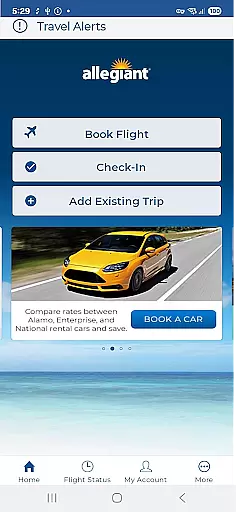
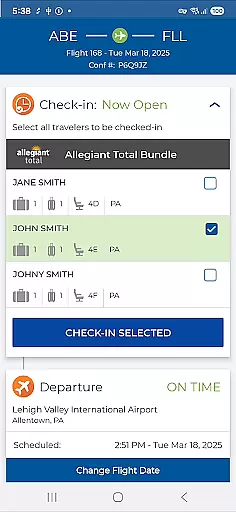
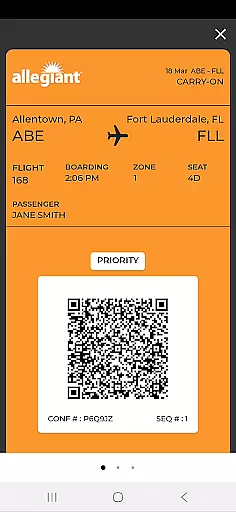

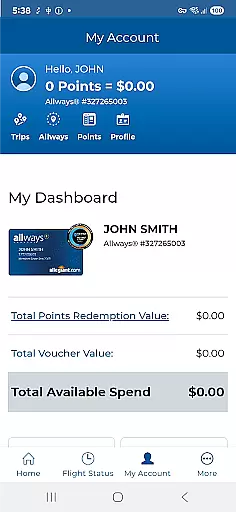
Allegiant is a comprehensive travel companion app designed for passengers of Allegiant Travel and Allegiant Airlines. The app allows users to manage their entire travel journey seamlessly through an intuitive card-based timeline interface. Each stage of the trip, from booking to boarding, is represented as a distinct card that provides easy access to essential features such as flight check-in, boarding pass display, and real-time departure/arrival information.
In addition to its core functionality, Allegiant offers several value-added features including seat selection, baggage purchase, and Priority Boarding upgrades. Passengers can also receive important flight status notifications and utilize various self-service options. By integrating with My Allegiant accounts, the app automatically syncs upcoming trips to users' devices, creating a truly paperless travel experience. Whether you're planning your vacation or already at the airport, this app ensures a smooth and efficient travel process.
The Allegiant app stands out with its innovative card-based timeline system that organizes each phase of the travel journey into easily manageable sections. This feature enables passengers to effortlessly track their trip progress while accessing relevant functions at each stage. For instance, users can check in for flights, view boarding passes, and obtain departure/arrival details directly from the corresponding cards.
Beyond basic travel management, the app provides advanced functionalities such as seat map visualization, baggage fee calculation, and Priority Boarding purchases. These features are complemented by automatic trip syncing when logged into a My Allegiant account, ensuring all upcoming journeys are readily available on mobile devices. Additionally, the app incorporates vital flight status notifications and multiple self-service tools, empowering travelers to handle various aspects of their trip independently.
One notable advantage of using Allegiant is the potential cost savings for passengers. By facilitating a completely paperless experience - from digital boarding passes to electronic receipts - the app helps reduce traditional travel expenses while streamlining airport procedures. This combination of convenience, functionality, and cost-effectiveness makes Allegiant an invaluable tool for modern air travelers.
Booking authenticity is a crucial aspect of any travel application, ensuring that all reservations and transactions are legitimate and verifiable. The Allegiant app excels in this area by providing a secure platform where passengers can book their flights and vacations with confidence.
The app allows users to make bookings directly through its interface, offering step-by-step guidance and clear instructions at every stage of the process. Each booking is represented as a card in a timeline, making it easy for users to track and manage their trips. This visual representation not only simplifies the management of travel plans but also enhances transparency, allowing users to see all details of their reservation at a glance.
Furthermore, the app integrates seamlessly with the official Allegiant Airlines website, ensuring consistency and reliability across platforms. Users can trust that their bookings made via the app are as authentic and valid as those made through the website, providing peace of mind and a reliable travel planning experience.
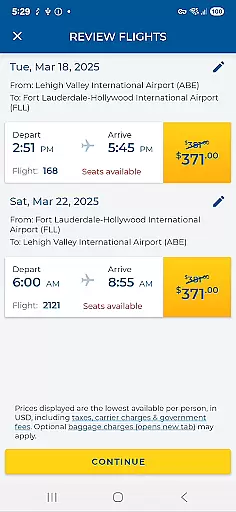
Price transparency is essential for travelers who want to understand the full cost of their bookings without hidden fees or surprises. The Allegiant app addresses this need by clearly displaying all costs associated with flights and additional services, enabling users to make informed decisions about their travel expenses.
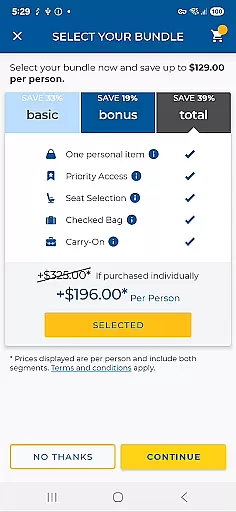
Through the app, passengers can view and add various services such as seat selection, baggage purchases, and Priority Boarding upgrades. Each of these options comes with a transparent pricing structure, ensuring that users know exactly what they are paying for. This level of detail helps travelers budget effectively and avoid unexpected charges during check-in or at the airport.
In addition to displaying prices, the app provides notifications about important flight status updates and offers a variety of self-service functions. These features further enhance the user's ability to manage their travel costs proactively. By prioritizing price transparency, the Allegiant app empowers passengers to take control of their travel expenses and enjoy a more predictable and stress-free travel experience.
User-friendly interface
Comprehensive travel management
Real-time flight updates
Cost-saving features
Seamless account integration
Limited to Allegiant Airlines
Occasional syncing issues
Additional fees for upgrades
Requires account login
No offline functionality

View delays, closures, and weather-related conditions on Missouri state roads.
 3.30
3.30
Locate and navigate to local holiday displays
4.3
The Official Freedom Trail Foundation app.
4.30
Maps Speedometer shows your current speed in any app
3.60
View current Montana road conditions, cameras, plows, and timelapse videos.
4.70
Find the best prices, pay for the cheapest gas, and save on every fill up
3.30
Take JetBlue everywhere you go! Book, manage and check in for your trips & more.
4.60
Now you can book homes, experiences, and services—all in our redesigned app.
4.40
Book flight, car or packages. Instant access to hotel discounts & travel deals
4.80
Replace your car trips with the world’s largest shared electric vehicle company.
4.90
It drives. You ride.
4.90
The travel app that makes booking cheap flights, hotels, and car rentals easy.
4.80
Maps, Wait Times, Park Hours
4.40
Get real-time traffic, directions, search and find places
4.10
Everything you need for your trip in one place with the Volaris app.
3.60
Apply for an electronic travel authorisation (ETA) to come to the UK.
3.20
Every Diners, Drive-in & Dives location in one place! Your guide to Flavortown!
3.00
Amplify Your Experience
3.00
The #1 Parent App in Brevard County
4.4


User Reviews