

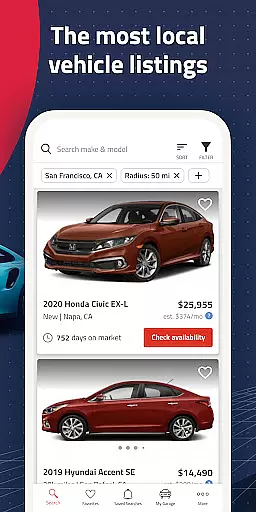

Autolist is a premier automotive marketplace application designed to simplify the used car buying process. The app aggregates millions of listings from thousands of sources, providing users with the largest selection of local cars, trucks, and SUVs available on the market. Whether you're searching for a specific make and model or just browsing options, Autolist's comprehensive database ensures you'll find the perfect vehicle at the best possible price.
The app stands out with its powerful search tools and filters that allow users to narrow down choices by price, year, color, and features. Additionally, Autolist offers valuable insights through its price history and Listimate value estimation features, empowering buyers to make informed decisions and negotiate effectively. With instant notifications for new inventory and price drops, users can act quickly when the right opportunity arises.
Autolist boasts an array of sophisticated features tailored to enhance the car-buying experience. At its core, the app provides access to millions of used car listings, sourced from countless dealers and private sellers nationwide. This extensive reach ensures that users have the broadest possible selection of vehicles to choose from, all conveniently accessible from their mobile device.
Beyond its vast inventory, Autolist equips users with advanced search filters and sorting options. Shoppers can refine results based on specific criteria such as price range, vehicle age, exterior and interior colors, and installed features. The app also includes innovative tools like price history tracking and Listimate value estimates, which help buyers understand market trends and identify fair pricing. Furthermore, Autolist facilitates direct communication with sellers through integrated calling, texting, and emailing capabilities, streamlining the negotiation and purchase process.
Another standout feature is the app's alert system, which notifies users about relevant updates including new listings, price reductions, and changes in vehicle availability. These timely alerts ensure that shoppers never miss an important opportunity while searching for their ideal car.
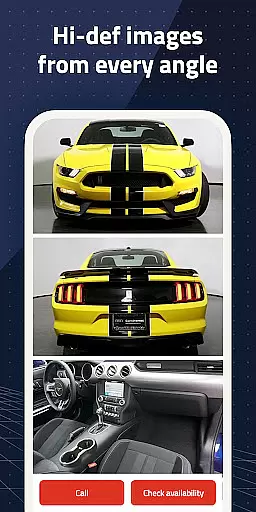
When searching for a used car, having access to comprehensive vehicle details is crucial. Autolist provides an extensive database that includes specific information about each vehicle's make, model, year, and unique features. This level of detail ensures that buyers can make informed decisions based on accurate data.
The app aggregates listings from thousands of sources, presenting users with a consolidated view of available cars. Each listing on Autolist comes with a full specification sheet, covering everything from engine type to interior amenities. This allows potential buyers to evaluate options thoroughly before reaching out to sellers or visiting dealerships.
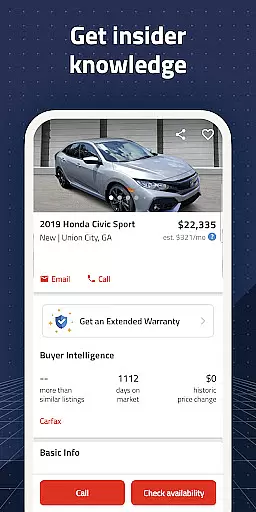
Autolist's detailed vehicle pages also display the Listimate value, which helps users understand the fair market price. By comparing this estimated value against the seller's asking price, shoppers can negotiate better deals and avoid overpaying. The inclusion of price history further enhances transparency in the buying process.
Ultimately, Autolist's commitment to providing detailed vehicle information empowers car buyers. With all necessary details at their fingertips, users can confidently navigate the complex used car market, ensuring they find a vehicle that perfectly matches their requirements and budget.
Price transparency is a cornerstone of Autolist's service, aiming to demystify the often opaque used car pricing landscape. The platform offers clear insights into the cost of vehicles by providing both current asking prices and historical pricing data. This dual approach enables buyers to assess whether a listed price is fair and competitive within the market.
One of Autolist's standout features is its Listimate value, which estimates the fair market price of each vehicle based on various factors such as condition, mileage, and demand. This tool serves as a benchmark for buyers, helping them gauge if they're getting a good deal. Additionally, the complete price history for each car allows users to track how the value has fluctuated over time.
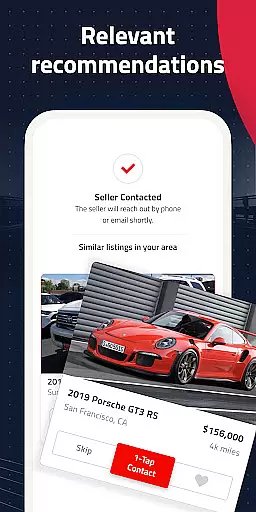
Autolist facilitates direct communication with sellers through integrated calling, texting, and emailing functions. This feature encourages open dialogue about pricing, allowing buyers to request quotes or negotiate terms directly within the app. Such straightforward interaction promotes honest discussions around vehicle costs.
By prioritizing price transparency, Autolist not only simplifies the car-buying process but also builds trust with its users. Shoppers can feel secure knowing they have all the pricing information needed to make smart financial decisions when purchasing their next vehicle.
User-friendly interface
Extensive vehicle database
Powerful search filters
Price history insights
Direct seller communication
Occasional listing inaccuracies
Limited financing options
Varied seller responsiveness
Ads within free version
Regional availability differences

On the CarShield app, you can view contracts, make payments, & request roadside.
 4.40
4.40
ODB2 based monitoring application for the Chevy Bolt (2017-2021)
4.00
Ferrari inspired analog & digital watch face with quick access and premium style
4.4
Practice the drills within MotoJitsu Master Riding Program Volume 1 & 2!
4.80
Discover new and used cars in Syria easily! Browse ads and connect with sellers.
3.70
Control maps, media and messaging, with the Google Assistant while you drive
4.10
Monitor your behind-the-wheel behavior to become a safer driver and save.
4.10
A smarter way to park and reserve your spot ahead of time.
4.40
Shop, finance, or sell today.
4.80
MySubaru: Download. Connect. Love.
4.70
Find Your Local Store or Shop Online for the Car, Truck, or SUV Parts You Need
4.70
Browse millions of cars, track vehicle listings or sell your car today
4.70
Get price alerts, vehicle history details and more for cars near you!
4.50
Secure mobile payments & fuel savings at Phillips 66®, Conoco® and 76® stations
4.40
OBD2 car scanner and diagnostics: read Check Engine, DTC, economy....
4.30
Car Sounds Engine Sounds app welcomes Auto Lovers to feel Car Simulator Sound
4.20
Easily notify car owners in urgent situations, safe, fast, multilingual.
4.1
Theme for Car Launcher
4.4
DIY Vehicle Wheel Alignment
4.5


User Reviews