
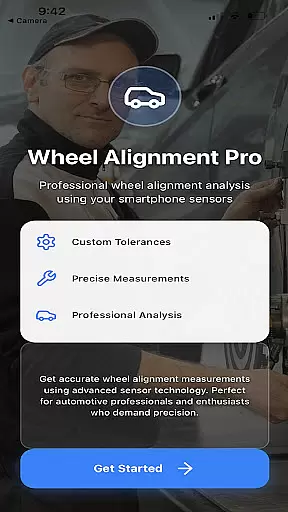
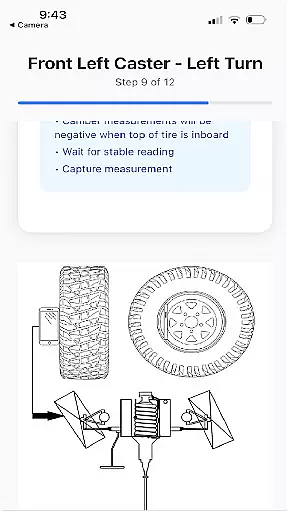
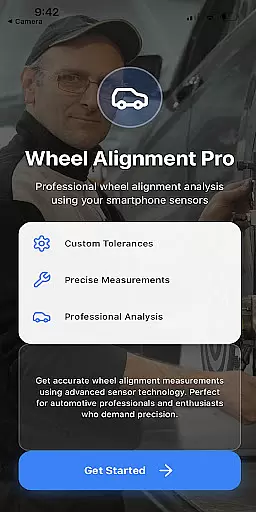
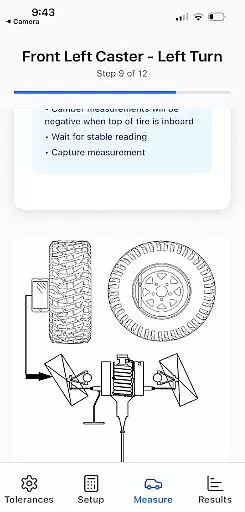
Alignment Pro is a specialized application designed for automotive wheel alignment tasks. The app utilizes your phone's internal sensors and requires only a tape measurement to collect precise wheel alignment data. With simple on-screen instructions, users can easily follow the steps to ensure accurate measurements. It supports industry-standard specifications while also allowing manual updates to match specific vehicle requirements, which can be conveniently sourced online. This makes it an invaluable tool for both professional mechanics and car enthusiasts who demand precision in their vehicle maintenance routines.
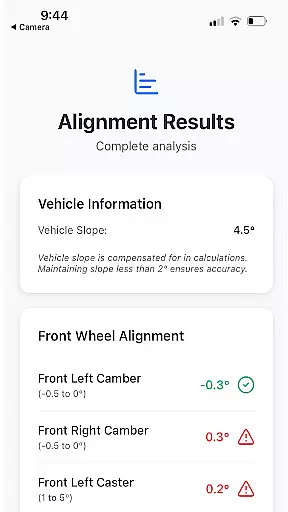
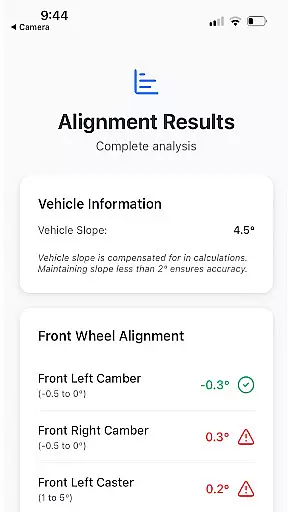
A key feature of Alignment Pro is its ability to compensate for vehicle slope, addressing issues caused by uneven driveways or surfaces. Additionally, the app provides a detailed alignment summary that highlights potential problems arising from out-of-tolerance conditions. These insights help users understand the implications of misalignment and explain these issues to customers effectively. Whether you're diagnosing problems or explaining repair needs, Alignment Pro ensures clarity and accuracy in every step of the process.
Alignment Pro offers a range of innovative features tailored to improve the wheel alignment process. One standout capability is its use of the phone's internal sensors to gather alignment data, eliminating the need for expensive external equipment. By simply following on-screen instructions and using a tape measure, users can achieve professional-grade results without the complexity traditionally associated with alignment tasks.
The app also includes advanced functionalities such as vehicle slope compensation, which adjusts measurements to account for uneven surfaces. This ensures consistent accuracy regardless of the environment. Furthermore, Alignment Pro generates a comprehensive alignment summary that identifies specific out-of-tolerance conditions and explains their potential consequences. This not only aids in problem diagnosis but also helps communicate these findings to clients, making it an essential tool for workshops and independent mechanics alike.
Detailed vehicle information is crucial for ensuring optimal performance and safety. Alignment Pro excels in this area by utilizing your phone's internal sensors and a simple tape measurement to collect precise wheel alignment data. This process is guided by straightforward on-screen instructions, making it accessible even to those who may not have professional experience with vehicle maintenance.
The app allows users to input industry standards for specifications or manually adjust to their specific vehicle's alignment needs, which can be easily researched online. This flexibility ensures that every user can achieve accurate results tailored to their unique vehicle requirements.
One standout feature of Alignment Pro is its ability to compensate for uneven driveways through vehicle slope compensation. This ensures that the collected data remains reliable regardless of external conditions. Additionally, the app provides a comprehensive alignment summary that highlights potential issues arising from out-of-tolerance conditions.
By offering detailed insights into how specific misalignments can affect vehicle performance, Alignment Pro empowers users to understand and communicate these implications effectively. This level of detail not only enhances vehicle maintenance but also aids in explaining necessary repairs to customers, thereby building trust and transparency.
Price transparency is essential for consumers to make informed decisions without hidden costs or surprises. While Alignment Pro does not directly deal with monetary transactions, it offers clear value through its robust feature set designed to provide high-quality wheel alignment diagnostics at no additional cost beyond the initial app download.
Users benefit from access to industry-standard specifications that they can use as benchmarks for their vehicles' alignments. These standards are readily available within the app, eliminating the need for costly consultations or services from professional mechanics unless absolutely necessary.
In addition to using standard specifications, Alignment Pro allows manual updates tailored specifically to individual vehiclesu2019 needs. This customization capability ensures that users get precisely what they require without paying for unnecessary extras or overpriced packages often associated with traditional alignment services.
Furthermore, features like vehicle slope compensation and detailed alignment summaries add significant value by addressing common pain points such as uneven surfaces affecting accuracy and providing clear explanations of detected issues respectively. By delivering such comprehensive functionalities transparently within the app itself, Alignment Pro sets a benchmark for clarity and utility in automotive applications.
User-friendly interface
Cost-effective solution
Accurate sensor integration
Detailed alignment reports
Slope compensation technology
Limited to phone sensor quality
Requires manual input
No automatic calibration
Premium version needed
Dependent on stable surface

Taximeter; the professional's choice
 4.30
4.30
OBD2 car scanner and diagnostics: read Check Engine, DTC, economy....
4.30
OBD diagnostics, Live Data, DPF regeneration for BMW
4.00
Attention! This is the theme for the Car Launcher app
4.2
Listings of Tesla's with FSD - Included package
4.60
Play what you want through Android Auto
4.90
A full featured, real-time transit locator system
4.30
Club Car Wash Mobile App—the fast lane to managing your wash membership.
3.30
Trip computer+car diagnostic tool with widest variety of features and dashboard!
4.70
Marathon ARCO Rewards members earn rewards & apply the rewards for fuel savings!
4.80
Quick and easy car diagnostics to get you the right fix.
4.70
MySubaru: Download. Connect. Love.
4.70
DMV Test Pro offers all the updated FREE DMV tests online.
4.60
Car Sounds Engine Sounds app welcomes Auto Lovers to feel Car Simulator Sound
4.20
myAudi offers users services and Audi connect services for Audi drivers
4.10
Monitor your behind-the-wheel behavior to become a safer driver and save.
4.10
Simplify your drive
3.90
Theme for Car Launcher
4.3
Theme for Car Launcher
4.1


User Reviews