
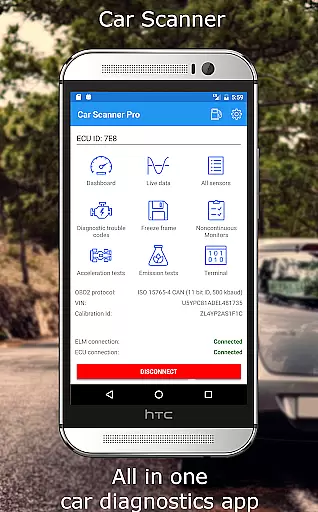
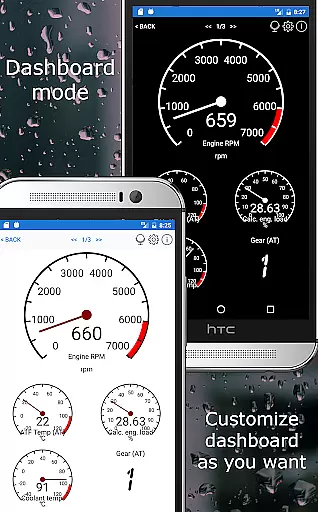
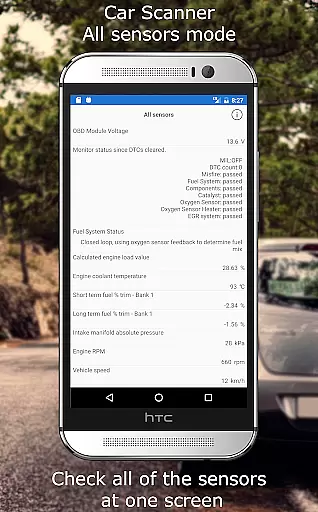
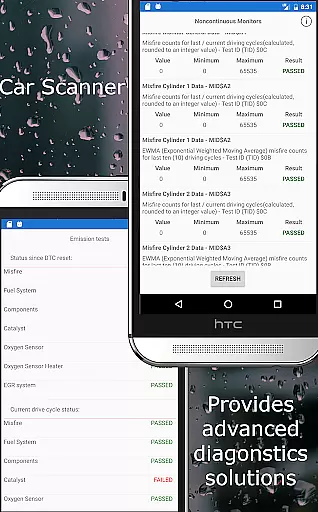
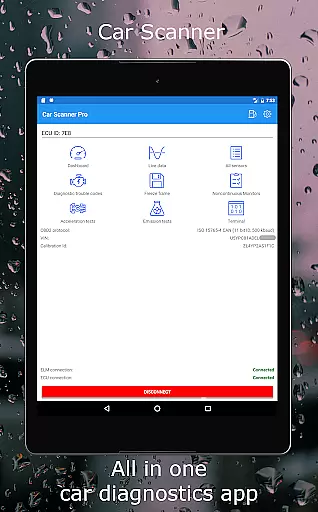
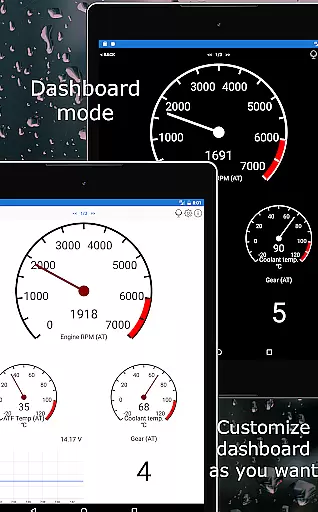
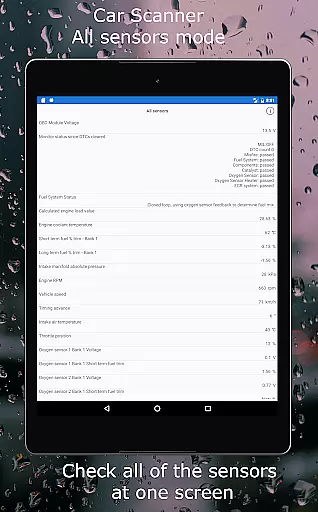
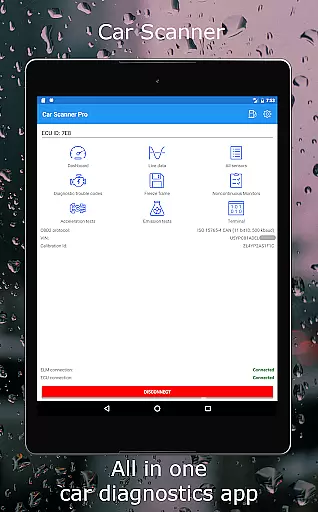
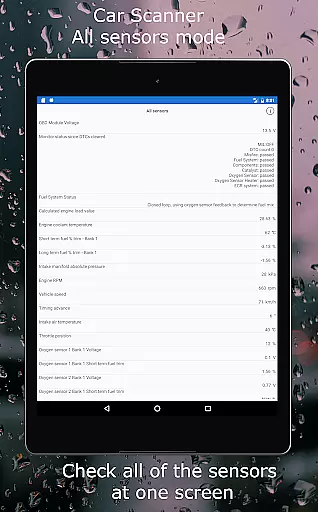
Car Scanner ELM OBD2 is a comprehensive vehicle diagnostics tool that connects to your car's OBD2 engine management system through a Wi-Fi or Bluetooth adapter. It provides real-time data on car performance, fault codes, and sensor information. The app allows users to create custom dashboards, read and reset DTC fault codes, and check emission test readiness. With support for Mode 06, it offers ECU self-monitoring results, aiding in cost-effective car maintenance.
This application stands out with unique features such as the ability to add custom PIDs, access hidden manufacturer information, and use as a trip computer for fuel consumption statistics. Car Scanner also includes HUD mode for windshield data projection and tools for precise acceleration measurements. Its extensive compatibility spans vehicles from numerous manufacturers and models built after 1996 that adhere to OBD 2 standards.
For those interested in advanced functionalities, Car Scanner supports coding for changing hidden car settings within certain vehicles like the VAG group, Toyota/Lexus, and some Renault/Dacia models. This opens up possibilities such as video in motion activation and ambient light configuration. As one of the most feature-rich apps of its kind available for free on Play Market, it's an invaluable tool for car enthusiasts looking to understand their vehicle's health and performance intimately.
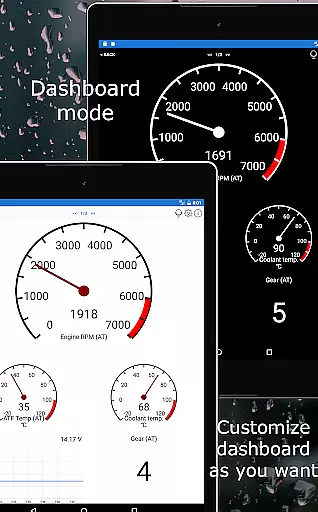
Car Scanner ELM OBD2 boasts an impressive array of features designed to enhance user experience with their vehicles. One key aspect is the customizable dashboard which lets users layout gauges and charts according to their preference, providing tailored insights into vehicle performance at a glance. Additionally, by supporting extended PIDs, this app reveals data typically concealed by car manufacturers, granting unprecedented access to detailed engine metrics.
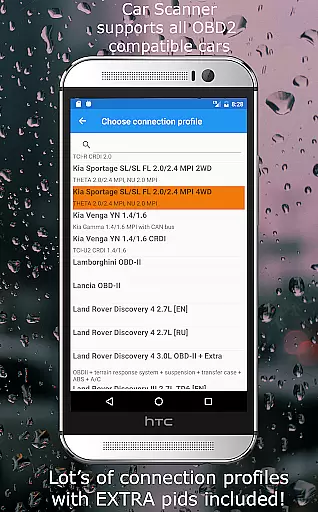
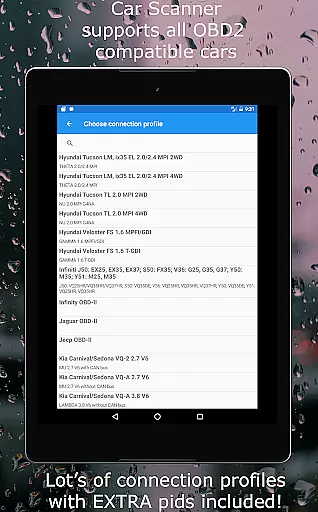
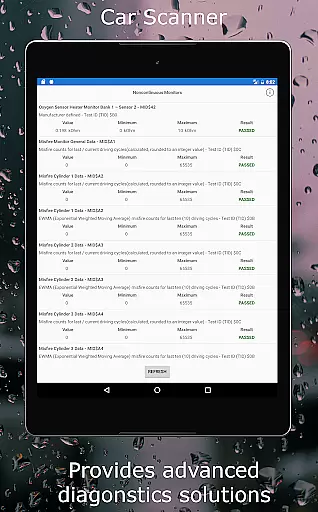
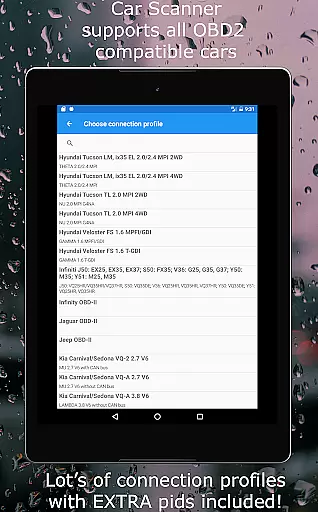
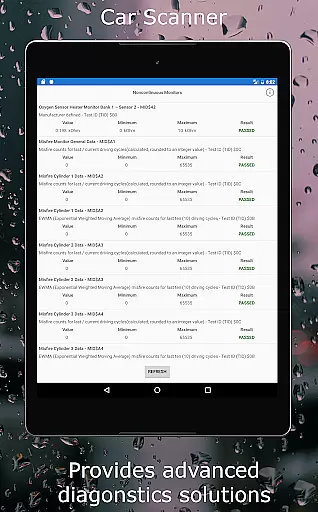
The inclusion of Mode 06 functionality sets Car Scanner apart from other diagnostic tools; it enables users to retrieve ECU self-test outcomes, helping them address issues before they escalate into costly repairs. Another standout feature is the app's wide-ranging compatibility—not only does it work with any OBD 2 compliant vehicle post-2000 but also offers specialized connection profiles for various brands including Toyota, Mitsubishi, GM, Ford, Volkswagen, Audi among others. These profiles unlock extra capabilities specific to each make and model.
Moreover, Car Scanner goes beyond diagnostics by integrating practical utilities like a trip computer displaying fuel consumption stats and a heads-up display (HUD) mode projecting vital info onto the windshield for safer driving. For select vehicles, there are even options for modifying hidden settings via coding functions—exclusive offerings you won't find easily elsewhere. All these innovative features combine to deliver exceptional value without any cost barrier across different types of drivers—from everyday commuters seeking efficiency to automotive aficionados craving control over their machines' intricacies.
Accessing detailed vehicle information is crucial for both car enthusiasts and everyday drivers. Car Scanner ELM OBD2 provides an extensive range of data directly from your vehicle's ECU, offering insights into performance metrics, sensor statuses, and fault codes. This level of detail allows users to understand their car's health comprehensively.
The application supports a multitude of vehicles adhering to the OBD 2 standard, ensuring compatibility with most models produced after 2000. By connecting via a compatible OBD II Wi-Fi or Bluetooth adapter, it retrieves real-time data on various parameters such as engine load, coolant temperature, and fuel consumption statistics. These features empower users to monitor their vehicle's condition actively.
One standout feature is the ability to add custom PIDs, unlocking hidden information restricted by manufacturers. Additionally, the app includes unique connection profiles for brands like Toyota, Ford, and Volkswagen, providing extra functionalities specific to these makes. Users benefit from this granular access by being able to perform advanced diagnostics and even coding changes where supported.
Price transparency in automotive tools is essential for consumers seeking value without hidden costs. Car Scanner ELM OBD2 stands out by offering a wide array of premium features at no cost, making it an attractive option compared to similar diagnostic applications. The availability of free functionalities ensures that users can access critical vehicle data without incurring additional expenses.
The app provides detailed descriptions of DTC fault codes and Mode 06 test results, which help in reducing repair costs by enabling users to address issues proactively. Furthermore, its capability to function as a trip computer displaying fuel consumption statistics adds tangible value, potentially saving users money on fuel over time. Such features highlight the app's commitment to delivering comprehensive solutions without extra charges.
While the application itself is free, it requires a compatible OBD2 ELM327 adapter for operation. Although the app recommends certain adapter brands like OBDLink and Veepeak, it emphasizes avoiding counterfeit devices that may cause connectivity issues. By clearly stating these requirements, Car Scanner maintains transparency regarding associated costs beyond the app download, ensuring users are fully informed before making any purchases.
User-friendly interface
Extensive vehicle compatibility
Customizable dashboard
Free version available
Advanced coding options
Requires compatible adapter
Some features model-specific
Occasional connectivity issues
Complex for beginners
Limited without premium

Easily notify car owners in urgent situations, safe, fast, multilingual.
 4.0
4.0
Ferrari inspired analog & digital watch face with quick access and premium style
4.5
Realtime Charts is a plugin for the Torque Pro App (OBD 2 & Car)
4.20
Club Car Wash Mobile App—the fast lane to managing your wash membership.
3.30
Boost profits and hit your goals faster with GigU's amazing tools for gigworkers
4.00
The ExtraMile App allows you to pay for fuel from the comfort of your car!
4.70
Your go-to app for car, truck & SUV parts, DIY tools, and expert repair help.
4.70
Find, search, and browse 40,000+ used cars, SUVs, and trucks.
4.50
PayByPhone: A quick and easy way to pay for parking.
3.80
1M+ high-quality auto parts at your fingertips. Fitment guaranteed.
4.70
DMV practice test 2025: Driver License permit test & written test for all states
4.70
MySubaru: Download. Connect. Love.
4.70
OBDII - ELM327 Terminal tool for 96-00 Volvos
4.50
Autolist - The Largest Selection of Local Used Cars and Trucks
4.50
Get price alerts, vehicle history details and more for cars near you!
4.50
Instant diesel savings. No credit checks or fees. Nationwide growing network.
4.40
Automotive Electrical Wiring Diagrams
4.40
Control maps, media and messaging, with the Google Assistant while you drive
4.10
AlfaOBD software for Fiat Group cars native diagnostic
3.70


User Reviews