
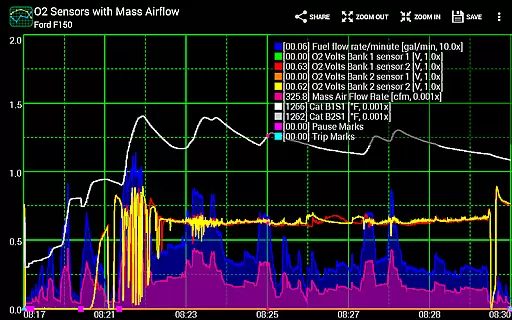
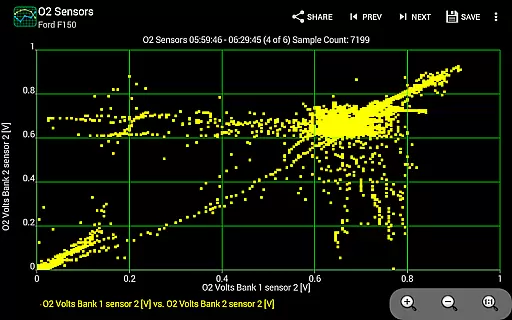
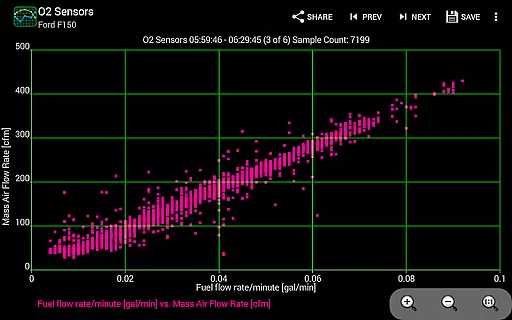
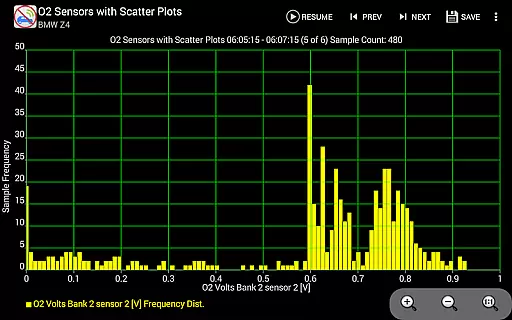
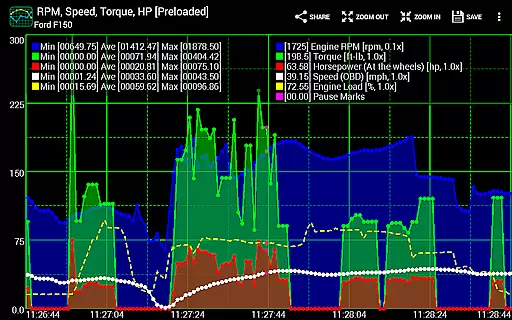
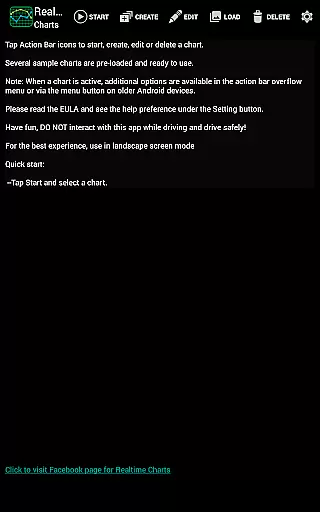
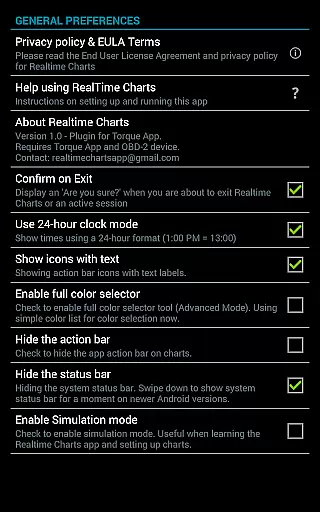
Realtime Charts for Torque Pro is a specialized plugin designed to enhance vehicle performance monitoring for automotive enthusiasts and professionals. This app allows users to graph up to 10 engine sensors simultaneously, providing real-time data visualization on Android devices. Key functionalities include creating custom charts, performing scatter plot analysis, and capturing data based on specific sensor thresholds.
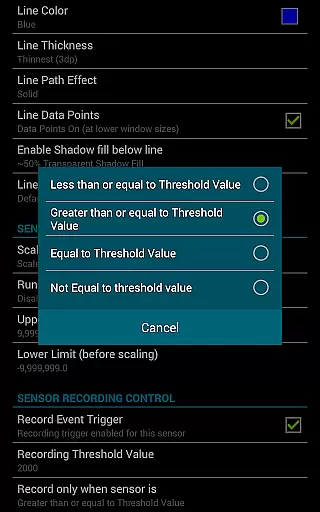
The application supports advanced features like dynamic scaling, auto-pausing when the vehicle stops, and exporting data in Excel CSV format. These capabilities make it an essential tool for in-depth vehicle diagnostics and performance tuning. Whether you're a DIY mechanic or professional tuner, Realtime Charts offers the analytical power needed to optimize vehicle performance.
Users can create professional-grade visualizations and share them across various platforms. The app's ability to save and review sessions later adds significant value for those conducting detailed performance analysis. When paired with the required OBD2 adapter and Torque Pro app, this plugin becomes an indispensable tool for modern vehicle diagnostics.
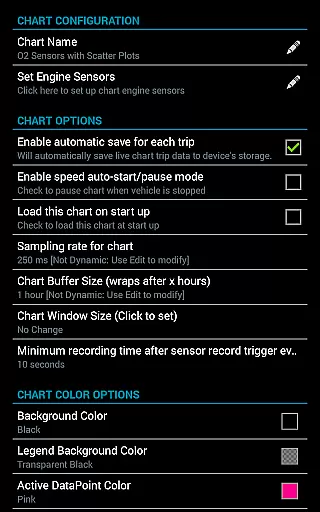
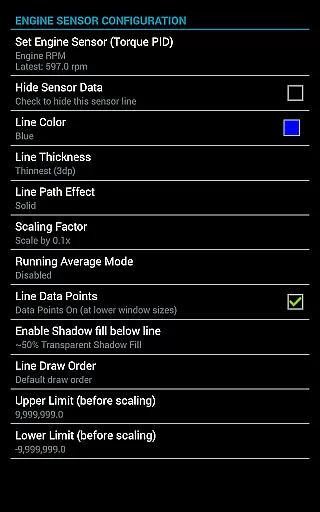
Realtime Charts stands out with its comprehensive feature set tailored for automotive diagnostics. The app's core functionality allows simultaneous graphing of multiple engine parameters, including RPM, speed, and torque. Users can customize up to 100 unique chart configurations with adjustable sampling frequencies ranging from 100ms to 10 seconds.
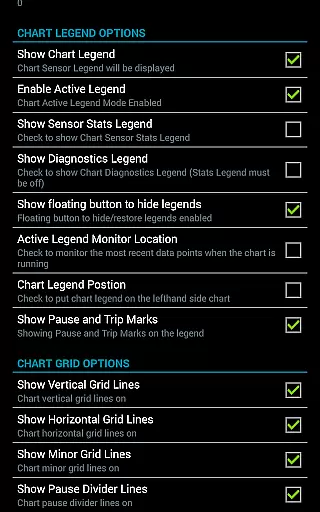
Advanced analytical tools include real-time scatter plot analysis, running averages calculation, and dynamic data point scaling. The app implements intelligent features such as auto-pause during vehicle stops, automatic trip data storage management, and background sensor recording. These features ensure efficient data collection while maintaining system resources.
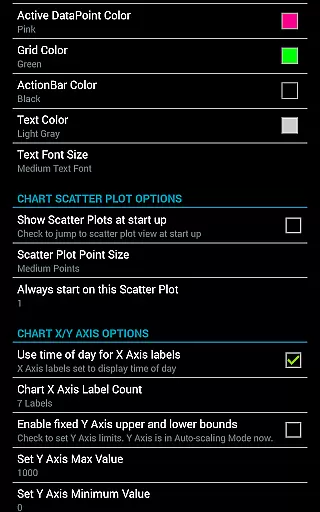
Professional-grade customization options enable users to modify chart attributes, series colors, and axis settings even during active sessions. The inclusion of simulation mode allows chart design without ECU connection, while the export functionality supports professional analysis through Excel CSV files. These robust features make Realtime Charts an essential tool for serious automotive professionals.
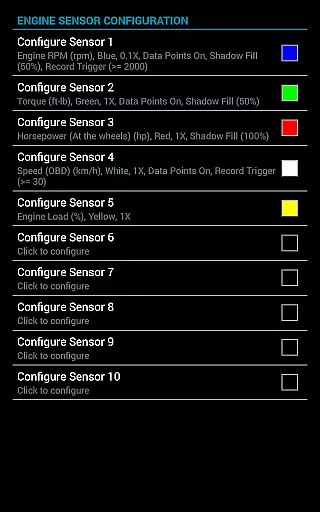
Realtime Charts for Torque Pro offers unparalleled access to detailed vehicle information by enabling users to monitor and graph up to 10 engine sensors in real-time. This includes critical data such as RPM, speed, MPG, horsepower, and torque, providing automotive enthusiasts with comprehensive insights into their vehicle's performance.
The application allows for the creation of custom charts, with the possibility to configure up to 100 unique combinations of sensors. Users can specify sampling frequencies, chart colors, and series attributes, ensuring that the displayed vehicle information is both relevant and easy to interpret. This level of customization empowers users to focus on the metrics that matter most to them.
With features like scatter plot analysis and dynamic scaling of series data points, users can perform in-depth analysis of their vehicle's performance parameters. These tools are essential for those looking to fine-tune their vehicles or diagnose potential issues, making Realtime Charts an indispensable tool for automotive hobbyists and professionals alike.
While Realtime Charts for Torque Pro does not directly deal with monetary transactions, it provides significant value by ensuring transparency in the cost of vehicle maintenance and performance tuning. By allowing users to accurately monitor engine parameters, the app helps in identifying necessary repairs or adjustments before they become costly problems.
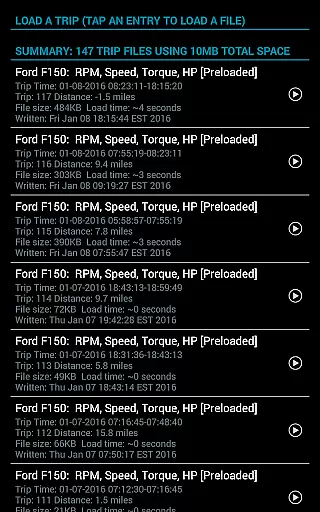
The ability to save and review data over time means users can track the effects of any modifications or repairs made to the vehicle. This historical perspective ensures that investments in vehicle improvements are understood and visible through actual performance metrics, offering a clear return on investment.
Additionally, the app supports simulation mode, letting users design and test monitoring configurations without needing a physical connection to a vehicleu2019s ECU. This feature saves time and resources, further enhancing the economic benefits of using Realtime Charts for Torque Pro in managing vehicle health and performance efficiently.
Comprehensive sensor monitoring
Real-time data visualization
Customizable chart options
Advanced analytical tools
Professional sharing capabilities
Requires separate hardware
Torque Pro dependency
Complex for beginners
Android only support
No iOS version available

Easily notify car owners in urgent situations, safe, fast, multilingual.
 4.2
4.2
Theme for Car Launcher
4.5
Discover new and used cars in Syria easily! Browse ads and connect with sellers.
3.70
Oil change service & coupons for car maintenance at Valvoline Instant Oil Change
4.70
AI Powered - Automotive Mechanic Assistant
4.30
Instant diesel savings. No credit checks or fees. Nationwide growing network.
4.40
Automotive Electrical Wiring Diagrams
4.40
Shop cars & see your financing
4.60
Trip computer+car diagnostic tool with widest variety of features and dashboard!
4.70
Get more out of your AAWireless adapter with this companion app | aawireless.io
4.80
Find Your Local Store or Shop Online for the Car, Truck, or SUV Parts You Need
4.70
Browse millions of cars, track vehicle listings or sell your car today
4.70
Autolist - The Largest Selection of Local Used Cars and Trucks
4.50
Instantly redesign your car with AI. From sporty to futuristic, try it all.
4.50
A smarter way to park and reserve your spot ahead of time.
4.40
Ultimate OBD2 Car Scanner: Diagnostics, Service and Modification Tool
4.30
Monitor your behind-the-wheel behavior to become a safer driver and save.
4.10
Wonder how much horsepower and torque your car/truck makes? Look no further.
3.40
App Mirroring for Tesla Car's Browser
2.80


User Reviews