

PayByPhone is a leading mobile parking payment solution trusted by over 95 million drivers globally. The app simplifies the parking experience by allowing users to pay for parking directly from their smartphones. Available in 10 languages and used across more than 1,300 locations worldwide, it supports major regions including the UK, North America, France, Germany, and Switzerland.
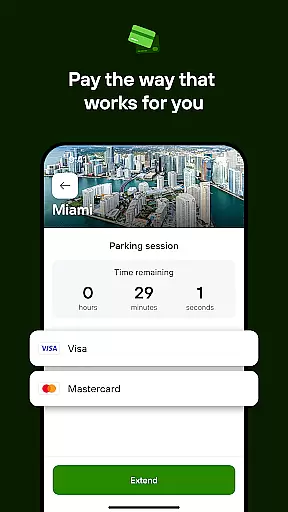
The app's core functionality includes remote session management, payment options like credit/debit cards, Google Pay, Apple Pay, and PayPal, and smart features such as location scanning and session expiration alerts. By integrating intuitive technology with user-focused features, PayByPhone ensures quick, seamless, and secure parking experiences, helping drivers focus on what matters most during their journeys.
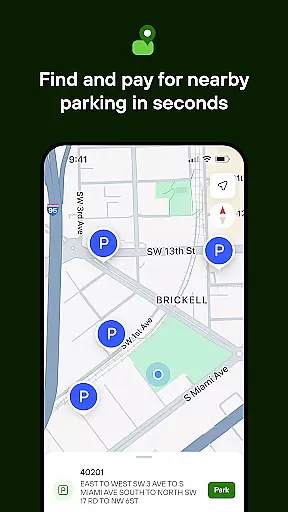
PayByPhone offers an array of innovative features designed to enhance the parking experience. Users can start and extend parking sessions remotely, ensuring convenience without the need to return to their vehicles. The Today View widget provides a quick overview of active parking sessions, while Maps and Nearby functionalities help locate available parking spots efficiently.
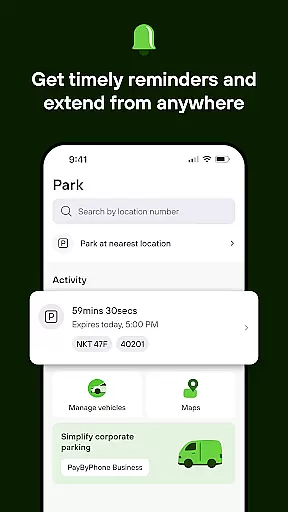
Additional features include SMS or push notifications that alert users before their parking sessions expire, enabling timely extensions. The app also allows users to review their parking history, pin their parking location for easy vehicle retrieval, and receive emailed receipts for expense tracking. These capabilities collectively streamline the parking process, making it smarter and more user-friendly.
When it comes to managing parking sessions through the PayByPhone app, having access to detailed vehicle information is crucial. This feature allows users to input and store comprehensive details about their vehicles, ensuring a seamless parking experience. By maintaining an up-to-date record of your vehicle's make, model, color, and license plate number within the app, you can quickly select the correct vehicle each time you park.
The PayByPhone app takes vehicle management a step further by enabling users to register multiple vehicles under a single account. This functionality proves especially beneficial for households or businesses with several cars, as it streamlines the process of initiating parking sessions regardless of which vehicle you're driving. The app's intuitive interface makes it easy to switch between vehicles, saving time and reducing the risk of errors during the parking payment process.
Moreover, having detailed vehicle information readily available enhances security and accountability. In case of any issues or discrepancies with parking sessions, users can easily reference their vehicle details through the app. This level of transparency not only helps in resolving potential disputes but also provides peace of mind knowing that your parking transactions are accurately linked to your specific vehicle. The ability to manage this information directly from your smartphone adds an extra layer of convenience to the overall parking experience.
Price transparency is a fundamental aspect of the PayByPhone app's value proposition, ensuring users have clear visibility into parking costs before completing any transactions. When initiating a parking session, the app provides detailed breakdowns of pricing structures, including hourly rates, maximum charges, and any applicable discounts or promotions. This upfront display of costs empowers drivers to make informed decisions about their parking choices without worrying about hidden fees or unexpected charges.
The app goes beyond basic price displays by offering real-time cost calculations based on the selected parking duration. Users can experiment with different time frames to find the most cost-effective option for their needs. Additionally, PayByPhone maintains consistency in its pricing presentation across all supported regions and currencies, making it easier for international travelers to understand parking costs regardless of their location.
Furthermore, the app's commitment to price transparency extends to its notification system. When prices change or special rates apply to certain locations or times, users receive timely alerts through SMS or push notifications. This proactive approach to communicating pricing information helps maintain trust between the service provider and its users while preventing unpleasant surprises when reviewing parking expenses. The combination of clear pricing displays, real-time calculations, and informative notifications creates a transparent pricing ecosystem that benefits both occasional parkers and frequent users alike.
User-friendly interface
Multiple payment options
Global availability
Remote session management
Smart notifications
Limited to parking services
Requires internet connection
Location-specific features
Potential service fees
Not all regions supported

OBD2 car scanner and diagnostics: read Check Engine, DTC, economy....
 4.30
4.30
The Texaco App allows you to pay for fuel from the comfort of your car!
4.80
Oil change service & coupons for car maintenance at Valvoline Instant Oil Change
4.70
Club Car Wash Mobile App—the fast lane to managing your wash membership.
3.30
Control maps, media and messaging, with the Google Assistant while you drive
4.10
Instant diesel savings. No credit checks or fees. Nationwide growing network.
4.40
A smarter way to park and reserve your spot ahead of time.
4.40
Browse millions of cars, track vehicle listings or sell your car today
4.70
Get price alerts, vehicle history details and more for cars near you!
4.50
Trip computer+car diagnostic tool with widest variety of features and dashboard!
4.70
Buy and sell your boat
4.70
Your go-to app for car, truck & SUV parts, DIY tools, and expert repair help.
4.70
Instantly redesign your car with AI. From sporty to futuristic, try it all.
4.50
Taximeter; the professional's choice
4.30
Realtime Charts is a plugin for the Torque Pro App (OBD 2 & Car)
4.20
Discover new and used cars in Syria easily! Browse ads and connect with sellers.
3.70
Better fuel to help keep you on the road
3.20
App Mirroring for Tesla Car's Browser
2.80
Theme for Car Launcher
4.1


User Reviews