
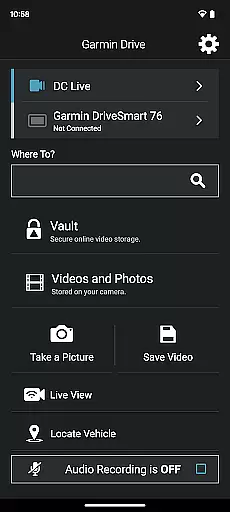
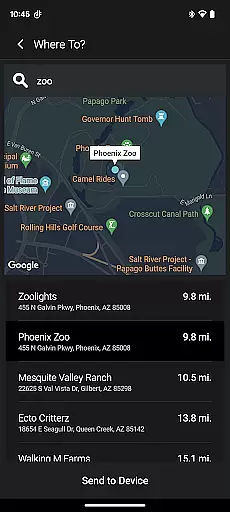
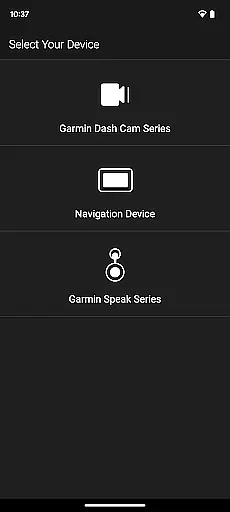
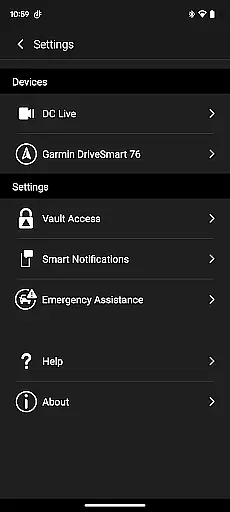
Garmin Drive is a versatile mobile application designed specifically for Garmin automotive navigators and dash cams. The app serves as a central hub for real-time traffic updates, parking information, advanced weather alerts, and access to photoLive traffic cameras. For users with compatible devices, it also facilitates hands-free calling, texting, and notification management through Bluetooth connectivity.
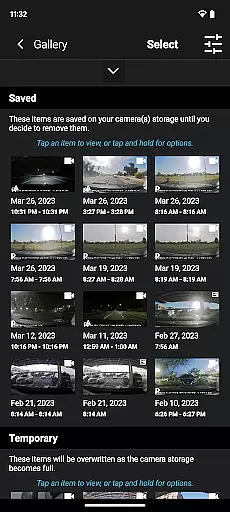
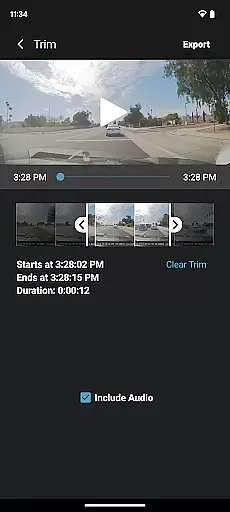
In addition to navigation features, Garmin Drive offers comprehensive dash cam controls. Users can wirelessly connect up to four dash cams using the Dash Cam Auto Sync feature, enabling 360-degree vehicle coverage. The app allows users to create 'picture-in-picture' videos from multiple camera angles, making it easier to review and share footage with relevant parties such as insurance agencies or legal authorities.
This app is particularly beneficial for drivers who require reliable navigation assistance and robust vehicle monitoring. By integrating seamlessly with Garmin's hardware ecosystem, Garmin Drive enhances both safety and convenience on the road, offering users an all-in-one solution for their driving needs.
One of the standout features of Garmin Drive is its ability to provide real-time data for traffic, parking, and weather conditions. This functionality ensures that drivers are always informed about their route conditions, helping them make better decisions while driving. Additionally, the app supports integration with Bluetooth-enabled mobile devices, allowing users to send and receive calls, texts, and notifications without taking their hands off the wheel.
For those using Garmin dash cams, the app provides intuitive controls for managing camera settings and recorded footage. The Dash Cam Auto Sync feature is especially innovative, enabling wireless connection of up to four cameras for complete vehicle coverage. This feature not only enhances security but also simplifies video management by allowing users to generate 'picture-in-picture' views from different camera perspectives.
Another notable aspect is the compatibility with Garmin Speak, which incorporates Amazon Alexa into the driving experience. This integration allows users to enjoy voice-activated music, news, and navigation prompts, all while staying focused on the road. The app's ability to stream audio through Bluetooth or AUX connections further enhances the user experience, providing seamless interaction with the vehicle's sound system.
Accessing detailed vehicle information is crucial for drivers who want to stay informed about their surroundings and vehicle status. The Garmin Drive app excels in this area by providing real-time data tailored specifically for automotive use.
This application offers comprehensive traffic updates, parking availability, and advanced weather reports directly to compatible Garmin navigators. These features ensure that drivers have the most up-to-date information to make informed decisions while on the road.
Additionally, users can benefit from photoLive traffic cameras which provide visual confirmation of traffic conditions. This level of detail allows for better route planning and time management during commutes or long-distance travel.
Price transparency in automotive services ensures that users are fully aware of costs associated with navigation features. While Garmin Drive focuses primarily on functionality, it indirectly supports cost-saving measures through its efficient service delivery.
The app provides valuable services such as real-time traffic updates and parking information without additional charges beyond the initial purchase of compatible devices. This approach helps users avoid unexpected expenses related to third-party services.
Moreover, the ability to wirelessly connect up to four dash cams using Dash Cam Auto Sync offers a cost-effective solution for achieving comprehensive vehicle coverage. Users can manage recordings efficiently without needing to invest in separate systems for different camera angles.
User-friendly interface
Real-time traffic updates
Comprehensive dash cam control
Advanced weather alerts
Seamless device integration
Limited to Garmin devices
Requires stable internet
Complex setup process
Occasional syncing issues
Premium features locked behind subscription

Theme for Car Launcher
 4.4
4.4
Ferrari inspired analog & digital watch face with quick access and premium style
4.2
CVT diagnostics with ELM327 for Nissan-based vehicles
4.40
Get your personalized financing options and shop for used cars today!
4.20
Oil change service & coupons for car maintenance at Valvoline Instant Oil Change
4.70
Secure mobile payments & fuel savings at Phillips 66®, Conoco® and 76® stations
4.40
Monitor your behind-the-wheel behavior to become a safer driver and save.
4.10
Available in select states.
4.00
Your go-to app for car, truck & SUV parts, DIY tools, and expert repair help.
4.70
Practice the drills within MotoJitsu Master Riding Program Volume 1 & 2!
4.80
1M+ high-quality auto parts at your fingertips. Fitment guaranteed.
4.70
Browse millions of cars, track vehicle listings or sell your car today
4.70
Ultimate OBD2 Car Scanner: Diagnostics, Service and Modification Tool
4.30
Realtime Charts is a plugin for the Torque Pro App (OBD 2 & Car)
4.20
myAudi offers users services and Audi connect services for Audi drivers
4.10
ODB2 based monitoring application for the Chevy Bolt (2017-2021)
4.00
BlueDriver® is a Premium Diagnostic OBD2 Scan Tool. www.BlueDriver.com
3.90
Read and delete OBD codes with any ELM327 OBD scanner. Coding functions included
3.40
O'Reilly Pro will streamline your parts lookup and ordering process!
3.20


User Reviews