
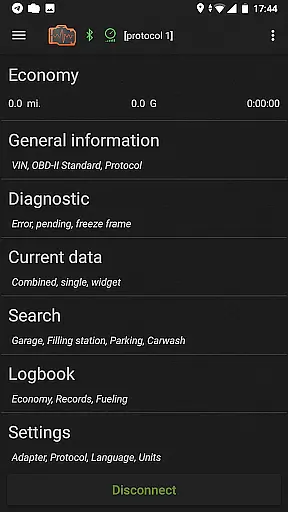
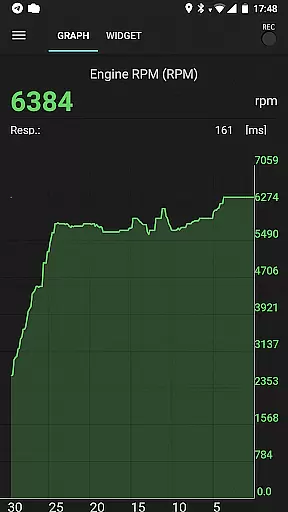
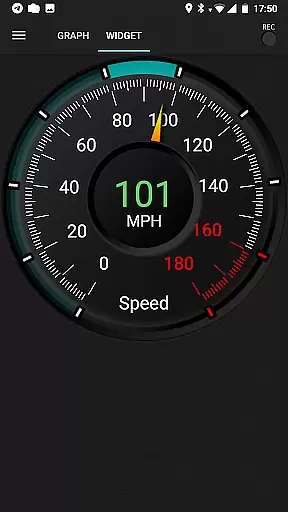
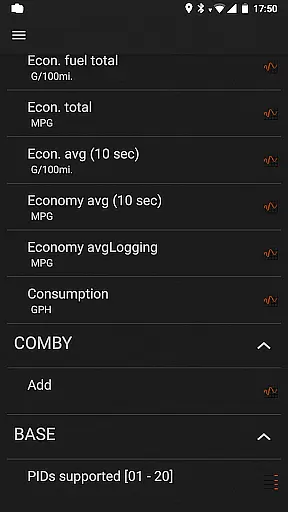
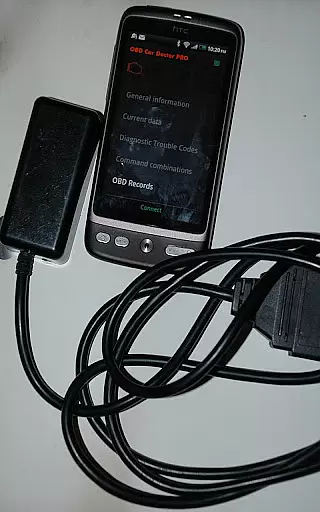
inCarDoc Pro is a comprehensive car diagnostics tool designed for vehicle enthusiasts and professionals alike. This application serves as an OBD-II scanner, enabling users to read real-time and stored diagnostic parameters from their car's Engine Control Unit (ECU). It supports multiple connection types including Bluetooth, WiFi, and BLE through compatible scanners like ELM327.
The app offers advanced features such as recording parameters in the background, viewing traces of recorded data, GPS support, and uploading information to a server. Additionally, it provides widgets for fuel economy and acceleration, along with an overlay feature that displays economy data over any screen. These capabilities make inCarDoc Pro an invaluable tool for monitoring vehicle health and performance.
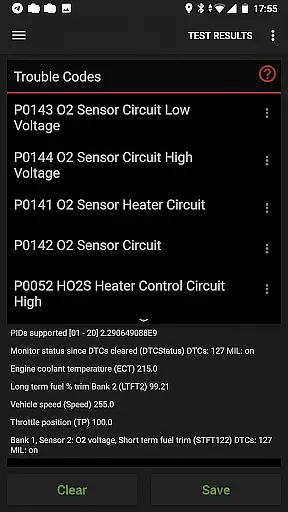
With its ability to function as a fault code reader, clear diagnostic trouble codes (DTC), and track fuel economy, inCarDoc Pro is ideal for those seeking detailed insights into their vehicle’s operation. Whether you're diagnosing issues or maintaining a logbook of service records, this app equips you with the necessary tools to keep your car running smoothly.
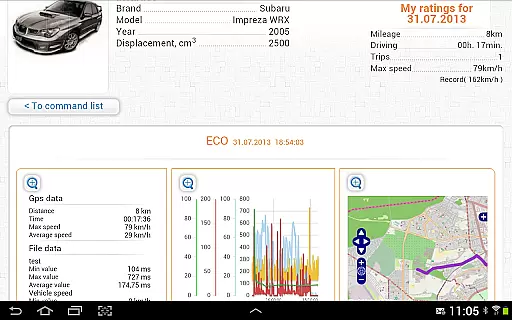
inCarDoc Pro stands out with its extensive range of features tailored for car diagnostics and monitoring. One of its core functionalities includes reading real-time engine parameters such as speed, RPM, coolant temperature, and more from OBD-II compliant vehicles. The app presents these metrics through charts and customizable analog/digital widgets, providing users with a clear view of their vehicle's performance.
Another significant feature is the trip computer mode, which tracks fuel economy by utilizing specific OBD2 parameters like MAF or MAP+IAT+RPM. Users can input their engine displacement and volumetric efficiency for accurate calculations, receiving both instant and average MPG statistics. This functionality helps drivers optimize their driving habits for better fuel efficiency.
Additionally, inCarDoc Pro offers a logbook for noting fueling, service records, and maintenance activities. With GPS integration, users can access speed and altitude data while logging trips. The app also allows advanced users to send direct OBD2 and ELM327 commands via console mode, catering to those who require deeper control over their vehicle diagnostics process.
Accessing detailed vehicle information is crucial for effective car maintenance and diagnostics. inCarDoc Pro provides comprehensive data about your vehicle's performance by connecting to the OBD-II system. This includes real-time parameters such as engine speed, coolant temperature, and oxygen sensor readings.
The application reads these metrics directly from your car's sensors, ensuring accuracy and reliability. By supporting multiple protocols and offering customizable configurations, it caters to a wide range of vehicle makes and models. This versatility allows users to monitor various diagnostic parameters specific to their cars.
With this detailed information, users can identify potential issues early, track fuel economy, and maintain optimal vehicle performance. The app also enables storing and sharing diagnostic data, which is invaluable when seeking professional repair services. Overall, inCarDoc Pro empowers car owners with the insights needed for efficient vehicle management.
Price transparency in automotive tools ensures users understand the costs involved before making a purchase. inCarDoc Pro offers a free version with basic features, allowing users to test compatibility with their vehicles before committing financially. This approach helps prevent unexpected expenses related to unsupported functionalities or hardware requirements.
The pro version of inCarDoc Pro removes advertisements and unlocks advanced capabilities like real-time parameter recording and extended widgets. These enhancements provide significant value for enthusiasts and professionals who require detailed diagnostics and performance tracking. Importantly, all premium features are clearly outlined on the appu2019s website and within its description on Google Play.
By offering a transparent pricing model, inCarDoc Pro builds trust with its users. They know exactly what they are paying for and can make informed decisions based on their needs. Additionally, the app supports various OBD-II scanners, reducing the need for additional investments in proprietary hardware. This commitment to clarity benefits both casual users and serious car enthusiasts alike.
User-friendly interface
Comprehensive diagnostics
Real-time parameter tracking
Customizable widgets
Logbook functionality
Requires compatible scanner
Limited without ELM327
Advanced features may overwhelm beginners
Compatibility checks needed
Premium pricing

OBD1 ECMs application. Data log or tune directly from your phone or tablet!
 4.60
4.60
CVT diagnostics with ELM327 for Nissan-based vehicles
4.40
Get your personalized financing options and shop for used cars today!
4.20
Club Car Wash Mobile App—the fast lane to managing your wash membership.
3.30
Instantly redesign your car with AI. From sporty to futuristic, try it all.
4.50
Take state-specific DMV permit tests and ace the exam.
3.90
Monitor your behind-the-wheel behavior to become a safer driver and save.
4.10
O'Reilly Pro will streamline your parts lookup and ordering process!
3.20
A smarter way to park and reserve your spot ahead of time.
4.40
7-Day Returns on All Cars
4.80
The Texaco App allows you to pay for fuel from the comfort of your car!
4.80
Buy and sell your boat
4.70
Your go-to app for car, truck & SUV parts, DIY tools, and expert repair help.
4.70
Shop cars & see your financing
4.60
Find Fast EV Chargers | Charge Your Vehicle at 1,100+ Fast Car Charging Stations
4.60
OBDII - ELM327 Terminal tool for 96-00 Volvos
4.50
Autolist - The Largest Selection of Local Used Cars and Trucks
4.50
myAudi offers users services and Audi connect services for Audi drivers
4.10
PayByPhone: A quick and easy way to pay for parking.
3.80


User Reviews