
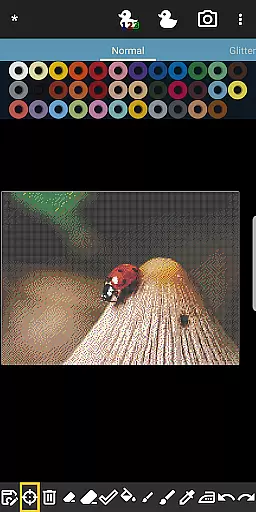
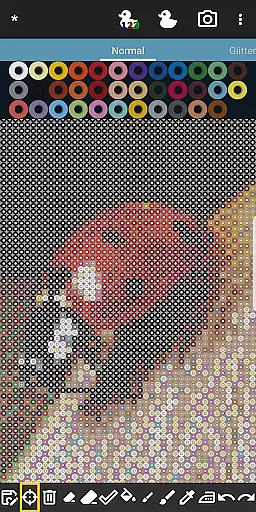
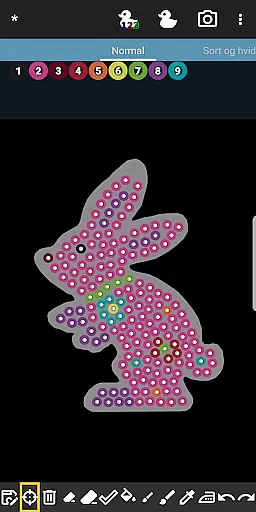
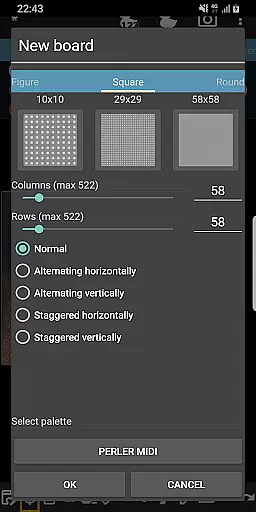
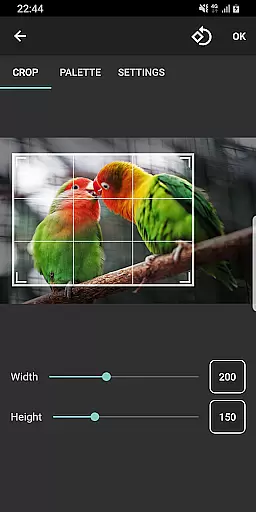
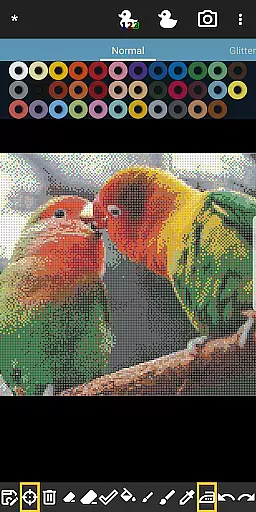
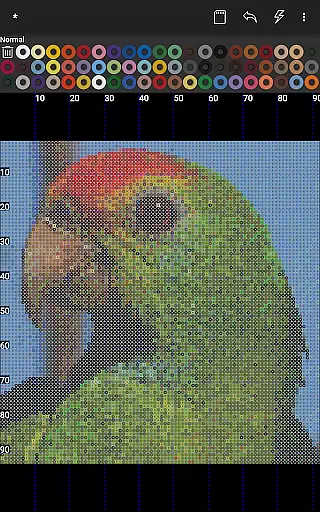

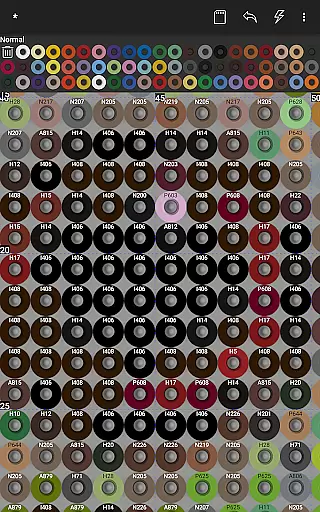
BeadStudio is a versatile digital platform for creating fuse or melty bead designs, catering to users from all age groups and skill levels. This app allows you to craft intricate patterns and artworks virtually before executing them on real pegboards. Whether you're at home, in a car, or on a bus, BeadStudio offers the flexibility to explore new design ideas without the need for physical beads.
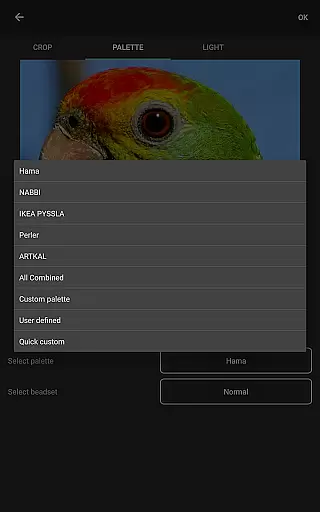
The application supports major fuse bead brands like Hama Beads, Perler Beads, Artkal Beads, Nabbi Beads, and Pyssla Beads, enabling users to create photorealistic artworks, pixel art, or simple recreational designs. With features such as photo-to-bead conversion and custom palettes, BeadStudio empowers users to transform personal photos into bead designs using specific brands and colors of beads available to them.
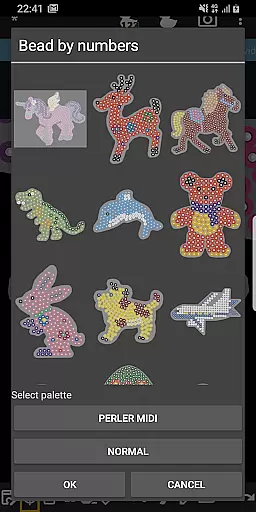
Bead By Numbers, an innovative feature akin to Paint By Numbers, provides ready-to-use templates of figures, shapes, and animals, promoting motor skills and creativity among children while offering a meditative experience for adults. The app's user-friendly interface makes it accessible for both kids and adults, ensuring a seamless transition from digital design to tangible art projects.
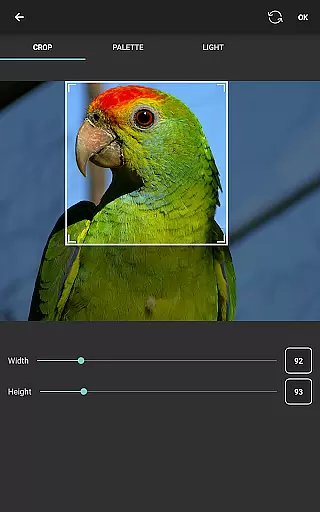
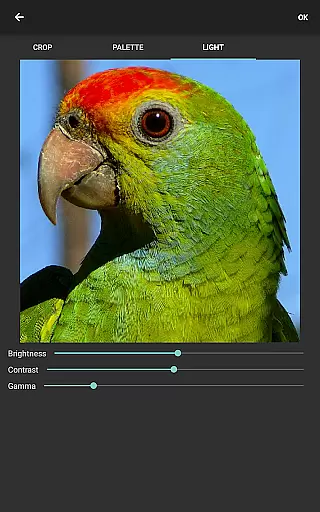
BeadStudio stands out with its comprehensive set of features tailored for fuse bead enthusiasts. One of its core functionalities is the ability to convert photos into bead designs, allowing users to replicate images with remarkable accuracy using their preferred brand and color palette of beads. This feature includes controls for dithering, coloring, and lighting adjustments, providing precise customization options.
The app also supports mixing different types of beads within a single custom palette, addressing the common limitation of fixed color sets. Users can easily switch between brands like Hama, Perler, Artkal, Nabbi, and Pyssla, ensuring that their virtual designs are perfectly aligned with their physical inventory. Additionally, BeadStudio offers various tools for placing beads individually or painting with a brush tool, alongside essential undo/redo and eraser functions.
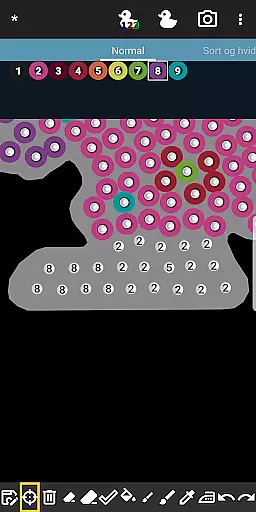
Bead By Numbers introduces an engaging and calming activity where users fill numbered pegs with corresponding beads to complete patterns. This feature not only enhances creativity but also serves as an educational tool for children, improving their motor skills and inspiring them to experiment with colors and designs. Overall, BeadStudio combines practicality with innovation, making it an indispensable tool for fuse bead artists.
BeadStudio stands out in the Entertainment category by offering a diverse range of content that caters to various age groups and skill levels. From simple designs for children to photorealistic artworks for adults, the app provides an extensive array of creative possibilities.
The application supports all major brands of fuse beads, including Hama Beads, Perler Beads, Artkal Beads, Nabbi Beads, and Pyssla Beads. This versatility allows users to experiment with different types of beads within a single project, enhancing their creative freedom.
One of the key features is the built-in photo to bead conversion tool, which transforms personal photos into bead designs using specific brand colors. This not only adds a personalized touch but also keeps the content fresh and engaging for users who wish to create unique pieces.
Additionally, BeadStudio includes entertaining and meditative activities like Bead By Numbers, similar to Paint By Numbers, providing ready-to-use figures and shapes. This feature helps improve motor skills in children while offering a calming activity for adults, ensuring continuous engagement with fresh content.
User engagement in BeadStudio is significantly enhanced through its intuitive design and versatile features, encouraging prolonged use. The simplicity of creating new boards or choosing from pre-made templates makes it accessible for both beginners and experienced users, fostering a sense of accomplishment.
The ability to mix different types of beads in one custom palette addresses the needs of advanced users looking for precision in their artwork. This level of customization increases the time spent on each project as users meticulously plan and execute their designs.
Bead By Numbers is another feature that boosts user retention by providing structured projects such as animals and shapes. Users can easily follow numbered patterns, making it an ideal tool for those seeking relaxation or a mental break without compromising on creativity.
Moreover, the app's support for generating boards from photos adds a layer of personalization that keeps users invested. With controls over image aspects like dithering and coloring before conversion, individuals are likely to spend more time perfecting their creations, thus increasing overall engagement duration.
User-friendly interface
Supports multiple bead brands
Customizable palettes
Innovative Bead By Numbers
Photo-to-bead conversion
Requires internet connection
Limited offline functionality
Premium features may require payment
External storage permissions needed
Some advanced tools might be complex

Music visualizer and party effects for your Nanoleaf devices
 4.1
4.1
Fire effects for your Philips Hue lights
4.20
Stream Live TV, News & Documentaries. Watch Full Seasons with PBS Passport.
4.80
Neon Christmas Tree Animated: Festive Wear OS watch face with fitness info
4.3
Alice Box is an Instrumental Trans Communication app.
3.80
Premium version to enjoy your favorite anime
4.60
Explore the unknown!
3.00
World's largest dedicated anime collection
4.70
Pop Drama is a premier app crafted for short drama lovers
4.60
Colorful flows will relax and calm you down, or get you trippy and creative!
4.90
Companion app for Elden Ring to track quests, bosses, progress and more.
4.70
Direct access to the most complete Guitar Tab Archive in Spanish: LaCuerda.net
4.60
Tarot & Oracle Card Readings
4.50
Build and Share AI
4.20
Start EVP/Spirit Box tonight: real EMF, offline, recording. One-time purchase.
4.10
Necrophone is spirit box ghost hunting app made for spirit communication.
3.70
Unofficial Game Companion App” “Guides • Builds • Tips • Progression
4.0
Christmas Globe: Transform your Wear OS device into a festive timekeeper!
4.4
Control your AWTRIX 3 easily
4.1


User Reviews