
Soundstorm for Nanoleaf is an entertainment app that brings your music to life through Nanoleaf devices. This innovative application allows users to create immersive light shows that sync with their favorite songs, creating the perfect party atmosphere.
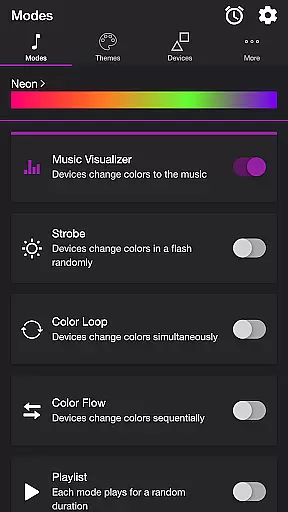
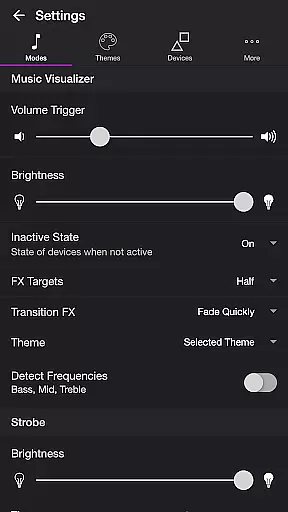
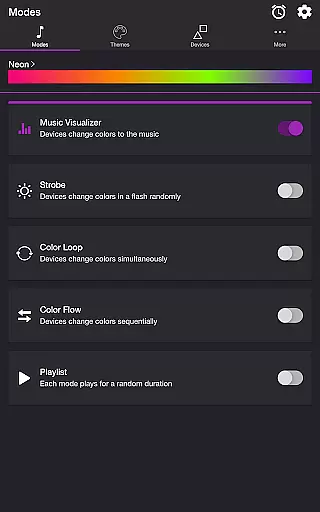
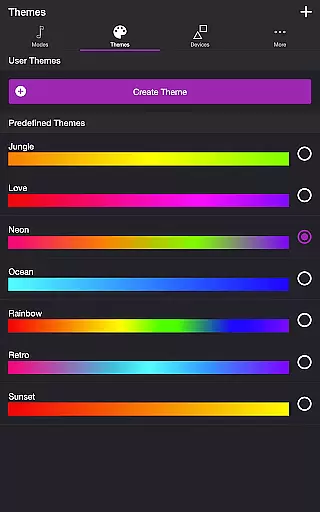
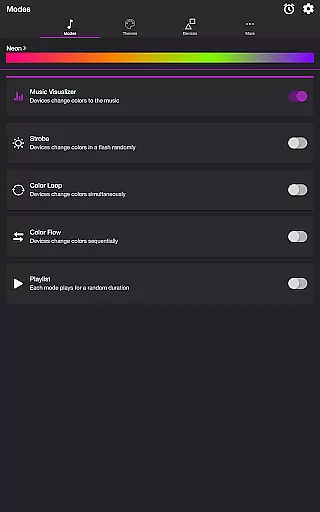
The app offers multiple modes including Music Visualizer, Strobe, Color Loop, Color Flow, and Playlist. Each mode uses advanced algorithms to produce stunning visual effects that dance to the rhythm of the music. Users can customize themes, adjust settings like brightness and transition effects, and control individual Nanoleaf devices.
Ideal for home parties or personal entertainment, Soundstorm for Nanoleaf transforms any space into a dynamic light show venue. The ability to fine-tune every aspect of the experience makes it a must-have for Nanoleaf owners looking to elevate their audio-visual entertainment.
Soundstorm for Nanoleaf stands out with its diverse feature set designed for maximum customization. The Music Visualizer mode uses device microphone to detect sound frequencies, creating real-time light effects that match the music's rhythm and intensity.
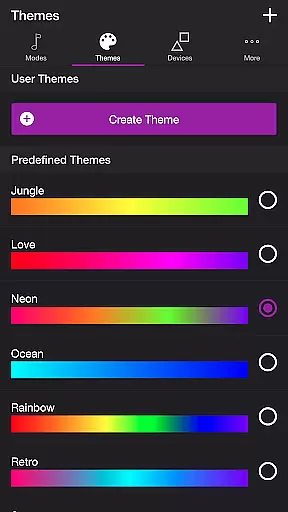
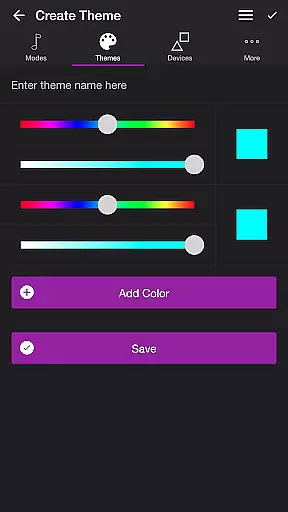
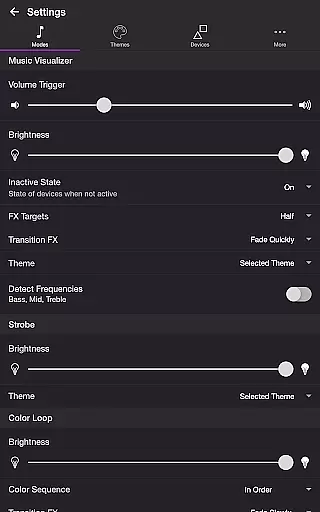
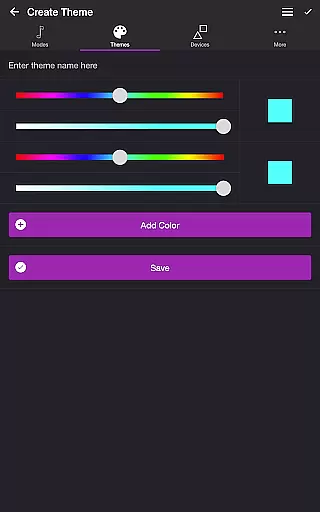
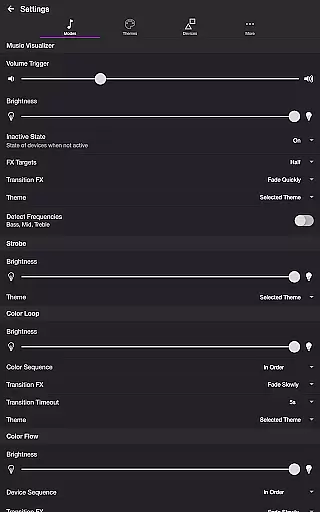
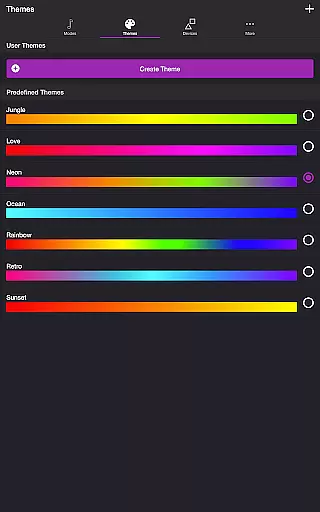
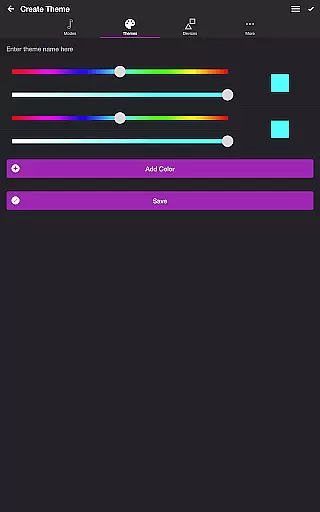
Users can choose from various predefined themes or create custom ones, with options to adjust color sequences, transition effects, and brightness levels. The app supports advanced settings for each mode, allowing precise control over bass, mid, and treble responses, plus features like Sleep Timer and automatic mode switching.
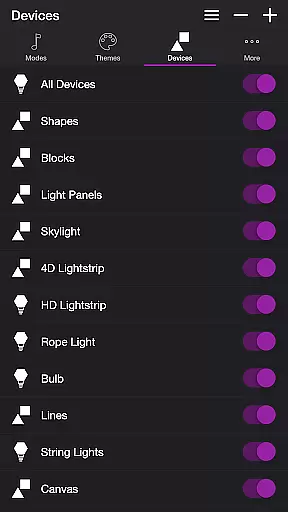
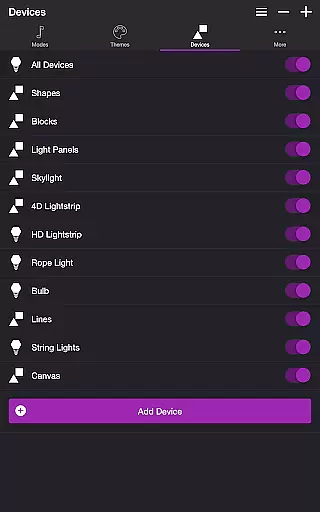
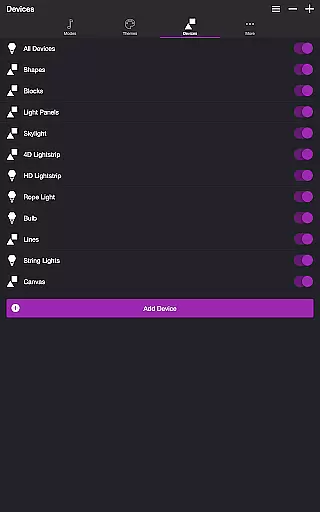
Device management is streamlined through the dedicated Devices tab, where users can add, remove, and reorder their Nanoleaf devices. The Playlist mode enables random or sequential execution of different effects, while the Settings menu provides granular control over timing, sequence, and effect parameters.
Soundstorm for Nanoleaf offers a diverse range of content through its multiple modes and themes. Users can choose from various modes such as Music Visualizer, Strobe, Color Loop, Color Flow, and Playlist, each providing a unique way to interact with their Nanoleaf devices.
The app's flexibility in theme selection allows users to either pick from predefined themes or create their own, ensuring that the light shows remain fresh and personalized. The ability to reorder colors and customize settings within each mode adds another layer of variety.
With features like Sleep Timer and automatic start/stop options, the app keeps the experience engaging by allowing users to tailor the duration and timing of their light shows. This ensures that the content remains dynamic and adaptable to different moods and occasions.
User engagement is at the core of Soundstorm for Nanoleaf, with features designed to keep users interacting with the app over extended periods. The Music Visualizer mode, which syncs lights with music through microphone access, encourages prolonged use during parties or music sessions.
Customization options such as adjusting brightness, transition effects, and frequency detection contribute to user retention by offering a personalized experience. Users can fine-tune these settings to match their preferences, making each interaction with the app unique.
Additionally, the ability to reorder devices and colors, along with the Playlist mode that randomly plays different effects, ensures that users remain engaged and interested in exploring new combinations and setups. This ongoing customization potential helps maintain long-term user interest.
Real-time music sync
Highly customizable themes
Multiple effect modes
Precise device control
User-friendly interface
Requires compatible devices
Microphone access needed
Complex for beginners
Limited free features
Device-specific functionality

Journey to the world’s oldest rainforest and meet its Indigenous Custodians.
 4.0
4.0
Fire effects for your Philips Hue lights
4.20
Stream videos to VIDAA & VEWD TVs from Hisense, Sharp, Skyworth, Vestel & TiVo
3.00
Scan sets, track your builds, and enjoy intuitive digital instructions.
4.70
Wodfix Air aggregates popular online content for you.
4.80
Just play games to earn gift cards. Keep playing, keep earning.
4.50
Build and Share AI
4.20
Stream, Watch, Chat. Live.
4.00
World's largest dedicated anime collection
4.70
Time tracking, lap counting and much more for Carrera® Digital 132/124
4.80
Stories that spark in seconds.
4.80
Triple A is a highly complex, kinetic, and interactive visualizer.
4.50
Geooh GO is the most feature rich geocaching app available today.
4.50
Play games. Earn real rewards. Cash out in 3hours via PayPal or gift cards.
4.40
Best of icon for christmas
4.30
Start EVP/Spirit Box tonight: real EMF, offline, recording. One-time purchase.
4.10
Watch New Episodes & Live TV
3.80
Create your Songs. Cover Maker with any Voice, Song Generator
3.30
Watch everything you want.
2.90


User Reviews