
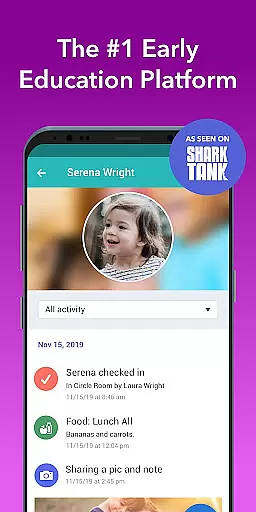
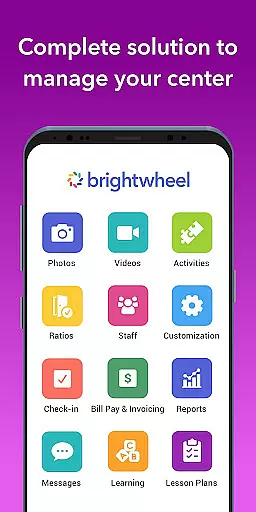
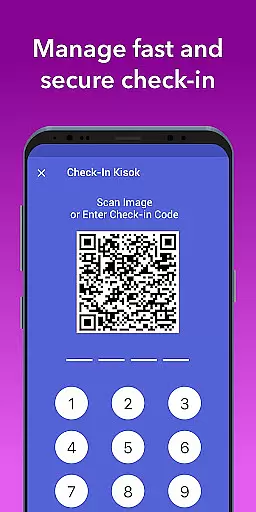
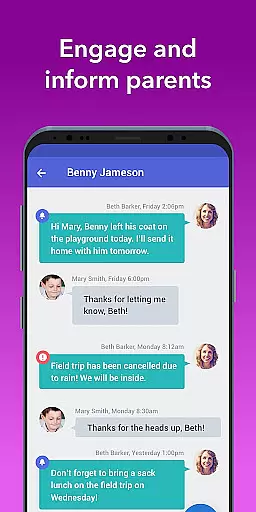
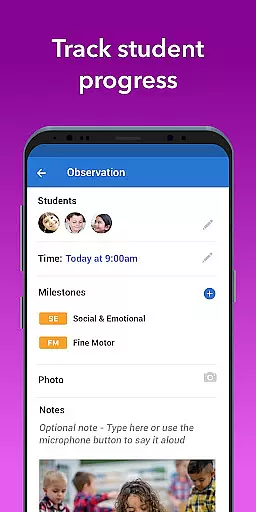
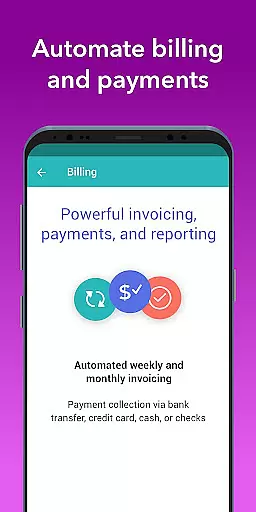
Brightwheel is a comprehensive childcare management software designed to streamline operations for early education providers. This all-in-one platform combines essential functions such as billing, attendance tracking, family communication, lesson planning, and reporting, enabling educators to focus more on children and less on administrative tasks.
The app's intuitive design ensures quick setup and ease of use for both staff and families. With features like automated billing, real-time family communication, photo and video sharing, and detailed reporting, brightwheel enhances operational efficiency while strengthening family connections. Backed by a dedicated support team and robust security measures, the platform ensures reliable performance and data protection.
Brightwheel stands out with its extensive feature set tailored for early education providers. The platform offers advanced tools like two-factor authentication, 99% uptime reliability, and compliance with top data protection standards, ensuring secure and dependable service.
Key functionalities include automated billing and payment processing, customizable financial reports, and real-time family communication through centralized messaging. Educators can easily track student activities through daily reports, manage admissions and enrollment processes, and access detailed analytics through comprehensive reporting features. The app's real-time syncing across devices guarantees up-to-date information availability.
Additional innovative features include digital lesson planning tools, assessment tracking with state standards integration, and classroom management utilities. These capabilities not only save time but also enhance program quality and family engagement, making brightwheel an indispensable tool for modern childcare providers.
In the realm of early education, content accuracy and authority are paramount. Brightwheel stands out by providing educators with tools that ensure lesson plans and assessments align with state standards. This guarantees that the educational content delivered is both credible and authoritative.
The app includes a DRDP tool and pre-loaded state standards, enabling teachers to make notes on student progress and achievements systematically. These features not only enhance the reliability of the information recorded but also streamline the process of sharing these insights with families or internally among teaching staff.
Brightwheel's dedication to maintaining high standards in educational content empowers educators to provide quality learning experiences. By integrating these authoritative resources, teachers can focus more on engaging with students rather than questioning the integrity of their teaching materials.
Ultimately, brightwheel ensures that every piece of educational content is accurate, enhancing trust between educators and families while simplifying compliance with educational regulations.
Creating personalized learning paths is essential for catering to individual student needs. Brightwheel excels in this area by offering customizable lesson planning features that allow educators to tailor educational experiences according to each childu2019s unique requirements.
With brightwheel, teachers can add, modify, and share lesson plans effortlessly. The option to upgrade to Experience Curriculum further enriches program quality through digital lessons and hands-on learning materials designed to adapt to various learning styles.
This flexibility enables educators to design personalized learning journeys that foster growth and development at each student's pace. Families benefit from seeing their children engage with content specifically curated for their developmental stage, ensuring continuous progress.
By leveraging brightwheelu2019s comprehensive suite of features, educators can create dynamic, responsive learning environments that adapt to the evolving needs of their students, promoting better outcomes and satisfaction for all parties involved.
User-friendly interface
Comprehensive feature set
Reliable performance
Robust security measures
Dedicated support team
Limited free plan features
Occasional syncing issues
Steep learning curve
Premium pricing
Device compatibility concerns

An animated storybook app to help ease your child through toilet training.
 3.70
3.70
Short Lessons for Better Finances, Health, Skills, Jobs & Relationships.
4.80
Learn Words Daily in Just Minutes - Boost Your Language Skills Fast!
4.60
Pickleball guide complete with illustrated Pickleball drills and helpful info
4.4
Skelly is a fully poseable, anatomically correct reference skeleton for artists.
4.10
Hasbro’s classic CANDY LAND game is now a gorgeous interactive storybook app.
2.30
Cool math games & learn to read activities- loved by kids, approved by teachers.
4.50
Train, track, and reward potty training using Potty with Pull-Ups® ft. Disney®
4.70
Fun, personalized math learning games that adapt to your child’s needs.
4.40
The best way to study for your amateur radio license exam.
4.90
An aviator’s preparation, study and test tool for FAA Knowledge Exams.
4.30
THE ESTABLISHED "GO TO" ARMY BOARD PREPARATION APP!
4.30
An aviator’s preparation, study and test tool for FAA Knowledge Exams.
4.10
An aviator’s preparation, study and test tool for FAA Knowledge Exams.
3.90
Our most popular app series returns, better than ever!
3.90
An aviator’s preparation, study and test tool for FAA Knowledge Exams.
3.80
A must-have app for mastering Japanese verb/adjective conjugations.
3.60
Your best partner for learning Japanese words. Based on a best-selling textbook.
2.90
Grazing Risk Monitoring Service
4.0


User Reviews