
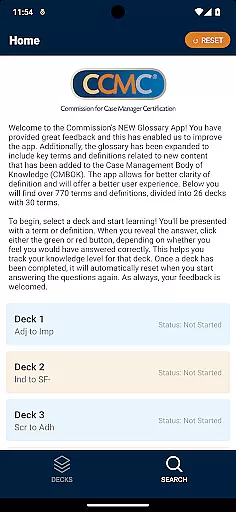
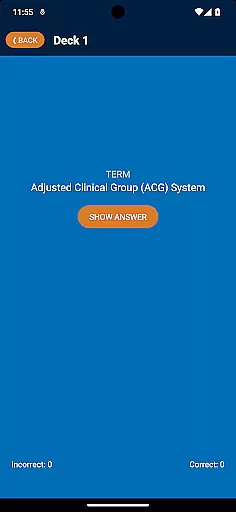

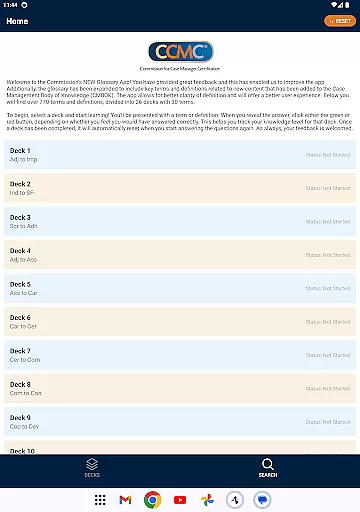

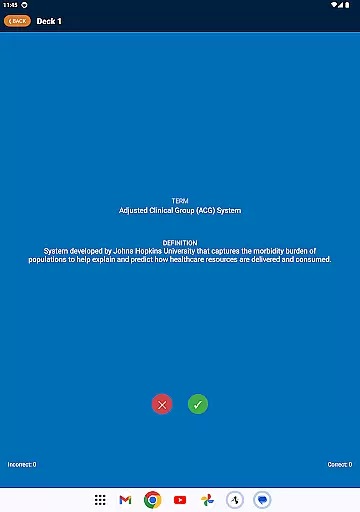

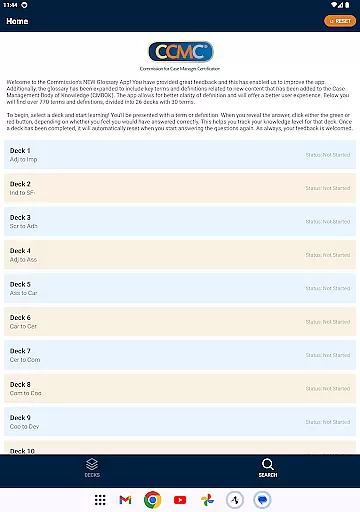

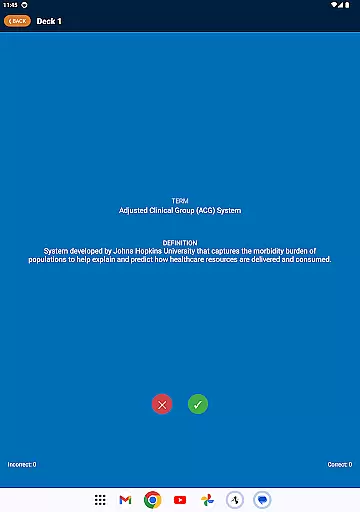

The CCM Glossary App is an educational tool designed to enhance understanding of key terms and definitions in case management. With over 770 terms divided into 26 decks, this app provides a structured learning experience for professionals seeking to expand their knowledge base.
Users can track their progress through interactive features that allow them to mark their confidence level when answering questions. This functionality not only reinforces learning but also helps users identify areas where further study may be needed.
Whether preparing for certification exams or simply looking to stay current in the field, this app offers a convenient way to access important information and improve professional competency.
The app boasts several notable features including a comprehensive glossary with expanded content from the Case Management Body of Knowledge (CMBOK). Each term is presented in a user-friendly format allowing learners to test their knowledge effectively.
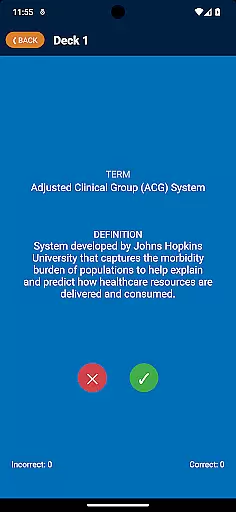
Interactive tracking mechanisms enable users to monitor their performance across different decks. By clicking either a green or red button, learners can indicate their confidence in each answer which aids in self-assessment.
Additionally, once a deck is completed, it resets automatically providing continuous opportunities for review and mastery of the material without manual intervention.
In the realm of education applications, content accuracy is paramount. The CCM Glossary App offers over 770 terms and definitions which are meticulously curated and expanded from the Case Management Body of Knowledge (CMBOK). This ensures that users are accessing information that has been validated by experts in the field.
The app doesn't just provide a static list of terms; it dynamically incorporates user feedback to refine and improve the presented content. With each update, clarity is enhanced, granting students and professionals alike a reliable resource for expanding their knowledge base.
Furthermore, the structured learning approach through 26 decks with 30 terms each allows learners to engage with the material systematically. This organized presentation reinforces the authority of the educational content, making certain that every term and definition aligns with current industry standards and understanding.
One of the standout features of the CCM Glossary App is its ability to offer personalized learning paths. As users interact with the app, they have the unique opportunity to track their understanding and mastery of various concepts. By selecting a deck and engaging with the terms, learners can tailor their educational journey according to their own pace and proficiency.
The app employs an intuitive self-assessment system where users indicate their grasp of a term by clicking either a green or red button. This binary choice helps in gauging the learner's confidence and subsequently adjusts the focus on areas needing improvement. Such personalization ensures that study time is optimized and targeted towards individual learning gaps.
Moreover, once a deck is completed, it resets automatically, allowing continuous and repeated practice. This feature fosters long-term retention and fluency in the subject matter, empowering users to build robust foundational knowledge at their discretion while adapting to new content seamlessly.
User-friendly interface
Comprehensive glossary
Interactive learning tools
Performance tracking
Automatic reset feature
Limited to case management
No offline mode
Requires internet connection
Interface could be outdated
Occasional bugs reported

Build math skills in: addition, subtraction, multiplication and division.
 4.10
4.10
Childcare Management App: Daily sheets, sign in-out, billing and learning tools
4.70
Turns you phone or tablet into TI graphing calculator (ROM required).
4.20
Hebrew Vocab
4.90
Pickleball guide complete with illustrated Pickleball drills and helpful info
4.1
Hasbro's Classic Board Game - Make Cavity Sam better or get the buzzer!
3.50
THE ESTABLISHED "GO TO" ARMY BOARD PREPARATION APP!
4.30
SkyView®, an augmented reality space app, brings stargazing to everyone!
4.40
Fun, personalized math learning games that adapt to your child’s needs.
4.40
Short Lessons for Better Finances, Health, Skills, Jobs & Relationships.
4.80
AI Language tutor: Speak fluently with Lucy’s personalized coaching
4.70
Guitar chord finder, analyzer, smartly visualized theory, progressions, quizzes.
4.70
Stack the States makes learning about the 50 states fun!
4.70
Astronomy Guide to the Night Sky
4.40
One of the most engaging and innovative ABC apps on the market.
4.30
Visit Daniel's house & make believe. Play doctor, make music, & feed fish.
3.20
Hasbro’s classic CANDY LAND game is now a gorgeous interactive storybook app.
2.30
Grazing Risk Monitoring Service
4.3
A 2024 digital study guide for the Expert Infantryman and Expert Soldier's Badge
4.5


User Reviews