
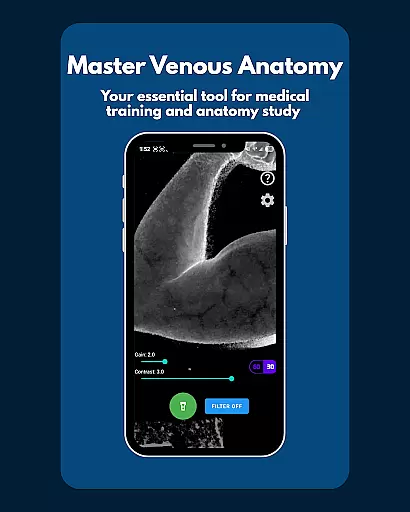
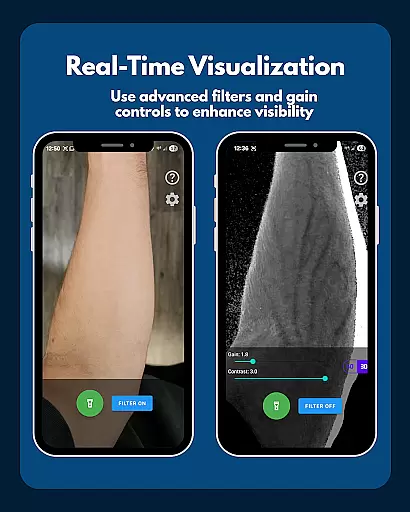
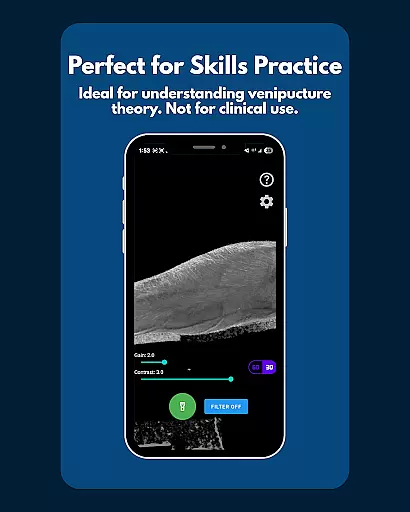
VeinFinder is an innovative educational tool designed to assist medical students and educators in mastering venous anatomy. Using advanced GPU-accelerated image processing, the app enhances vein visibility directly through your device's camera, eliminating the need for additional hardware. This makes it an invaluable resource for practical learning and teaching scenarios.
The app offers precise control over image settings, ensuring optimal visibility across various skin tones and lighting conditions. With features like instant comparison between enhanced and raw views, integrated flashlight control, and complete data privacy, VeinFinder provides a comprehensive solution for improving understanding of venipuncture and IV access procedures. Whether preparing for exams or enhancing classroom instruction, VeinFinder bridges the gap between theoretical knowledge and hands-on application.
VeinFinder stands out with its sophisticated feature set tailored for medical education. The app's instant comparison function allows users to toggle between enhanced and raw camera views, facilitating better understanding of venous structures. Its precision control options enable fine-tuning of gain and contrast settings, adapting to different skin tones and environmental conditions.
Another notable feature is the integrated flashlight control, which ensures consistent performance in low-light environments. All image processing occurs locally on the device, guaranteeing user privacy and data security. These capabilities make VeinFinder particularly useful for students studying anatomy and physiology, as well as educators seeking effective visual aids for their lessons. The app's optimization for Samsung devices, while maintaining compatibility with most Android models, demonstrates its commitment to broad accessibility and ongoing improvement.
In the field of medical education, having access to accurate and authoritative content is crucial for students and educators alike. VeinFinder addresses this need by providing a tool that leverages advanced GPU-accelerated image processing to enhance the visibility of veins through a device's camera. This technology ensures that users can study venous anatomy with precision, bridging the gap between theoretical knowledge and practical application.
The app offers features such as instant comparison between enhanced and raw views, allowing users to validate what they see in real-time. Additionally, precision control over gain and contrast settings helps optimize vein visibility across different skin tones and lighting conditions. These capabilities ensure that the visual information presented is both reliable and adaptable to various learning environments.
VeinFinder is designed specifically for educational purposes, ensuring that all content delivered through the app is aligned with academic standards. It serves as an excellent resource for students preparing for exams or educators looking for effective teaching aids. By using VeinFinder, users can be confident in the authenticity of the anatomical details they are studying.
One of the standout features of VeinFinder is its ability to support personalized learning paths tailored to individual needs. Whether you're a student focusing on anatomy and physiology exams or an educator seeking innovative classroom tools, VeinFinder adapts to your specific requirements. The app allows fine-tuning of image settings like gain and contrast, catering to diverse skin tones and lighting scenarios, thus accommodating varied learning preferences.
For those studying procedures like venipuncture or IV access techniques, VeinFinder provides a hands-on approach to understanding complex concepts. Its real-time vein visualization feature enables learners to practice identifying optimal sites for procedures, enhancing their procedural knowledge effectively. This interactive method fosters deeper engagement with the material being studied.
Moreover, VeinFinder emphasizes user privacy and data security, ensuring all processing occurs locally on the device. This focus on safety complements its educational utility, making it a trustworthy companion for anyone pursuing medical training. With VeinFinder, users can create customized study sessions that align with their unique learning objectives while maintaining complete control over their personal data.
Enhances vein visibility
GPU-accelerated processing
Precise control options
Complete data privacy
Instant view comparison
Performance varies
Not for clinical use
Refund time limited
Device dependent
Lighting sensitive

Watch and Play Elmo's World!
 4.00
4.00
Learn math, step-by-step
4.30
Turns you phone or tablet into TI graphing calculator (ROM required).
4.20
Short Lessons for Better Finances, Health, Skills, Jobs & Relationships.
4.80
Dinosaurs coloring book game. Drawing and painting dinos.
4.50
Break Language Barriers with AI—Learn Language Anytime, Anywhere!
4.00
Pickleball guide complete with illustrated Pickleball drills and helpful info
4.3
Stargazing Guide App. Stars and constellations map. Solar system planets finder.
4.60
Learn & Speak New Languages
4.70
A realistic sky map to observe stars, planets, satellites and constellations!
4.80
AI Language tutor: Speak fluently with Lucy’s personalized coaching
4.70
Astronomy Guide to the Night Sky
4.40
One of the most engaging and innovative ABC apps on the market.
4.30
Astronomy app ? Discover the universe scope, explore solar system model in 3D.
4.20
Designed for Calculator 84 users
4.20
Learn to make peaceful contact with extraterrestrial civilizations
4.10
Master note reading with StaffWars….
4.00
Enrich the experience of your visit to the Pantheon with our audiotour.
1.60
Grazing Risk Monitoring Service
4.1


User Reviews